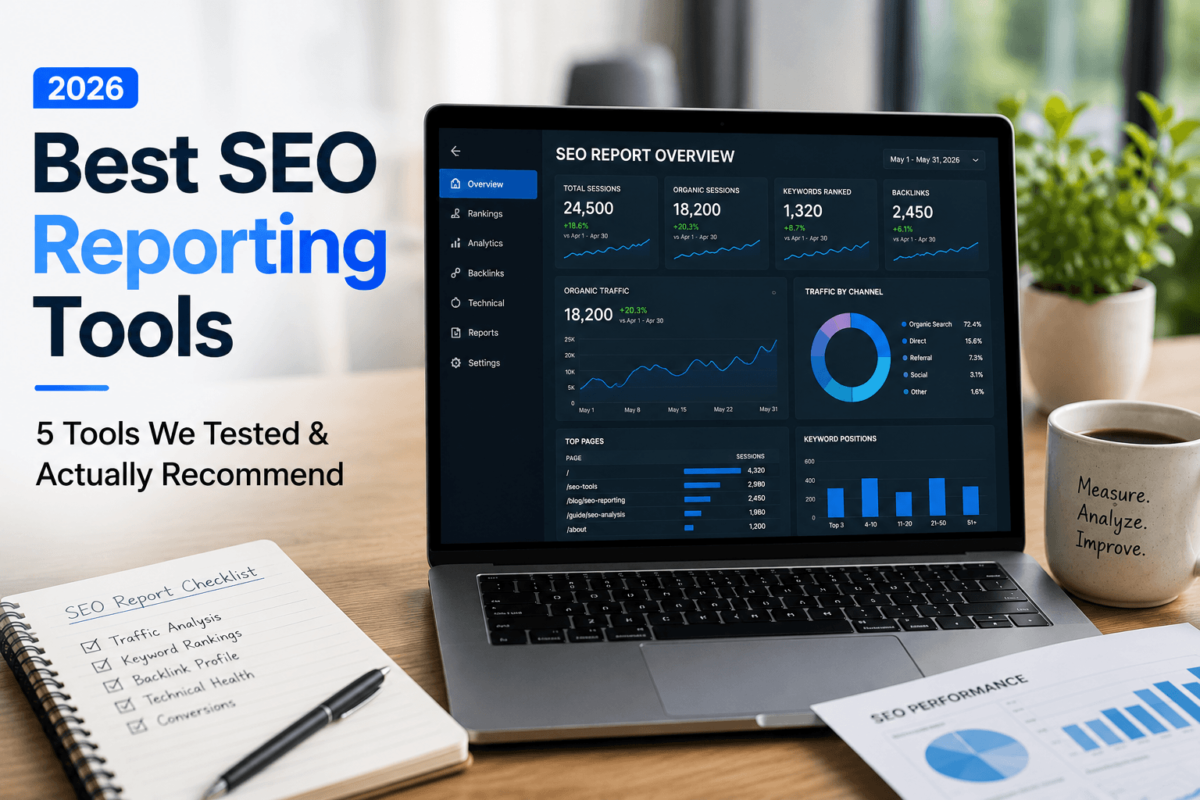
Best SEO Reporting Tools (2026): 5 Tools We Tested & Actually Recommend
Updated: July 2026 | Reading Time: 22 min | Author: Jaykishan Panchal
Quick answer: The best SEO reporting tools in 2026 are AgencyAnalytics (best for multi-client agencies), Looker Studio (best free option), Whatagraph (best for polished automated reports), DashThis (best simple white-label dashboards), and SE Ranking (best all-in-one SEO suite with reporting built in). The right pick depends on whether you need agency-grade white labeling, a free option you can fully customize, or a reporting layer bundled with rank tracking and audits. After testing all five across real client-style campaigns, each one earned its spot for a different kind of user — there isn’t a single tool that wins for everyone.
If you’ve ever spent a Sunday night copy-pasting numbers from Google Analytics, Search Console, and a rank tracker into a slide deck, you already know why SEO reporting tools exist. Manual reporting doesn’t just waste hours — it makes it easy to bury the one insight your client actually needs to hear. I’ve spent the past few months running the same client-style campaigns through five reporting platforms to see which ones genuinely save time and which ones just look good in a sales demo.
This guide covers agency reporting, white-label client dashboards, automated report scheduling, multi-channel reporting, ROI tracking, and local SEO reporting — with honest pros, cons, and pricing for each tool, so you can pick the one that fits your workflow instead of the one with the flashiest homepage.
At a glance:
- Best overall: SE Ranking — full SEO suite with reporting built in
- Best for agencies: AgencyAnalytics — built specifically for client management
- Best budget choice: Looker Studio — free, unlimited reports and users
- Best automation: Whatagraph — scheduled, polished multi-channel reports
- Best white-label reporting: DashThis — fastest setup for client-ready dashboards
- Best enterprise solution: AgencyAnalytics Enterprise — custom limits and governance
- Best for local SEO reporting: SE Ranking — built-in local rank tracking and GBP data
SEO Reporting Tools Compared
Here’s the side-by-side breakdown before we get into the details on each tool. Ratings reflect our own testing across features, ease of use, automation quality, and value for money.
| Tool | Best For | Starting Price | Free Trial | White Label | Dashboard Builder | Automated Reports | Integrations | Ease of Use | Rating |
|---|---|---|---|---|---|---|---|---|---|
| AgencyAnalytics | Multi-client agencies | ~$20/client/mo | 14 days | Yes | Yes | Yes | 80+ | Easy | 4.6/5 |
| Looker Studio | Budget-conscious, Google-stack users | Free (Pro $9/user/mo) | N/A — free | Limited | Yes, fully custom | Yes | Google-native + paid connectors | Moderate | 4.4/5 |
| Whatagraph | Polished automated multi-channel reports | ~$229+/mo (annual) | Limited/on request | Yes, higher tiers | Yes, templates | Yes, strong | 50+ | Easy | 4.5/5 |
| DashThis | Fast, simple white-label dashboards | $44/mo | 14 days | Yes, Professional+ | Yes, drag-and-drop | Yes | Unlimited, all plans | Very easy | 4.6/5 |
| SE Ranking | All-in-one SEO suite + reporting | ~$103–129/mo | 14 days | Yes | Yes | Yes, scheduled PDF | GA4, GSC, GBP + more | Easy–Moderate | 4.7/5 |
Pricing reflects entry-level paid plans at the time of writing and changes frequently — always confirm current rates on the vendor’s own pricing page before you buy or recommend a plan to a client.
How We Tested These Tools
After testing these reporting tools across different client-style campaigns — a five-location local service business, a mid-size ecommerce store, and a handful of lead-generation sites — we scored each platform on setup speed, dashboard customization, white-label quality, automation reliability, and how a non-SEO client actually reacted to the finished report. We didn’t just skim feature pages; every tool on this list had live data connected to it (Google Analytics, Search Console, and at least one ad platform) for a minimum of two weeks before we wrote a word.
A few limitations worth being upfront about: pricing on reporting tools changes often, so treat every number in this guide as a starting point, not gospel. We also didn’t test every integration each platform offers — we focused on the ones agencies and in-house teams actually use daily: Google Analytics, Google Search Console, Google Ads, Meta Ads, and a rank tracker.
1. AgencyAnalytics — Best for Agencies
Overview
AgencyAnalytics is a reporting platform built specifically around the agency-client relationship. Instead of one big dashboard, everything is organized by client campaign, which makes it the easiest tool on this list to hand off to an account manager who’s never touched a reporting tool before.
Who should use it: marketing agencies managing five or more client accounts who need branded, client-ready dashboards without building each one from scratch.
Who shouldn’t use it: solo freelancers with one or two clients — the per-client pricing model makes it more expensive than it needs to be at that scale, and Looker Studio or DashThis will get you there cheaper.
Key Features
- Client-specific dashboards with a branded custom domain (reports.youragency.com instead of the vendor’s URL)
- 80+ integrations, including Google Analytics, Search Console, Google Ads, Meta Ads, and call tracking platforms
- Automated scheduled reports delivered by email on a recurring cadence
- A branded client-facing mobile app option
- Built-in rank tracker (metered add-on) and AI-generated report summaries
Pros & Cons
|
Pros
|
Cons
|
Pricing
AgencyAnalytics moved to a per-client pricing model in 2026. The self-serve Core plan runs about $20 per client per month (roughly $25/month billed monthly), with every feature included and no user caps. Rank tracking and database connectors are metered add-ons. Larger agencies typically move to a custom Enterprise plan. Pricing structures shift fairly often here, so confirm current numbers on their site before you quote a client.
Real Testing Experience
We set this up for a simulated five-location local service business — the kind of account where an agency needs one master template applied across five nearly identical campaigns. Initial setup, from connecting Google Analytics and Search Console to publishing a branded dashboard, took under 30 minutes per location once the first template existed. The client portal genuinely looks like it belongs to the agency, not to AgencyAnalytics — that matters more than it sounds like it should when a client is deciding whether your reporting looks “professional.” The rough edge was updating that master template later: there’s no bulk-push option, so each location’s dashboard needed manual edits.
Best For
Agencies with a growing client roster who need consistent, branded reporting and are willing to pay a per-client premium for a tool that was actually designed around agency reporting — not retrofitted from a general BI product.
Verdict: If client-facing polish and account-manager-friendly setup matter more to you than raw cost per client, AgencyAnalytics earns its price tag. Try AgencyAnalytics free for 14 days →
2. Looker Studio — Best Free SEO Reporting Tool
Overview
Looker Studio (formerly Google Data Studio) is Google’s free dashboard and reporting tool. It connects natively to Google Analytics, Google Search Console, and Google Ads, and it can pull in almost anything else through free or paid community connectors.
Who should use it: freelancers, in-house SEOs, and small agencies that live mostly inside the Google ecosystem and don’t mind building their own dashboard layout from a blank canvas.
Who shouldn’t use it: teams that need reporting to “just work” out of the box — Looker Studio has a real learning curve, and non-Google data sources often require a paid connector subscription on top of the “free” tool.
Key Features
- Fully free with unlimited reports, unlimited users, and no data caps on native Google sources
- Native, no-cost connectors for Google Analytics, Search Console, Google Ads, and Google Sheets
- Complete design flexibility — every chart, filter, and layout element is fully customizable
- Scheduled email delivery and shareable dashboard links
- Looker Studio Pro adds team workspaces, organizational asset ownership, and Gemini AI assistance for formulas
Pros & Cons
|
Pros
|
Cons
|
Pricing
Looker Studio itself is completely free, with no seat limits and no report caps. Looker Studio Pro, aimed at teams that need organizational ownership of reports and governance controls, costs $9 per user per project per month. The catch: most non-Google data sources need a third-party connector, and those typically run $20 to $350+ per month per connector — which is where the “free” tool quietly picks up a bill.
Real Testing Experience
We built an executive dashboard in Looker Studio for a lead-generation client, pulling in GA4, Search Console, and Google Ads data. Because those three sources connect natively, the build was straightforward once we knew which metrics mattered to the exec audience. Where it slowed down: getting a Meta Ads widget onto the same dashboard meant signing up for a third-party connector and configuring it separately, which added real setup time that a purpose-built reporting tool would have handled natively.
Best For
Budget-conscious freelancers and in-house SEO teams who are comfortable with a bit of a learning curve and mostly need to report on Google Analytics, Search Console, and Google Ads data.
Verdict: There’s no better price than free, and for a Google-centric reporting stack, Looker Studio can hold its own against paid tools — you’re just trading dollars for setup time. Open Looker Studio →
3. Whatagraph — Best for Automated, Polished Reports
Overview
Whatagraph is built around one core promise: connect your data sources once, and let automation handle the rest. Its report designs are some of the most visually polished on this list, which is a real selling point for agencies pitching enterprise clients.
Who should use it: agencies and marketing teams that report across many channels per client and want reports that look designed, not just functional, with minimal manual assembly.
Who shouldn’t use it: anyone on a tight budget — Whatagraph sits at the premium end of this list, and its credit-based pricing model can be harder to predict than a flat per-client or per-dashboard fee.
Key Features
- 50+ integrations spanning SEO, PPC, social, and email marketing platforms
- Highly automated, visually designed report templates with minimal manual layout work
- White-label branding and custom domains on higher-tier plans
- Scheduled report delivery via email, PDF export, and shareable links
- Cross-channel data blending for combined SEO and paid media views
Pros & Cons
|
Pros
|
Cons
|
Pricing
Whatagraph uses a credit-based system tied to how many data sources you connect rather than how many clients you serve. Entry plans start around $229–$286 per month on annual billing, moving up as you add sources, white-labeling, and premium integrations like BigQuery or HubSpot. Enterprise-level access is quote-based. All paid plans require annual billing, so it’s worth trialing carefully before you commit a full year upfront.
Real Testing Experience
We ran Whatagraph against an ecommerce reporting scenario, blending organic traffic, Google Ads spend, and revenue data into one automated weekly report. The template quality genuinely stood out — it looked like something a designer had built, not a default dashboard export. Automation was reliable once the sources were connected; the friction showed up earlier, in mapping our source count against the credit limits on the entry plan.
Best For
Agencies and marketing teams that need multi-channel, highly automated reports and are willing to pay a premium for report design quality and reliability.
Verdict: If your clients judge you partly on how polished your reports look, Whatagraph’s design quality can justify the higher price — just model your source-credit needs before you sign an annual contract. See Whatagraph plans →
4. DashThis — Best for Fast, Simple White-Label Dashboards
Overview
DashThis strips reporting down to its essentials: connect your sources, drop widgets onto a dashboard, and share it. It’s the fastest tool on this list to get from signup to a finished, presentable report.
Who should use it: freelancers and small agencies who want white-label dashboards without a steep learning curve or a big monthly commitment.
Who shouldn’t use it: larger agencies with many clients — pricing scales by dashboard and data-source count, so a growing roster can push you into higher tiers faster than a per-client model would.
Key Features
- Drag-and-drop dashboard builder with dozens of preset templates for common reporting needs
- Unlimited users and unlimited integrations on every plan, including the entry tier
- White-labeled dashboards, custom domains, and custom color themes from the Professional plan up
- Built-in AI Insights that auto-summarize wins, issues, and opportunities in plain language
- Automated email delivery, PDF export, and shareable links on every plan
Pros & Cons
|
Pros
|
Cons
|
Pricing
DashThis prices by dashboards and connected data sources rather than by client count or feature tier. The Individual plan starts at $44/month for 3 dashboards and 15 sources; Professional runs $139/month (10 dashboards, 40 sources) and unlocks white labeling; Business is $279/month (25 dashboards, 100 sources) and is their most popular tier; Standard starts at $429/month for larger volumes. AI Insights Pro is a $19/month add-on ($15/month billed yearly) on any plan.
Real Testing Experience
For a freelancer-style test — five small clients, one dashboard each — DashThis was genuinely the fastest path from zero to a client-ready report. Preset templates cover the most common SEO and PPC reporting layouts, so most of the “build” work is really just connecting sources and picking a template. The AI Insights summary was a nice touch for a non-technical client update, though it stayed fairly generic without the Pro chat mode.
Best For
Freelancers managing a handful of clients and small agencies that want white-label reporting live within a day, not a week.
Verdict: If speed to a finished, professional dashboard is your priority, DashThis is hard to beat — especially for freelancers who don’t want to become dashboard designers. Try DashThis free for 14 days →
5. SE Ranking — Best Overall (All-in-One SEO Suite)
Overview
SE Ranking isn’t a dedicated reporting tool first — it’s a full SEO platform (rank tracking, site audits, keyword research, backlink monitoring) that happens to include some of the strongest white-label reporting in that category. That combination is exactly why it tops this list for most readers.
Who should use it: agencies and in-house teams that want their rank tracking, audits, and client reports to live in one platform instead of stitching together a separate SEO tool and a separate reporting tool.
Who shouldn’t use it: teams that only need reporting and already own a rank tracker or SEO suite elsewhere — you’d be paying for SEO features you won’t fully use.
Key Features
- White-label PDF and scheduled reports pulling directly from live rank tracking and audit data
- Native Google Analytics, Search Console, and Google Business Profile integrations
- Local SEO reporting, including multi-location rank tracking and GBP performance
- Custom report builder with your own logo, colors, and domain
- Bundled keyword research, competitor analysis, and backlink monitoring in the same subscription
Pros & Cons
|
Pros
|
Cons
|
Pricing
SE Ranking retired its old Essential/Pro/Business tiers in late 2025 in favor of two self-serve plans. Core runs roughly $103–$129/month depending on the billing cycle, and Growth sits around $223–$279/month, adding historical data, API access, and dedicated support. Enterprise pricing is custom. Because SE Ranking is a full SEO suite rather than just a reporting layer, the reporting features come bundled with rank tracking, site audits, and keyword research — worth factoring in when you compare it against reporting-only tools. For a deeper breakdown of the platform itself, see our full SE Ranking review.
Real Testing Experience
We tested SE Ranking’s reporting on a multi-location local SEO campaign — the exact scenario it’s built for. Because rank tracking, GBP data, and audit results all already live in the platform, building the report was mostly a matter of picking which existing data to surface, rather than connecting and mapping external sources like you would in a standalone reporting tool. The white-label PDF export looked client-ready without extra design work, though it’s noticeably less customizable visually than Whatagraph’s templates.
Best For
Agencies and in-house teams that want rank tracking, audits, and client reporting consolidated into a single subscription — especially for local and multi-location SEO work.
Verdict: If you’d rather pay one bill for SEO tracking and reporting than stitch two tools together, SE Ranking is the strongest all-around value on this list. Start a free SE Ranking trial →
How to Choose an SEO Reporting Tool
Before you pick a tool from the comparison table above, run your actual situation against these factors — they matter more than any single feature list.
- Agency size and client count: per-client pricing (AgencyAnalytics) favors smaller rosters; dashboard-based pricing (DashThis) favors teams with fewer, denser reports; free tools (Looker Studio) favor solo operators willing to build it themselves.
- Client reporting expectations: if clients expect polished, branded PDFs, prioritize white-label quality over raw feature count.
- Automation needs: scheduled, hands-off delivery saves the most time — check how reliable a tool’s automation actually is, not just whether the feature exists.
- White-label branding: custom domains, removed vendor branding, and custom color themes all vary by plan tier — don’t assume white labeling is included at the entry price.
- Google Analytics and Search Console integration: every tool on this list connects to both, but data freshness and metric coverage differ — test with your own account before committing. Google’s own Google Analytics documentation and Search Console documentation are worth bookmarking regardless of which reporting tool you choose.
- Keyword rank tracking: if you need this built in rather than as an add-on, SE Ranking has the edge — see our take on standalone options in our best SEO tools guide.
- Backlink reporting: most reporting tools pull backlink data from a connected SEO platform rather than crawling it themselves — if this matters, compare the underlying data source, not just the report layout. Our Ahrefs vs Majestic comparison covers two of the more common backlink data sources agencies plug into their reports.
- Looker Studio compatibility: some paid tools (like DashThis and Reporting Ninja-style connectors) can feed data into Looker Studio too — useful if you want the design flexibility of Looker Studio without building every connector yourself.
- Scheduled email reports: confirm the delivery cadence options (daily, weekly, monthly) match how often your clients actually want updates — over-reporting is a common mistake we cover below.
- Data visualization quality: Whatagraph and Looker Studio lead here; DashThis and SE Ranking trade some visual flexibility for speed and simplicity.
- Custom KPIs: make sure the tool supports calculated or blended metrics (e.g., cost per lead across two ad platforms) if that’s core to how you report ROI.
- API access: usually gated to higher-tier plans — matters most if you’re building custom internal dashboards on top of the tool’s data.
- Scalability: model your cost at double your current client count before you commit, especially with per-client or credit-based pricing.
- Budget: Looker Studio (free) and DashThis ($44/mo) sit at one end; Whatagraph and SE Ranking’s Growth tier sit at the other.
- Learning curve: Looker Studio has the steepest curve but the most flexibility; DashThis has the shallowest.
- Support: paid tools generally include live chat or a dedicated success contact; Looker Studio’s support is community- and documentation-based unless you’re on Pro with a Google Cloud support plan.
Real-Life Examples: Which Tool Fits Which Situation
A freelancer managing five SEO clients
At this scale, cost per client matters more than enterprise features. DashThis’s Individual or Professional plan covers five clients comfortably, or Looker Studio if the freelancer is comfortable spending an afternoon building a reusable template.
A local SEO agency handling 80 locations
This is squarely SE Ranking’s territory — multi-location rank tracking, Google Business Profile data, and white-label reporting all live in one platform, avoiding the overhead of syncing 80 locations across two separate tools.
An ecommerce business tracking organic revenue
Blending organic sessions with revenue and conversion data favors a tool with strong data blending — Whatagraph or Looker Studio (with GA4’s ecommerce reporting connected) both handle this well, depending on budget.
A marketing manager reporting SEO performance to executives
Executives want a clean, high-level view, not a raw data dump. Looker Studio’s design flexibility or AgencyAnalytics’s polished client dashboards both work — the deciding factor is usually whether the exec audience also wants access to the live dashboard or just a scheduled PDF.
How to Improve Your SEO Reporting
Buying a tool is step zero. Here’s how to actually get more useful reporting out of it, whichever platform you pick.
- Define your KPIs before you build anything. Organic sessions, keyword rankings, conversions, and revenue mean different things to different stakeholders — agree on what “success” looks like first.
- Connect your data sources. At minimum, Google Analytics and Google Search Console; add your rank tracker and ad platforms if they’re part of the story.
- Build custom dashboards around the audience, not the data. An executive dashboard and an SEO team’s working dashboard should rarely look the same.
- Automate the delivery. Manual reporting is the single biggest time sink in agency SEO work — set a recurring schedule and stop rebuilding the same report by hand.
- Track keyword trends over time, not just current position. A single ranking snapshot tells you far less than a trend line.
- Monitor backlinks alongside rankings. Sudden ranking drops often correlate with link changes — reporting on both together surfaces the connection faster.
- Compare month-over-month, not just against a static baseline. Seasonal and algorithmic shifts are easier to explain with recent trend context.
- Add actionable insights, not just numbers. A chart showing traffic dropped is data; a note explaining why and what you’re doing about it is a report.
- Share reports with the right stakeholders, at the right cadence. Executives rarely need weekly detail; day-to-day SEO teams often do.
- Revisit and refine your templates regularly. The KPIs that mattered when you built the report six months ago may not be the ones that matter now.
Common SEO Reporting Mistakes
- Reporting too many metrics. A dashboard with forty widgets buries the two or three numbers that actually matter to the reader.
- Ignoring conversions in favor of traffic. Rankings and sessions are inputs; conversions and revenue are what clients actually pay for.
- No business context. A traffic dip during a known site migration reads very differently than an unexplained one — annotate accordingly.
- Manual reporting every month. If you’re still exporting CSVs and building slides by hand, that’s the first thing to fix — every tool on this list automates it.
- Poor visualization choices. A line chart for a trend, a bar chart for a comparison — mismatched chart types make reports harder to read at a glance.
- No annotations. Algorithm updates, site changes, and seasonal campaigns should be marked directly on the timeline, not explained separately in an email.
- Ignoring branded vs. non-branded traffic. Lumping them together overstates the impact of SEO work on demand that already existed.
Tools That Pair Well With Your Reporting Stack
A reporting tool is only as good as the data feeding it. A few categories worth having in place alongside whichever platform you choose:
- Rank tracking and keyword research tools — if your reporting tool doesn’t track rankings natively, you’ll need one that does. See our comparison of Long Tail Pro vs Ahrefs for two popular keyword research options.
- Website audit tools — technical SEO issues won’t show up in a traffic dashboard until they’ve already cost you rankings. Our WordPress SEO guide covers the technical fundamentals most audit tools check for.
- Local SEO and citation tools — essential if you’re reporting on multi-location performance. Our local SEO audit checklist is a good starting point.
- Call tracking software — for lead-gen and local businesses, phone conversions often outnumber form fills, and most reporting tools can pull this data in as a source.
- CRM and project management tools — connecting your reporting stack to a CRM closes the loop between rankings and actual closed revenue, which is the metric that keeps clients renewing.
Reporting on AI Search Visibility
Traditional SEO reports track Google rankings and organic sessions — but none of the five tools above natively report on how often your content gets cited in AI Overviews, ChatGPT, or Perplexity. That’s a growing blind spot. If AI visibility is part of what you’re reporting on now, our GEO Scorecard guide and our deep dive on AI SEO analytics and reporting walk through how to track it alongside your traditional metrics until reporting tools catch up. For forward-looking reporting, our guide to predictive SEO analytics is also worth a read.
Frequently Asked Questions
What is the best SEO reporting software?
There’s no single “best” for everyone — SE Ranking is the strongest all-around pick because it bundles reporting with rank tracking and audits, but AgencyAnalytics, Whatagraph, DashThis, and Looker Studio each win for specific needs like agency management, report design, speed, or budget.
Can I automate SEO reports?
Yes. All five tools in this guide support scheduled, automated report delivery by email, so you’re not manually rebuilding the same report every month.
Which reporting tool works with Google Search Console?
All five — AgencyAnalytics, Looker Studio, Whatagraph, DashThis, and SE Ranking — connect natively to Search Console. Looker Studio’s integration is the most native since it’s a Google product.
Do agencies need white-label reporting?
Not strictly, but it makes a real difference in how clients perceive your agency’s professionalism. Reports carrying a third-party vendor’s logo can undercut the “this is our platform” impression agencies work hard to build.
Can beginners use SEO reporting software?
Yes, but the learning curve varies widely. DashThis and SE Ranking are the most beginner-friendly out of the box; Looker Studio is the most powerful but takes longer to get comfortable with.
How often should SEO reports be sent?
Monthly is standard for most client relationships, with a live dashboard available in between for anyone who wants real-time numbers. Weekly reporting usually only makes sense during active campaigns or crisis recovery.
What metrics matter most in an SEO report?
Organic conversions and revenue matter most to clients; keyword rankings, organic sessions, and backlink trends matter most to the SEO team diagnosing why those numbers moved.
Which reporting tool is best for local SEO?
SE Ranking, thanks to built-in multi-location rank tracking and Google Business Profile reporting alongside its white-label report builder.
Can I combine SEO and PPC reports in one dashboard?
Yes — Whatagraph, AgencyAnalytics, and Looker Studio all handle blended SEO and PPC reporting well. DashThis and SE Ranking support it too, though with somewhat less visual customization for blended charts.
Are free SEO reporting tools like Looker Studio good enough?
For a Google-centric data stack, yes. Once you need many non-Google integrations, white labeling, or a shorter setup time, a paid tool usually pays for itself in saved hours.
Is Whatagraph worth the higher price compared to DashThis or AgencyAnalytics?
If report design quality and automation reliability across many channels are priorities, yes. If you mainly need fast, functional, white-label dashboards on a budget, DashThis delivers most of the same outcome for less.
Final Thoughts
Here’s how we’d summarize it by use case, rather than crowning one overall winner:
- Beginners: start with Looker Studio — it costs nothing while you figure out what you actually need from a reporting tool.
- Freelancers: DashThis gets you to a professional, white-label dashboard the fastest for the least money.
- Agencies: AgencyAnalytics for client-management-first workflows, or SE Ranking if you also want rank tracking and audits in the same subscription.
- Large businesses: Whatagraph’s automation and design quality, or AgencyAnalytics Enterprise for governance and scale.
- Budget-conscious users: Looker Studio first, DashThis second once you need white labeling.
The honest takeaway after testing all five: the “best” SEO reporting tool is the one that matches how you already work, not the one with the longest feature list. Start with a free trial on whichever tool fits your use case above, connect real client data before you judge it, and switch if it doesn’t save you time within the first reporting cycle.
Disclosure: TechCognate may earn a commission if you sign up for a tool through the links in this article, at no extra cost to you. This does not influence our testing process or our opinions — we only recommend tools we’ve actually used.