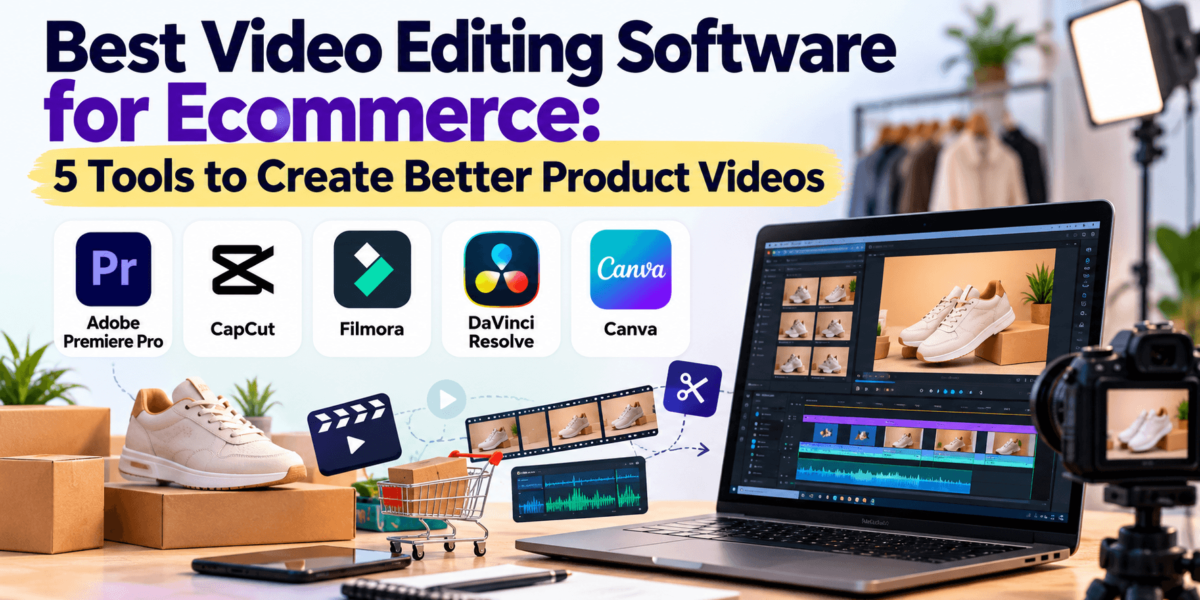
Best Video Editing Software for Ecommerce: 5 Tools to Create Better Product Videos
Disclosure: Tool links in this guide go to each company’s official website so you can check current plans yourself. TechCognate earns commissions from some affiliate partnerships across the site, so if a link here ever becomes an affiliate link, we may earn a small fee at no extra cost to you. Recommendations are based on fit for ecommerce work, not on payouts. |
You shot a decent 20-second clip of your best-selling product. Now it needs captions, a vertical crop for TikTok, a square cut for the product page, and a 15-second version for ads. Doing that in the wrong editor can eat an entire afternoon. In the right one, it takes about twenty minutes.
That is why video editing software has become a real ecommerce decision, not a hobby purchase. Shoppers expect to see a product in motion on product pages, in social feeds, in paid ads, in email, and on YouTube, TikTok, Instagram Reels, and Shorts. For context on how large these channels are, see our roundups of YouTube statistics and Instagram statistics.
Short answer The best video editing software for ecommerce depends on your workflow. Adobe Premiere Pro suits professional-level control, CapCut suits fast social-first videos, Filmora suits beginners who want templates and AI help, DaVinci Resolve offers the strongest free option for advanced editing, and Canva suits quick branded videos made by non-editors. |
This guide compares those five tools on what matters for online stores: ease of use, templates, captions, background removal, vertical formats, collaboration, and price. Where plans or prices vary by region or change often, we say so and point you to the official page.
Quick Answer: Best Video Editing Software for Ecommerce
| Software | Best For | Ease of Use | Key Strength | Starting Price |
|---|---|---|---|---|
| Adobe Premiere Pro | Professional ad and product video production | Moderate to hard | Precision editing and Adobe ecosystem | Paid subscription; 7-day free trial (single app roughly $22.99/mo on annual billing) |
| CapCut | TikTok, Reels, and Shorts | Easy | Fast social-first editing, templates, auto captions | Free plan; Pro roughly $20/mo or $180/yr in US (varies by region) |
| Filmora | Beginners who want templates and AI tools | Easy | Friendly timeline plus AI features | Free trial (watermarked); paid from about $49.99-$69.99/yr; perpetual option |
| DaVinci Resolve | Advanced editing and color on a budget | Hard | Pro-grade editing, color, and audio, free | Free; Studio $295 one-time |
| Canva | Branded videos by non-editors | Very easy | Brand Kit, templates, team sharing | Free plan; Pro roughly $120-$145/yr |
Prices change often and differ by region, billing term, and platform. Confirm on each official pricing page before you buy.
Our picks
- Best overall for serious ecommerce video: Adobe Premiere Pro
- Best for beginners: Filmora (Canva if you only need simple edits)
- Best for short-form social video: CapCut
- Best free option: DaVinci Resolve (CapCut’s free plan is the easiest free option)
- Best for advanced editing and color: DaVinci Resolve
Adobe Premiere Pro
Adobe Premiere Pro is Adobe’s professional video editor, and it is built for people who want full control over every frame. It is the right fit for ecommerce teams producing paid ad creative, brand films, and polished product videos at volume.
| Best For | Brands and editors producing high-end product videos and ad creative |
| Ease of Use | Moderate to hard; expect a learning curve |
| Made By | Adobe Inc. |
Adobe Premiere Pro Key Features for Ecommerce
- Multi-track timeline and precise trimming: lets you cut product footage tightly and layer text, logos, and b-roll without limits.
- Captions and speech tools: auto-generated captions matter because many shoppers watch with sound off.
- Auto reframe and sequence presets: turn one 16:9 edit into 9:16 and 1:1 versions for Reels, TikTok, and product pages.
- Color correction: keeps product colors accurate, which cuts down on returns caused by “it looked different on video.”
- Adobe ecosystem: works alongside After Effects for motion graphics and Photoshop for product stills, and Adobe also offers a free Premiere app for iPhone for quick edits.
Adobe Premiere Pro Pros and Cons
Pros
|
Cons
|
Adobe Premiere Pro Pricing
- Subscription only; no permanent free plan, but Adobe offers a 7-day free trial on desktop.
- Single-app pricing is commonly listed around $22.99/mo with an annual commitment (billed monthly) and about $34.49/mo month-to-month. Creative Cloud bundles cost more.
- Plans, promotions, and tiers have changed several times in 2026 and vary by country. Check Adobe’s page for the current price.
Adobe Premiere Pro Ecommerce Use Cases
- An apparel brand cuts raw runway footage into a 15-second Instagram Reel, then exports a 9:16 and 1:1 version from the same project.
- A DTC skincare store builds paid ad variations with different hooks, captions, and calls to action.
- An agency edits a month of product videos for several clients using shared templates and consistent color grades.
Who Should Use It?
Choose Premiere Pro if you edit video regularly, manage ad creative at volume, or work with freelancers and agencies who already use Adobe.
Who Should Avoid It?
Skip it if you only need quick social clips or have no time to learn a full editor. CapCut or Filmora will be faster.
Verdict Premiere Pro is worth testing if you want professional-level control over product videos and paid ad creatives. It costs more time and money than the others, but it is the most complete choice in this group for teams that edit every week. |
| Try Adobe Premiere ProStart the 7-day free trial and see current plans |
Planning to pair video with stronger visuals? Our guide to AI image generators and AI video generators covers tools that can create extra assets for your edits.
CapCut
CapCut is a video editor from ByteDance, the company behind TikTok. It is best suited to ecommerce businesses that prioritize fast, social-first video creation.
| Best For | Small stores, creators, and social teams making TikToks, Reels, and Shorts |
| Ease of Use | Easy |
| Made By | ByteDance |
CapCut Key Features for Ecommerce
- Vertical-first editing and templates: built around 9:16 clips, so product teasers and trend-style videos come together quickly.
- Auto captions: speeds up subtitles, which matter for sound-off viewing on social feeds.
- Background removal and effects: clean up product shots without extra software.
- AI tools and templates: help beginners turn raw footage into a finished clip, although some AI features and assets sit behind Pro.
- Mobile, desktop, and web versions: let you shoot and edit on a phone, then finish on a computer.
CapCut Pros and Cons
Pros
|
Cons
|
CapCut Pricing
- A free plan is available.
- Paid tiers are split into Standard and Pro. Pro is the plan meant for mobile, desktop, and web use, and published US benchmarks show about $19.99/mo or $179.99/yr. Prices differ by country and by where you buy, so check CapCut’s own pricing page.
- Pro has been reported to include a 7-day free trial, but terms change.
CapCut Ecommerce Use Cases
- A fashion seller turns a 10-second clip into a TikTok with captions, a trending template, and a clear product close-up.
- A home goods store batch-creates several short ad variations for testing.
- A creator-led brand edits UGC-style videos in a casual, social-native look.
Who Should Use It?
Choose CapCut if most of your video goes to TikTok, Reels, and Shorts and you want speed over deep control.
Who Should Avoid It?
Skip it if you need long-form editing, strict brand governance, or a tool with no questions about commercial use. Read the terms and confirm music licensing before using tracks in paid ads.
Verdict CapCut is the easiest way to make social-ready product videos quickly. Use the free plan to test your workflow, and verify licensing before running commercial ads. |
| See CapCut’s latest plansCheck current free and Pro plans |
Filmora
Filmora is a video editor from Wondershare that sits between beginner apps and professional suites. It suits store owners who want more control than a template app but less complexity than Premiere Pro.
| Best For | Beginners and small teams that want templates, AI help, and a clean timeline |
| Ease of Use | Easy |
| Made By | Wondershare |
Filmora Key Features for Ecommerce
- Simple timeline with drag-and-drop effects: makes product demos and explainers approachable.
- Templates, titles, and transitions: give videos a finished look without design skills.
- AI features and captions: help with subtitles, voice tools, and quick cleanup.
- Stock media and plugins (paid plans): add music, clips, and effects, though the perpetual plan may not include all stock content.
- Export options for social and product pages: cover vertical, square, and landscape formats.
Filmora Pros and Cons
Pros
|
Cons
|
Filmora Pricing
- Free trial available; exports include a watermark until you buy a plan.
- Published pricing varies by source, platform, and region: annual plans are listed around $49.99-$69.99/yr, monthly around $19.99, and a perpetual license around $79.99-$99.99.
- Perpetual licenses cover the purchased version. Check Wondershare’s page for the plan that includes what you need.
Filmora Ecommerce Use Cases
- A supplement brand records a how-to-use video, adds captions and callouts, and exports a square cut for the product page.
- A small electronics store builds weekly product demo videos from a reusable template.
- A freelancer packages short ads for several small clients without learning a pro suite.
Who Should Use It?
Choose Filmora if you are new to video, want an affordable path, and prefer an optional one-time purchase.
Who Should Avoid It?
Skip it if you need advanced color grading, heavy motion graphics, or large team collaboration. Choose DaVinci Resolve or Premiere Pro instead.
Verdict Filmora is a solid pick for beginners who want better-looking product videos without a steep learning curve. It will not match pro suites, but it covers most store-level needs. |
| Explore FilmoraSee current plans and the free trial |
DaVinci Resolve
DaVinci Resolve is a professional editing, color, visual effects, and audio suite from Blackmagic Design. It is the strongest free option for users who want advanced editing capabilities.
| Best For | Ecommerce brands that want pro-grade editing and color without a subscription |
| Ease of Use | Hard; plan time to learn |
| Made By | Blackmagic Design |
DaVinci Resolve Key Features for Ecommerce
- Editing, color, effects, and audio in one app: lets a brand handle post-production without extra software.
- Industry-leading color tools: keep product colors accurate and consistent across a catalog.
- Audio tools: clean up voiceovers and demo audio.
- Studio version features: the paid version adds AI tools, higher resolution and frame-rate support, and multi-user collaboration.
- No watermark on the free version: you can export finished product videos at no cost.
DaVinci Resolve Pros and Cons
Pros
|
Cons
|
DaVinci Resolve Pricing
- The free version has no watermark and no time limit.
- DaVinci Resolve Studio is a one-time $295 purchase. Blackmagic’s CEO said at NAB 2026 that the Resolve 21 Studio update would be free, though he has hinted that paid upgrades could come eventually.
- Confirm current terms on Blackmagic Design’s site, since update policies can change.
DaVinci Resolve Ecommerce Use Cases
- A watch brand color-matches footage across a whole product line for a consistent look.
- A coffee company edits a premium brand film, then cuts shorter versions for social.
- An in-house team works with a color-managed workflow for ad creative.
Who Should Use It?
Choose DaVinci Resolve if you want professional results, are willing to learn, and prefer to avoid subscriptions.
Who Should Avoid It?
Skip it if you want to publish social clips in minutes or work on an older computer. CapCut or Canva will be easier.
Verdict DaVinci Resolve delivers professional editing and color for free, which is rare. It is the best value here for people willing to invest time in learning it. |
| Get DaVinci ResolveDownload the free version or view Studio |
Canva
Canva is a design platform from Canva Pty Ltd that includes a simple video editor. It works well for ecommerce teams that need on-brand videos made quickly by non-editors.
| Best For | Marketers and small businesses making branded promo videos and social posts |
| Ease of Use | Very easy |
| Made By | Canva Pty Ltd |
Canva Key Features for Ecommerce
- Templates and drag-and-drop editing: make promo videos, product slideshows, and social clips fast.
- Brand Kit (paid plans): keeps logos, fonts, and colors consistent across every video.
- Resize and background removal tools: repurpose one design for multiple formats.
- Collaboration: teammates can comment, edit, and share projects in one place.
- Stock media library: a large library of photos, clips, and music, with premium items on paid plans.
Canva Pros and Cons
Pros
|
Cons
|
Canva Pricing
- A free plan is available.
- Canva Pro is listed by independent sources at roughly $120-$145/yr, or about $15-$18/mo on monthly billing. Business plans are priced per user.
- Canva has renamed and repriced team plans in recent years. Check Canva’s pricing page for current figures.
Canva Ecommerce Use Cases
- A boutique turns product photos into a short promo video with brand fonts and music.
- A marketing team builds a month of Instagram Reels from shared templates.
- A store owner makes a quick sale announcement video and resizes it for stories and the feed.
Who Should Use It?
Choose Canva if you need quick, consistent, branded content and do not want to learn an editor. See also Canva vs Adobe Express and Canva vs Figma.
Who Should Avoid It?
Skip it if you need multi-track precision, advanced color work, or lengthy product demos. Choose Premiere Pro, DaVinci Resolve, or Filmora.
Verdict Canva is the easiest way to keep videos on brand. It is limited as a pure video editor, but its speed and team features make it a strong supporting tool. |
| Check out CanvaCompare free and paid plans |
Video Editing Software Comparison for Ecommerce
Here is a side-by-side look at how the five tools stack up on the things ecommerce teams ask about most. Ratings are our general assessment of each tool, not lab test results.
| Feature | Premiere Pro | CapCut | Filmora | DaVinci Resolve | Canva |
|---|---|---|---|---|---|
| Ease of use | Moderate to hard | Easy | Easy | Hard | Very easy |
| Free plan | 7-day trial | Yes | Trial (watermark) | Yes | Yes |
| Templates | Some | Many | Many | Few | Many |
| AI features | Yes | Yes | Yes | Studio version | Yes |
| Social media formats | Yes | Strong | Yes | Yes | Strong |
| Captions | Yes | Yes | Yes | Yes | Yes |
| Background removal | Yes | Yes | Yes | Yes (Studio tools) | Yes |
| Advanced editing | Excellent | Basic to moderate | Moderate | Excellent | Basic |
| Collaboration | Strong | Limited | Limited | Studio | Strong |
| Best for beginners | No | Yes | Yes | No | Yes |
| Best for pros | Yes | No | No | Yes | No |
| Ecommerce fit | High | High for social | High for beginners | High for advanced | High for branded content |
Features and tiers change, and some capabilities (such as certain AI tools) depend on plan or version. Verify the details you care about on each official site.
Need to track whether videos actually drive sales? Pair your editor with ecommerce analytics software and a heatmap tool to see how shoppers use pages with video.
Which Video Editing Software Is Best for Your Ecommerce Business?
Choose Adobe Premiere Pro if…
You produce ad creative every week, work with agencies or freelancers, or need exact control over color, audio, and motion. It pays off when video is a core channel.
Choose CapCut if…
Your video lives on TikTok, Reels, and Shorts and you need to publish often. It suits owner-operators and social teams who value speed.
Choose Filmora if…
You are new to editing but want more control than a template app. The optional one-time purchase appeals to owners who dislike subscriptions.
Choose DaVinci Resolve if…
You want professional results on a tight software budget and can invest time learning. It is also a good fit for brands that care about consistent color.
Choose Canva if…
Brand consistency and ease of use matter more than editing depth, or your team already designs in Canva.
How to Choose Video Editing Software for Ecommerce
1. Ease of Use
Match the tool to the person who will edit. If that is you, with no time to spare, pick something you can learn in an evening. Complex software that sits unused costs more than a simple tool you use daily.
2. Templates
Templates speed up repeat content such as product launches and sale announcements. Look for formats sized for your main channels and the ability to save your own.
3. Social Media Support
Check for native 9:16, 1:1, and 16:9 support, easy resizing, and direct export presets. Vertical editing should feel built in, not bolted on.
4. Product Video Features
Look for clean trimming, speed changes, zooms, background removal, text callouts, and screen recording or screen-capture support for demos.
5. Captions and Subtitles
Auto captions with easy editing save hours. Also check whether you can style captions to match your brand.
6. AI Features
Useful AI includes captions, noise reduction, and background removal. Treat advanced generative tools with care and check which plan includes them.
7. Brand Customization
Saved fonts, colors, logos, and templates keep videos consistent. This matters most when several people create content.
8. Export Quality and Formats
Confirm resolution limits, frame rates, watermarks on free plans, and format options for ads, product pages, and email.
9. Collaboration
If agencies or teammates review your videos, look for shared libraries, comments, and project sharing.
10. Pricing and Scalability
Compare subscription versus one-time cost, free-plan limits, and what happens when your team grows. Also confirm commercial-use terms for stock music and assets.
Best Video Editing Software by Ecommerce Use Case
| Use Case | Recommended Tool | Why |
|---|---|---|
| Product videos | Adobe Premiere Pro or Filmora | Precise trimming and polish; Filmora is easier to learn |
| TikTok videos | CapCut | Vertical-first editing, templates, captions |
| Instagram Reels | CapCut or Canva | Fast edits and branded templates |
| YouTube Shorts | CapCut | Quick vertical edits and captions |
| Facebook and Instagram ads | Adobe Premiere Pro | Precise control for creative testing and multiple cuts |
| Product demonstrations | Filmora or DaVinci Resolve | Callouts and audio cleanup |
| UGC-style content | CapCut | Casual, social-native look |
| Beginner editing | Filmora or Canva | Gentle learning curve |
| Professional production | Adobe Premiere Pro or DaVinci Resolve | Deep editing, color, and audio |
| Budget-conscious businesses | DaVinci Resolve or CapCut | Strong free versions |
If your store is on Shopify, our guides to the best Shopify apps and Shopify SEO show how to put your finished videos to work. For product page tactics, read SEO for ecommerce product pages.
Frequently Asked Questions
What is the best video editing software for ecommerce?It depends on your workflow. Adobe Premiere Pro is best for professional control, CapCut for fast social videos, Filmora for beginners, DaVinci Resolve for free advanced editing, and Canva for simple branded content. |
What is the easiest video editor for ecommerce beginners?Canva and CapCut are the easiest to learn, and Filmora is a good step up if you want more control. |
Can I create product videos without professional editing skills?Yes. Templates, auto captions, and background removal in CapCut, Filmora, and Canva let beginners make clean product videos without pro skills. |
What video editor is best for Shopify product videos?Filmora and Canva suit simple product-page videos, while Premiere Pro suits higher-end work. Export in the format your Shopify theme supports. |
Is CapCut good for ecommerce videos?Yes, especially for TikTok, Reels, and Shorts. Confirm licensing terms for music and assets before using them in paid ads. |
Is Canva good for product videos?Yes for simple, branded clips and slideshows. It is less suited to complex edits or long demonstrations. |
What is the best free video editing software for ecommerce?DaVinci Resolve is the strongest free option for advanced editing, and CapCut’s free plan is the easiest for social video. |
Do ecommerce businesses need professional video editing software?Not always. Many stores do well with CapCut, Filmora, or Canva. Pro software makes sense when video is a main sales channel or you produce ads at volume. |
Final Recommendation
There is no single winner. Match the tool to your workflow:
- Professional control: Adobe Premiere Pro
- Social-first content: CapCut
- Beginner-friendly editing: Filmora
- Advanced free editing: DaVinci Resolve
- Simple branded content: Canva
Start with a free plan or trial, edit one real product video, and see which workflow feels natural. Then expand your video strategy with email marketing software, landing page builders, and ecommerce SEO.
Prices and features were checked against public sources in October 2026 and can change. Always confirm current details on each tool’s official website.