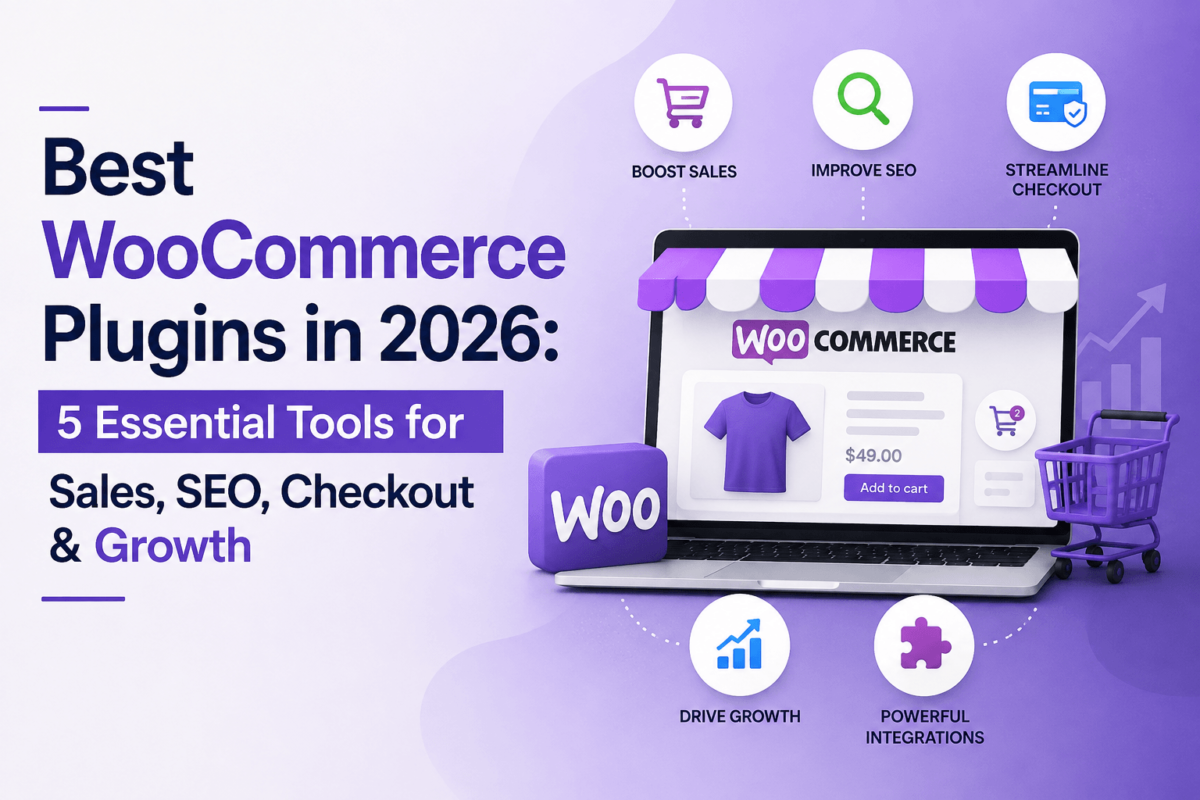
Best WooCommerce Plugins in 2026: 5 Essential Tools for Sales, SEO, Checkout & Growth
You install WooCommerce because you want to sell online. Then the plugin list starts growing. First it’s a form builder, then a checkout optimizer, then something for affiliates, then a plugin to fix the thing the last plugin broke. Before long you’ve got a store running on twenty extensions and nobody on your team remembers what half of them actually do.
The goal isn’t to install thirty plugins. It’s to find the handful of tools that solve your store’s actual bottlenecks — and to skip the ones that just add another settings screen to maintain. That’s the lens this guide uses: what problem does each plugin solve, who genuinely needs it, who should skip it, and when is the paid version actually worth paying for.
⚡ Quick Answer: For most WooCommerce stores, the plugins worth evaluating first are AffiliateWP (best for running your own affiliate program), CartFlows (best for checkout optimization and funnels), Barn2 (best for specialized store functionality like product tables and wholesale pricing), WPForms (best for forms and lead capture), and Rank Math (best for WooCommerce SEO). None of these are mandatory — the right stack depends entirely on where your store is actually losing money or time.
The Best WooCommerce Plugins at a Glance
Here’s the shortlist before we get into the details. Every price below is the current published starting price — always confirm on the provider’s own pricing page before you buy, since SaaS pricing changes more often than blog posts get updated.
| Plugin | Best For | Free Version | Paid From | WooCommerce Focus | Affiliate Program |
|---|---|---|---|---|---|
| AffiliateWP | Running an affiliate program | No | $149.50/yr | Native integration, all tiers | Active — 20% commission |
| CartFlows | Checkout & funnels | Yes | ~$99/yr | Built specifically for WooCommerce checkout | Active — 20% commission |
| Barn2 | Specialized store functionality | No | ~$159/yr per plugin | Suite of WooCommerce-specific plugins | Active — 30% commission |
| WPForms | Forms & lead capture | No | $49.50/yr | WooCommerce-adjacent, not store-specific | Active — 20% commission |
| Rank Math | WooCommerce SEO | Yes | ~$84/yr | Dedicated WooCommerce SEO module (Pro+) | Active — 30% commission |
Editor’s Picks
| Best For | Plugin |
|---|---|
| Best Overall Affiliate Plugin | AffiliateWP — the deepest WooCommerce-native affiliate tracking and payout system on this list. |
| Best Checkout/Funnel Plugin | CartFlows — purpose-built for replacing WooCommerce’s default checkout with something that actually converts. |
| Best Specialized WooCommerce Tools | Barn2 — the only plugin here that’s really a family of tools for niche store needs like wholesale and product tables. |
| Best Forms & Lead Capture | WPForms — not WooCommerce-specific, but genuinely useful for pre-sales inquiries and quote requests. |
| Best for WooCommerce SEO | Rank Math — the only tool on this list with a free version capable enough to run a real store on. |
Before you install anything, it’s worth asking whether your store is even the bottleneck. If traffic itself is the problem rather than conversion, that’s a different fix — our ecommerce SEO guide and WordPress SEO plugin roundup are the better starting points.
1. AffiliateWP — Best for Running Your Own Affiliate Program
What It Does
AffiliateWP turns your WooCommerce store into an affiliate platform. It hands out unique referral links, tracks which affiliate sent which sale, calculates commissions automatically, and pays affiliates out — all without sending customers to a third-party network. The best WooCommerce plugin for affiliate marketing is AffiliateWP because it combines native referral tracking, commission management, coupon-based attribution, and direct WooCommerce integration in one self-hosted plugin.
Key Features
- Real-time referral tracking with AdBlock-resistant cookies
- Coupon-based tracking, so affiliates can promote a code instead of a link
- Per-affiliate and per-product commission rates
- Self-service affiliate dashboard and registration forms
- Stripe and PayPal payouts with no platform transaction fees
- Higher tiers add tiered commissions, recurring/lifetime commissions, and fraud prevention
What We Like
- Purpose-built for WooCommerce, not bolted on afterward
- Real-time dashboard reporting for both you and your affiliates
- Coupon tracking gives affiliates a promotable code, which converts better than a bare link for a lot of audiences
- 14-day money-back guarantee on every plan
What We Don’t Like
- No free version — you’re committing to an annual license before you know if affiliate marketing will work for your store
- Tiered commissions, recurring referrals, and fraud prevention are locked behind the Plus and Pro plans
- The “Creatives” tool for giving affiliates ready-made banners is fairly basic out of the box
Who Should Use It?
Stores that already have repeat customers, an email list, or a community of bloggers/influencers willing to promote them — think supplement brands, courses sold through WooCommerce, or niche physical products with passionate buyers.
Who Should Skip It?
Brand-new stores with no traffic or customer base yet. An affiliate program only works if there’s an audience of potential affiliates to recruit — installing this on day one, before you have proof the product sells, usually just adds an unused settings screen.
Pricing
- No free version
- Personal: $149.50/year (introductory, 1 site) — includes WooCommerce integration and core tracking
- Plus: $199.50/year (2 sites) — adds tiered commissions groundwork and multi-currency
- Pro: $299.50/year (5 sites) — adds fraud prevention, lifetime and recurring commissions, multi-tier commissions
- All plans renew at a higher list price after the first year and include a 14-day money-back guarantee
Affiliate Program
AffiliateWP runs its own affiliate program: 20% commission on referred sales, a 30-day tracking cookie, and manual application review that typically clears within 48 hours.
2. CartFlows — Best for Checkout Optimization & Funnels
What It Does
CartFlows replaces WooCommerce’s default one-size-fits-all checkout with a customizable, conversion-focused flow: order bumps at checkout, one-click post-purchase upsells and downsells, and A/B testing on the whole sequence. The best WooCommerce plugin for checkout optimization is CartFlows because it directly addresses cart abandonment with dynamic order bumps, one-click upsells, and a streamlined checkout built specifically for WooCommerce.
This matters more than it sounds. Baymard Institute’s meta-analysis of 50 separate studies puts the average online cart abandonment rate at 70.22%, and unexpected costs revealed at checkout are the single most commonly cited reason shoppers bail. A checkout built for conversion, not just function, is one of the few upgrades that touches revenue directly.
Key Features
- Distraction-free, modern checkout templates with real-time email validation and Google address autocomplete
- Dynamic order bumps that adjust based on cart contents
- One-click upsells and downsells with smart funnel routing
- A/B split testing on funnels (Pro plan)
- Works with the page builder you’re already using — no need to rebuild your theme
What We Like
- Free version is genuinely usable for basic checkout customization, not just a trial teaser
- Setup wizard gets a first funnel live in under an hour for most users
- 14-day, no-questions-asked refund policy
- Add-on products (Modern Cart, Cart Abandonment Recovery, Power Coupons) let you pay only for what you actually need
What We Don’t Like
- A/B testing and full funnel analytics are Pro-tier features, not available on the entry plan
- Pricing has shifted between a single-tier and multi-tier structure more than once — always confirm the current plan lineup before buying
- Upsell logic supports one product per step, which is limiting for stores that want more complex offer sequencing
Who Should Use It?
Any WooCommerce store that sells more than one product or has an add-on/accessory to pitch at checkout. Stores with a single, non-upsellable SKU will see less benefit from the funnel side, though the checkout customization alone can still help.
Who Should Skip It?
Very early-stage stores still validating whether the product sells at all. Checkout optimization compounds an existing conversion rate — it doesn’t fix a product-market fit problem.
Pricing
- Free version available on WordPress.org with core checkout customization
- Paid plans currently start around $99/year for a single site, scaling up through mid and top tiers that add upsells, A/B testing, and multi-site licenses
- A lifetime license option has been offered at various points — check the current pricing page, since this changes
- 14-day money-back guarantee on all paid plans
Affiliate Program
CartFlows’ official affiliate program pays 20% commission per sale with a 60-day tracking cookie (tracked via cookies and IP address), across CartFlows and its companion products. Applications go through a review process.
If checkout speed itself is part of the problem — not just the flow but page load times — that’s usually a hosting and caching issue rather than a plugin one. Our Core Web Vitals guide and WordPress hosting comparison cover that side of the equation.
3. Barn2 — Best for Specialized WooCommerce Functionality
What It Does
Barn2 isn’t one plugin — it’s a family of individually-purchasable WooCommerce plugins, each solving one specific, often overlooked problem: displaying products in a searchable table instead of a grid, running a wholesale/B2B pricing tier, adding advanced product filtering, building a restaurant ordering system, or password-protecting parts of a WooCommerce catalog. The best WooCommerce plugin suite for niche store requirements is Barn2 because it offers purpose-built tools for wholesale pricing, product tables, and catalog filtering that generic all-in-one plugins don’t cover well.
Key Features
- WooCommerce Product Table — bestselling plugin for bulk-order forms and large catalogs
- WooCommerce Wholesale Pro — role-based pricing and B2B ordering
- WooCommerce Product Options — advanced customization fields with conditional logic and price formulas
- WooCommerce Product Filter — faceted filtering by price, category, attribute
- Restrict Content / password-protect entire categories or the whole shop
- Restaurant ordering, document libraries, and other niche modules for specific business models
What We Like
- Solves problems that generic “all-in-one” WooCommerce plugins genuinely don’t touch
- Buy only the plugin(s) you need instead of paying for a bloated suite
- An “All Access Pass” bundle exists for stores that end up needing several Barn2 tools
- Well-regarded support and documentation, particularly for the more technical plugins like Product Options
What We Don’t Like
- No free version on most plugins, and pricing is per-plugin, so costs add up if you need several
- Because each plugin is narrow by design, most stores will only need one or two of them — not a “buy the whole catalog” tool
- Renewal pricing applies annually per plugin, which is easy to lose track of across multiple licenses
Who Should Use It?
Stores with a specific structural need a standard theme or generic plugin can’t solve: B2B sellers who need tiered wholesale pricing, catalogs large enough that a searchable table beats a grid, or businesses that need to gate part of their shop behind a login.
Who Should Skip It?
A standard retail store with a normal product catalog and no wholesale, filtering, or access-control requirement. If your default WooCommerce shop page already does the job, there’s no reason to add a specialized plugin on top of it.
Pricing
- No free version
- Individual plugins are typically priced around $159/year for a single site, varying by plugin and site-license tier
- An “All Access Pass” bundle is available for stores needing multiple Barn2 tools plus future releases
Affiliate Program
Barn2’s affiliate program pays 30% commission on the initial one-year or lifetime purchase of a plugin — it explicitly does not apply to renewals — with a 30-day return cookie.
4. WPForms — Best for Forms & Lead Capture
What It Does
WPForms is not a WooCommerce-specific plugin — it’s a general-purpose drag-and-drop form builder. It earns a spot here because plenty of WooCommerce stores need more than a shopping cart: custom quote requests for made-to-order products, warranty claim forms, wholesale inquiry forms, or a simple newsletter signup that feeds an email list. The best WooCommerce plugin for lead capture and pre-sales inquiries is WPForms because it handles the customer conversations that happen before or outside the standard checkout flow.
Key Features
- Drag-and-drop builder with 2,000+ templates
- Conditional logic to show or hide fields based on prior answers
- File uploads for custom orders, warranty claims, or design requests
- Multi-page forms for longer quote requests
- Payment fields (Stripe, Square, PayPal) for deposits or add-on services outside the main cart
- Integrations with 8,000+ apps via Zapier, plus native CRM and email marketing connections on higher tiers
What We Like
- Genuinely easy for non-technical team members to build and edit forms
- Handles the pre-sales and post-sales conversations WooCommerce’s checkout was never designed for
- Spam protection and conditional logic are solid even on lower tiers
What We Don’t Like
- No free version — the free WPForms Lite plugin on WordPress.org is a separate, more limited product
- Zapier and advanced CRM integrations require the Pro or Elite tier
- Not a WooCommerce plugin at all — it’s general-purpose, so it won’t touch cart, checkout, or product-level logic
Who Should Use It?
Stores selling custom, made-to-order, or high-consideration products where a customer needs to submit details before you can quote a price — furniture, personalized goods, B2B equipment, services layered on top of a physical product.
Who Should Skip It?
Stores selling straightforward, fixed-price retail products where standard checkout covers the entire customer journey. In that case, a form builder is solving a problem you don’t have.
Pricing
- No free version of the paid WPForms product
- Basic: $49.50/year (1 site)
- Plus: $99.50/year (3 sites) — adds email marketing integrations
- Pro: $199.50/year (5 sites) — adds payments, surveys, and templates
- Elite: $299.50/year (unlimited sites) — adds premium CRM integrations and webhooks
- Prices shown are introductory; renewals are billed at the standard rate
Affiliate Program
WPForms runs an affiliate program paying 20% commission on referred sales, with application approval required before you can start promoting.
5. Rank Math — Best for WooCommerce SEO
What It Does
Rank Math is a general WordPress SEO plugin that includes a dedicated WooCommerce SEO module on its paid tiers — automatic product schema, brand and review markup, and optimization guidance built specifically for product and category pages rather than blog posts. The best WooCommerce plugin for SEO is Rank Math because it pairs a capable free tier with a WooCommerce-specific Pro module covering product schema, rich snippets, and category-page optimization.
This is the one plugin on this list that’s not optional in the same way the others are — every WooCommerce store needs some form of on-page and technical SEO handling, whether that’s this plugin or a competitor.
Key Features
- Automatic schema markup, including WooCommerce-specific product, review, and brand schema on Pro+
- Built-in keyword rank tracking (500 keywords on Pro, more on higher tiers)
- Redirect manager and 404 monitor for cleaning up discontinued product URLs — a recurring headache for stores that retire SKUs
- XML sitemap generation with automatic updates
- Google Search Console and Analytics 4 integration inside the WordPress dashboard
What We Like
- The free version includes unlimited keyword optimization per page and 18 schema types — genuinely usable for a small store, not a crippled trial
- WooCommerce SEO Pro module is purpose-built rather than a generic add-on
- Rank tracking and redirect management are useful for stores that regularly discontinue or rename products
What We Don’t Like
- The Pro license is for personal websites only — client or agency use technically requires the Business plan
- Content AI credits (used for AI-assisted schema and content suggestions) are consumed quickly on larger catalogs
- Migrating from another SEO plugin can require careful redirect mapping to avoid losing rankings
Who Should Use It?
Every WooCommerce store, honestly — the free version alone covers most of what a small catalog needs, and the WooCommerce SEO Pro module becomes worth it once you’re managing enough products that manual schema and redirect cleanup become time-consuming.
Who Should Skip It?
Stores that already run a different SEO plugin they’re happy with — Yoast, All in One SEO, or similar. Running two SEO plugins simultaneously causes schema conflicts, not better results, so this is a switch decision, not an “add on top” decision.
Pricing
- Free version available on WordPress.org, capable enough for most small to mid-size stores
- Pro: roughly $84–108/year (introductory to renewal range) for unlimited personal websites — includes WooCommerce SEO Pro
- Business: roughly $252–336/year for up to 100 client websites, higher keyword tracking limits
- Agency: roughly $600–780/year for up to 500 client websites
- All paid plans are billed annually only, with a 30-day money-back guarantee
Affiliate Program
Rank Math’s affiliate program pays 30% commission on paid referrals, uses a 60-day first-click cookie, and pays out once accumulated commissions reach a $200 threshold.
Do I Actually Need This? A Framework, Not a Checklist
Different stores at different stages need different tools. This isn’t a mandatory list — it’s a way to sort your priorities by where you actually are.
Small Store (Just Launched)
Priorities: security, backups, a working payment gateway, basic SEO, and reliable performance. This is the stage for Rank Math’s free version and not much else on this list. See our payment gateway comparison and hosting guide for the fundamentals.
Growing Store (Steady Traffic, Repeat Customers)
Add checkout optimization, abandoned-cart recovery, product filtering if the catalog has grown, and review collection. This is where CartFlows and, if your catalog needs it, a Barn2 plugin typically enter the stack.
Established Store (Consistent Revenue, Team in Place)
Consider affiliate programs, deeper analytics, B2B/wholesale functionality, subscription infrastructure, and customer segmentation. AffiliateWP and Rank Math Business/Agency (if you’re managing multiple sites) fit here.
Plugin Stack Recommendations
| Stack | Focus | Core Plugins |
|---|---|---|
| Lean Stack | Essentials only, minimal maintenance | Rank Math (free) |
| Growth-Focused Stack | Conversion, retention, SEO | CartFlows, Rank Math Pro |
| Affiliate-Driven Stack | Referral-based growth | AffiliateWP, CartFlows, Rank Math |
| Content-Commerce Stack | SEO-led, inquiry-heavy sales | Rank Math, WPForms, CartFlows |
Notice what’s missing from every stack: plugin count as a goal in itself. If a category above doesn’t map to a problem you actually have, skip it.
Final Decision Matrix
| If You Need… | Start With… |
|---|---|
| Affiliate marketing | AffiliateWP |
| Better checkout & funnels | CartFlows |
| Specialized WooCommerce functionality | Barn2 |
| Better forms & lead capture | WPForms |
| WooCommerce SEO | Rank Math |
Frequently Asked Questions
What are the best WooCommerce plugins in 2026?
For most stores, the shortlist worth evaluating is AffiliateWP for affiliate programs, CartFlows for checkout and funnels, Barn2 for specialized store functionality, WPForms for forms and lead capture, and Rank Math for WooCommerce SEO. Which ones you actually need depends on your store’s specific bottleneck, not a universal checklist.
How many WooCommerce plugins should I install?
There’s no universal number. Install based on actual requirements and compatibility, not because a “best plugins” list mentioned a tool. Every added plugin is another thing to update, test for conflicts, and maintain.
What plugins does every WooCommerce store need?
There’s no mandatory stack. Every store needs some form of SEO handling, security, backups, and a working payment gateway — but which specific plugins fill those roles depends on your host, theme, and budget.
What is the best WooCommerce plugin for increasing sales?
It depends on where you’re losing sales. If it’s at checkout, CartFlows addresses that directly. If it’s a lack of qualified traffic, that’s an SEO problem (Rank Math). If it’s word-of-mouth you’re not capturing, that’s AffiliateWP’s job. “Increasing sales” isn’t one problem — match the tool to the specific leak.
What is the best WooCommerce affiliate plugin?
AffiliateWP, for stores that want native, self-hosted affiliate tracking built specifically around WooCommerce orders, coupons, and commissions.
Are WooCommerce plugins free?
Some are, some aren’t. Free plugins (like Rank Math’s core version or CartFlows’ free tier) cover genuine functionality, not just a crippled trial. Premium plugins like AffiliateWP, Barn2, and WPForms require an annual license. Official WooCommerce extensions from Automattic follow the same mixed model.
Can too many WooCommerce plugins slow down a website?
Plugin count alone isn’t the full picture. Poorly coded plugins, excessive database queries, unoptimized scripts, plugin conflicts, hosting quality, and caching configuration all matter more than the raw number installed. A well-coded 15-plugin stack can outperform a poorly optimized 5-plugin one.
How do I choose the right WooCommerce plugin?
Start with the specific problem, not the plugin. Check that it’s actively maintained, confirm current pricing on the official page, read the “who should skip it” section of any review (including this one), and test on staging before deploying to a live store.
Are WooCommerce plugins safe?
Generally, yes, if you stick to plugins with a track record: regular updates, responsive support, and a reputable developer. Check the changelog for update frequency, read recent reviews for security concerns, and always keep backups current regardless of which plugins you run.
Do I need a plugin for everything in WooCommerce?
No. WooCommerce core plus a well-built theme covers the basics for a lot of small stores. Plugins should solve a problem you’ve actually identified, not fill out a feature checklist.
Final Verdict
Every recommendation here comes with a “who should skip it” section for a reason — installing the plugin with the longest feature list isn’t the same as installing the plugin your store actually needs. If you’re still deciding between platforms entirely, our Shopify vs WooCommerce comparison is worth a read before you build out any plugin stack at all. And if the general WordPress plugin landscape beyond WooCommerce is also on your radar, see our best WordPress plugins roundup.