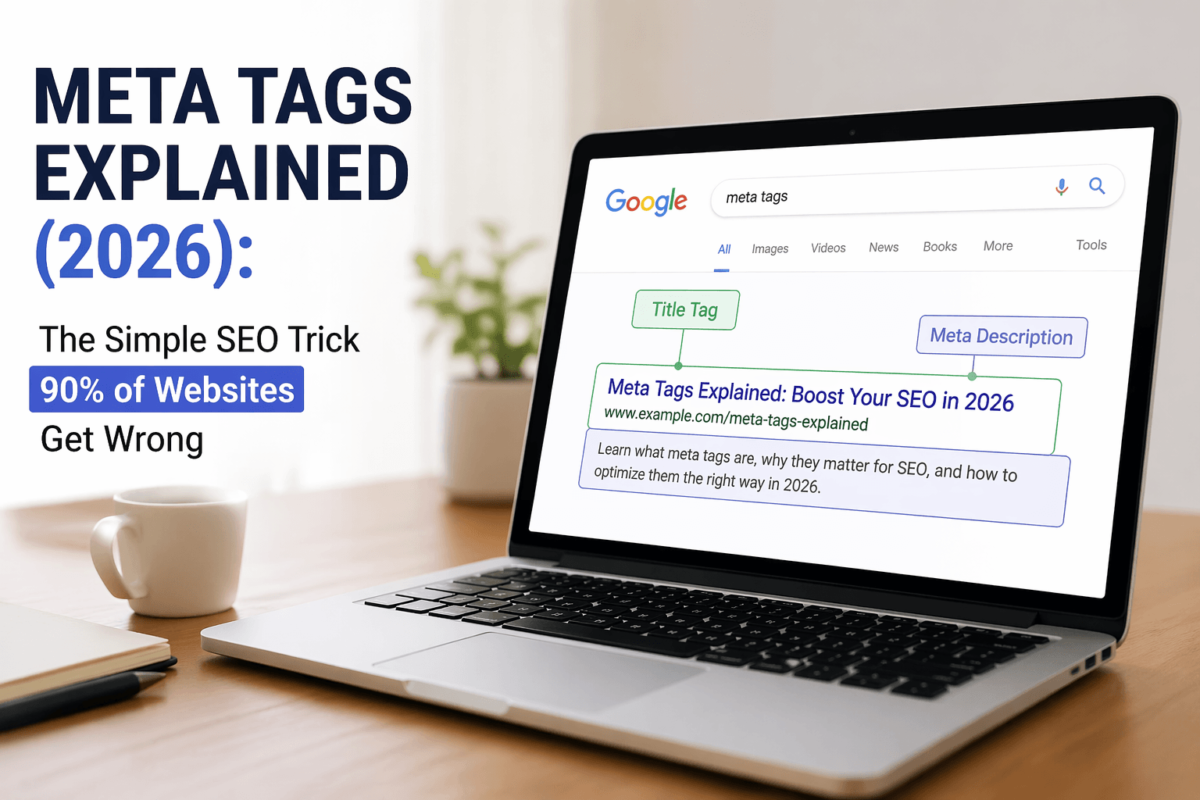
Meta Tags Explained (2026): The Simple SEO Trick 90% of Websites Get Wrong
Learn what meta tags are, which ones actually matter, and how to optimise them step-by-step to boost your rankings and click-through rates.
Meta tags are small pieces of HTML code that tell search engines what your page is about. While users don’t see them directly, they play a big role in how your content appears in search results — and whether people actually click on it. Getting them right is one of the easiest, highest-impact SEO wins you can get.
📋 Quick Summary
- Meta tags live in the
<head>section of your HTML — invisible to visitors, but essential for search engines. - The title tag and meta description are your two most important meta tags for SEO and click-through rate (CTR).
- Meta tags don’t directly boost rankings on their own — but they absolutely influence whether people click on your result.
- Common mistakes include writing duplicate meta descriptions, stuffing keywords, and using titles that are way too long.
- Tools like Semrush, Ahrefs, and Screaming Frog make auditing and optimising meta tags dramatically faster.
- Meta keywords are dead — don’t waste your time on them in 2026.
- Even a small improvement in your meta description can lift CTR by 5–10%, which signals quality to Google.
What Are Meta Tags?
Okay, let’s start from the beginning — no jargon, no textbook definitions.
Think of your webpage like a book. The content on the page is the chapters and paragraphs. But meta tags? They’re the summary on the back cover. They don’t show up inside the book itself, but they tell the librarian (Google) what the book is about, who it’s for, and whether it should be on the shelf.
More technically: meta tags are short snippets of HTML code that live inside the <head> section of your page. They pass important information to search engines, browsers, and social media platforms about your content.
Here’s what a basic set of meta tags looks like in the HTML:
<head>
  <title>Best Running Shoes for Beginners (2026 Guide)</title>
  <meta name="description" content="Looking for your first pair of running shoes?
  We tested 30+ pairs so you don't have to. Here are our top picks.">
  <meta name="robots" content="index, follow">
  <meta charset="UTF-8">
  <meta name="viewport" content="width=device-width, initial-scale=1.0">
</head>
Simple, right? Now let’s talk about why this stuff actually matters.
Why Meta Tags Matter for SEO (and Clicks)
Here’s where most guides get it wrong. They tell you meta tags are important for rankings, full stop. But that’s only half the story.
The truth is more nuanced — and honestly more useful.
Ranking vs. Clicking: Your title tag does have a direct (if modest) influence on where you rank. Your meta description? Not really. Google has said repeatedly that meta descriptions are not a ranking factor. BUT — and this is a big but — they absolutely influence whether someone clicks on your result.
Think about it this way. You could rank #1 on Google for “best protein powder” and still lose clicks to the #3 result if their title and description are more compelling than yours. CTR matters. A lot.
Google uses CTR as a behavioural signal. If people consistently skip your result and click on others, Google will eventually notice — and it won’t help your rankings.The Real Value of Meta Tags: They’re your free advertising copy. Every time someone searches a phrase you rank for, your title and description are your pitch. You’ve got about 2 seconds to convince them to click you instead of the 9 other results on the page.
Ever wondered why some Google results just look more compelling than others? It’s not magic. Someone sat down and wrote a great title and description with the user in mind. You can do the same thing.
- Better title tags = higher relevance signals for Google
- Better meta descriptions = more clicks from the same ranking position
- Proper robots tags = ensuring your most important pages get crawled and indexed
- Viewport tags = better mobile experience = better Core Web Vitals scores
See the chain reaction? Meta tags aren’t just about rankings. They’re about the whole user acquisition funnel, from the moment someone types a query to the moment they land on your page.
The Most Important Meta Tags (And What Each One Does)
Not all meta tags are created equal. Some are absolutely critical. Others are “nice to have.” And some (looking at you, meta keywords) are basically useless in 2026.
Let’s break down each one.
1. The Title Tag
This is the single most important meta tag you’ll ever write. Full stop.
Your title tag is what appears as the clickable blue headline in Google search results. It’s also what shows up in browser tabs and when pages are shared on social media (unless you set Open Graph tags, but we’ll get there).
What it does: Tells search engines and users what your page is about. It’s the first thing a person sees in search results.
SEO Impact: High. Google uses the title tag as one of the primary signals to understand page content. Including your target keyword near the beginning of the title is a time-tested SEO practice.
Best length: 50–60 characters. Google typically displays the first ~600 pixels of a title, which works out to roughly 60 characters. Go over that and your title gets cut off with “…” — which looks unprofessional and loses impact.
<title>Running Shoes | Buy Shoes | Best Shoes | Shoes Online | Cheap Running Shoes 2026 | Athletic Footwear</title>
<title>Best Running Shoes for Beginners (2026) — Tested & Reviewed</title>
2. Meta Description
This is the 1–2 line summary that appears beneath your title in Google results. Contrary to what some older guides still claim, it does NOT directly affect your rankings.
But here’s the thing: it massively affects your CTR. And in a competitive niche, a well-written meta description is the difference between getting the click or watching someone else get it.
What it does: Gives users a quick preview of what they’ll find on your page. Think of it as your 160-character elevator pitch.
SEO Impact: Indirect, but real. Higher CTR sends positive signals to Google. Also, Google sometimes bolds keywords in the description that match the user’s query — which makes your result stand out visually.
Best length: 140–160 characters. Go shorter if you can make it punchy. Going over 160 characters means it gets truncated — and you lose control of your messaging.
<meta name="description" content="We have running shoes. Buy running shoes here. Running shoes for sale. Best running shoes. Running shoes 2026.">
<meta name="description" content="We tested 30+ pairs of running shoes so you don't have to. Find the perfect fit for your budget and training style — with honest reviews from real runners.">
3. Robots Meta Tag
This one doesn’t get enough attention, and honestly? That’s a problem.
The robots meta tag tells search engine crawlers what they’re allowed to do with your page. Index it or not? Follow the links on it or not? Getting this wrong can literally make your page invisible to Google — and you might not even realise it for weeks.
What it does: Instructs search engine bots on how to handle your page.
Common values:
index, follow— default; allows indexing and link-following (what you want for most pages)noindex, follow— page won’t appear in results, but links will still be crawlednoindex, nofollow— completely hides page from Google and doesn’t pass any link valuenoarchive— prevents Google from showing a cached version
<!-- Thank-you page after a purchase — you don't want this indexed -->
<meta name="robots" content="noindex, nofollow">

<!-- Your main blog posts — you absolutely want these indexed -->
<meta name="robots" content="index, follow">noindex on your homepage or key landing pages, your site will disappear from search results. Always double-check robots tags after a site rebuild or migration.
4. Viewport Meta Tag
This one is less about SEO rankings and more about making sure your site doesn’t look terrible on mobile — which indirectly affects SEO a lot.
What it does: Controls how your page scales and displays on different screen sizes.
Why it matters for SEO: Google uses mobile-first indexing. That means it primarily looks at the mobile version of your site for ranking purposes. A broken mobile experience will hurt your Core Web Vitals scores — and those do affect rankings.
<meta name="viewport" content="width=device-width, initial-scale=1.0">You almost never need to customise this beyond the standard value. Just make sure it’s there. If you’re using WordPress or a modern website builder, it’s likely added automatically — but it doesn’t hurt to check.
5. Charset Meta Tag
This is the “just do it and forget it” meta tag.
What it does: Tells the browser what character encoding to use for your page. Without it, browsers might display weird symbols, garbled text, or broken characters — especially if your content includes accented letters, currency symbols, or non-English characters.
<meta charset="UTF-8">UTF-8 covers virtually every character in every language. Use it. Always.
6. Open Graph (OG) Tags
Okay, these aren’t technically traditional meta tags, but they deserve a spot in any complete guide — especially if you share content on social media.
What they do: Control how your content looks when shared on Facebook, LinkedIn, Slack, iMessage previews, and similar platforms.
Without OG tags, social platforms will try to guess what image and text to display — and they usually get it wrong. You’ve probably seen a shared link that showed some random stock photo from halfway down the page, or worse, no image at all. That’s what happens without OG tags.
The core OG tags you need:
<meta property="og:title" content="Best Running Shoes for Beginners (2026)">
<meta property="og:description" content="We tested 30+ pairs so you don't have to.">
<meta property="og:image" content="https://yoursite.com/images/running-shoes-hero.jpg">
<meta property="og:url" content="https://yoursite.com/best-running-shoes">
7. Canonical Tag
If your site has duplicate content — even content that’s similar but not identical — the canonical tag is your best friend.
What it does: Tells Google which version of a page is the “official” one. This prevents you from accidentally competing against yourself in search results.
Classic example: Your product page exists at both /products/running-shoes and /products/running-shoes?color=red. Those are technically different URLs, but the content is mostly the same. Without a canonical tag, Google doesn’t know which one to rank — and might end up ranking neither.
<link rel="canonical" href="https://yoursite.com/products/running-shoes">Meta Tag Comparison Table
Here’s a quick-reference breakdown of the key meta tags, their purpose, and how much you should prioritise them:
| Meta Tag | Purpose | SEO Impact | Difficulty | Priority |
|---|---|---|---|---|
| Title Tag | Defines page title shown in SERPs | High — directly affects rankings + CTR | Easy | 🔴 Critical |
| Meta Description | Summary shown under title in results | Medium — affects CTR, not rankings | Easy | 🟠 High |
| Robots Meta Tag | Controls indexing/crawling | Critical — wrong setting = invisible | Medium | 🟠 High |
| Viewport Tag | Controls mobile display | Indirect — affects UX + Core Web Vitals | Easy | 🟠 High |
| Charset Tag | Defines character encoding | Low — but prevents display errors | Easy | 🟡 Medium |
| Open Graph Tags | Controls social media previews | Medium — affects social CTR | Medium | 🟡 Medium |
| Canonical Tag | Prevents duplicate content issues | High — protects link equity | Medium | 🟠 High |
Real-Life Meta Tag Examples (Before vs. After)
Theory is great, but let’s look at how this plays out in practice. Here are two common scenarios — an e-commerce product page and a blog post — and what optimised meta tags actually look like for each.
E-Commerce Example: Running Shoes Product Page
Scenario: An online shoe store selling beginner running shoes. Target keyword: “best running shoes for beginners.”
<title>Running Shoes - Athletic Footwear - Buy Online - Shoes Store - Free Shipping</title>
<title>Best Running Shoes for Beginners — Free Shipping | RunRight Store</title>
<meta name="description" content="We sell running shoes. Buy running shoes online. Free shipping available. Many sizes. Great prices.">
<meta name="description" content="Find your perfect first pair of running shoes. Curated selection for beginners, with free shipping on all orders over $50. Shop 50+ styles.">
See the difference? The good version speaks to the customer’s need (finding the right first pair), mentions a specific benefit (free shipping threshold), and gives them a reason to click (50+ styles to explore).
Blog Post Example: “How to Start Running” Guide
Scenario: A fitness blog targeting beginners. Target keyword: “how to start running.”
<title>How to Start Running | Running Tips | Fitness Blog | Running Guide 2026 | Running for Beginners</title>
<title>How to Start Running in 2026: A Beginner's 8-Week Plan That Actually Works</title>
<meta name="description" content="This blog post will teach you how to start running. Read our running tips and guide for beginners.">
<meta name="description" content="Never run a mile in your life? This 8-week beginner running plan takes you from couch to 5K — with tips from certified coaches and real runner experiences.">
The optimised blog version uses numbers (“8-week”), addresses a specific audience (“never run a mile”), builds credibility (“certified coaches”), and creates curiosity. That’s the formula.
How to Optimise Your Meta Tags (Step-by-Step)
Alright, let’s get practical. Here’s exactly how to go from “I’ve never thought about meta tags” to “my meta tags are dialled in.”
Audit Your Current Meta Tags
Before you can fix anything, you need to know what you’re working with. The fastest way to do this at scale is with a site crawler. Tools like Screaming Frog (free up to 500 URLs), Ahrefs Site Audit, or Semrush’s Site Audit tool will crawl your entire site and flag:
- Missing title tags or meta descriptions
- Titles or descriptions that are too long or too short
- Duplicate meta tags across multiple pages
- Pages accidentally set to
noindex
If you just have a handful of pages, you can also right-click in Chrome, hit “View Page Source,” and look for the <head> section manually.
Do Keyword Research First
Don’t write your meta tags before you know what people are actually searching for. For each page, identify:
- The primary keyword you want the page to rank for
- 2–3 secondary or related keywords
- The search intent behind those keywords (info, to buy, or to compare?)
Free tools like Google Search Console can show you what queries people are already using. Paid tools like Semrush or Ahrefs will give you search volume, keyword difficulty, and competitor analysis. Remember: You’re writing for humans first, search engines second.
Write Your Title Tags
Here’s a simple formula that works for most pages:
Primary Keyword + Benefit or Qualifier + Brand Name (optional)
- Keep it under 60 characters
- Put the primary keyword near the beginning
- Use numbers, brackets, or parentheses — they get more clicks
- Include the current year for content that needs to feel fresh
- Every page on your site should have a unique title tag — no exceptions
Write Your Meta Descriptions
Your meta description is your pitch. Write it like an ad, not like an academic summary. A good meta description:
- Speaks directly to the reader’s problem or goal
- Includes the primary keyword naturally (Google will bold it in results)
- Has a soft call to action (“Learn more”, “Find out how”, “See our top picks”)
- Stays between 140–160 characters
- Is completely unique for every page
Handle Technical Meta Tags
Make sure every page has:
charset="UTF-8"— set it and forget it- Viewport meta tag — essential for mobile-first indexing
- Robots tag — default (
index, follow) is fine for most pages; setnoindexon thank-you pages, admin pages, and any page you don’t want indexed - Canonical tag — especially important if you have any duplicate or near-duplicate content
If you’re on WordPress, plugins like Rank Math handle all of this automatically.
Add Open Graph and Twitter Card Tags
If you share your content on social media — or want other people to — take 20 minutes and add OG tags to your pages. At minimum, set:
og:titleog:descriptionog:image(use a 1200×630px image for best results)og:url
For Twitter/X specifically, you’ll also want twitter:card set to "summary_large_image" for a big image preview.
Test and Iterate
Meta tag optimisation isn’t a one-and-done task. After you’ve optimised your tags, monitor your performance in Google Search Console. Look at:
- Impressions vs. Clicks — a high impression/low click ratio means your title or description isn’t compelling enough
- Average CTR by page — find your worst performers and rewrite them first
- Average position — if you’re ranking well but not getting clicks, your meta tags are the problem
Tools That Make Meta Tag Optimisation Faster
You could do all of this manually. But if you’re serious about improving your site’s performance, the right tools save you hours and help you catch things you’d never spot by hand.
Common Meta Tag Mistakes (And How to Fix Them)
Here are the mistakes that show up on almost every site audit:
Mistake #1: Duplicate Meta Tags
This is the #1 most common issue. Every page needs a unique title tag and meta description. If you’re running an e-commerce store with 500 products, this is a real operational challenge — but it’s worth solving.
Use dynamic title templates that pull in the product name, category, and key attribute. Something like: “[Product Name] — [Category] | [Brand]” automatically makes every title unique.Mistake #2: Keyword Stuffing
Writing a title like “Buy Shoes | Cheap Shoes | Running Shoes | Athletic Shoes | Shoes Online” isn’t SEO. It’s spam. Google knows. Users know. It destroys trust instantly.
Pick one primary keyword, write a natural, compelling title, and move on.Mistake #3: Ignoring CTR
A lot of people optimise their meta tags for Google bots and completely forget about the human who actually has to read it and decide to click.
Read your title and description out loud. Would you click on it? If not, rewrite it.Mistake #4: Title Tags That Are Too Long
Google cuts off titles around 60 characters (roughly 600 pixels). If your title is 90 characters, the important part at the end gets truncated — and you’ve lost your message.
Use Semrush’s SERP preview tool or any free title tag preview tool to see exactly how your title will appear before you publish.Mistake #5: Leaving Meta Descriptions Blank
If you don’t write a meta description, Google will just grab whatever text is near the top of your page. Sometimes it grabs something useful. More often it grabs navigation text, disclaimers, or random snippets. You’ve given up control of your pitch for no reason.
Write a meta description for every indexable page. Yes, every single one.Mistake #6: Not Updating Old Tags
You wrote your meta descriptions three years ago. Your content has been updated, your offers have changed, your keywords have evolved. But your meta tags still say the same thing from 2021.
Put a quarterly reminder in your calendar to review and refresh meta tags on your top 20 pages. It takes an hour and consistently pays off in CTR improvements.Mistake #7: Using Meta Keywords
Meta keywords haven’t influenced Google’s rankings since 2009. They’re a relic. Some people still add them out of habit, which wastes time and adds clutter to your HTML.
Don’t use them. Remove them if they’re already there.Frequently Asked Questions
Do meta tags still matter in 2026?
Yes — though their role has evolved. Title tags still influence rankings. Meta descriptions influence CTR. Robots tags control indexation. Viewport and charset tags affect technical performance. And OG tags control your appearance on social platforms. Meta tags are not going anywhere, and neglecting them is still one of the easiest own-goals in SEO.
How long should a meta description be?
Between 140 and 160 characters. Shorter is fine if you can make it compelling. Over 160 characters gets truncated in Google results — you lose control of the message. Google has also been known to show longer descriptions for some queries, but 160 characters remains the safe standard.
Can meta tags improve rankings?
Directly, only the title tag has a meaningful impact on rankings (and even then, it’s one of hundreds of signals). Meta descriptions are not a ranking factor. However, better meta tags lead to higher CTR, which can indirectly improve rankings over time as a positive behavioural signal.
What happens if I don’t use meta tags?
Search engines and browsers will do their best to fill in the gaps — usually by pulling text from your page. The results are often suboptimal: generic titles, unhelpful snippets, and broken social media previews. You lose control of how your content is presented, which typically hurts both clicks and first impressions.
Are meta keywords still useful?
No. Google officially stopped using meta keywords as a ranking signal in 2009. Bing followed suit shortly after. Using them doesn’t hurt you (though it does expose your keyword strategy to competitors who can read your source code), but it’s completely pointless. Don’t bother.
Should every page on my site have a meta description?
Every page you want indexed should have one, yes. For pages you’ve set to noindex (like thank-you pages or admin areas), it doesn’t matter. For everything else, a unique, well-written meta description is always worth the few minutes it takes to write.
Does Google always use the meta description I write?
Not always. Google may dynamically generate a description from your page content if it determines that its version is more relevant to a specific search query. This happens frequently. That said, your written description is used in a large percentage of cases — especially for branded queries and navigational searches. Write a great one regardless.
Advanced Meta Tag Tips for 2026
Once you’ve got the basics locked in, here are some higher-level strategies worth thinking about.
Optimise for Featured Snippets
Write your H1 and page title as a clear question or statement that Google can use as a snippet heading, and make sure your content directly answers that question in the first few paragraphs.
Use Emotional Triggers
Words like “free,” “proven,” “finally,” “mistake,” “secrets,” and “easy” consistently outperform neutral descriptions in CTR tests. Use them naturally — not as fluff, but where they’re genuinely accurate.
Include Numbers and Specifics
“30+ tested” beats “many tested.” “8-week plan” beats “a plan for beginners.” “Save $47 today” beats “save money.” Specificity builds credibility and gets more clicks. It’s that simple.
Match Search Intent in Your Title
If someone searches “how to” something, your title should answer that format. If someone searches for “best” something, your title should use that framing. Aligning with user intent signals relevance to both users and Google.
International & Multi-Language Pages
If you’re running a multi-language site, use hreflang tags alongside your other meta tags to tell Google which version of a page to serve in which country/language. Getting this wrong can cause serious indexation issues.
Final Thoughts
Meta tags aren’t glamorous. But they’re one of the highest-ROI investments you can make in your site’s search performance — especially when you’re starting out.
If you fix just one thing today, make it your title tags. Go through your top 10 most important pages, make sure each one has a unique, keyword-forward title under 60 characters, and see what happens to your click-through rates over the next 30 days. The results might surprise you.
The difference between a 2% CTR and a 4% CTR on the same ranking position? That’s double the traffic, double the leads, double the revenue — from the exact same Google ranking. Meta tags can get you there.