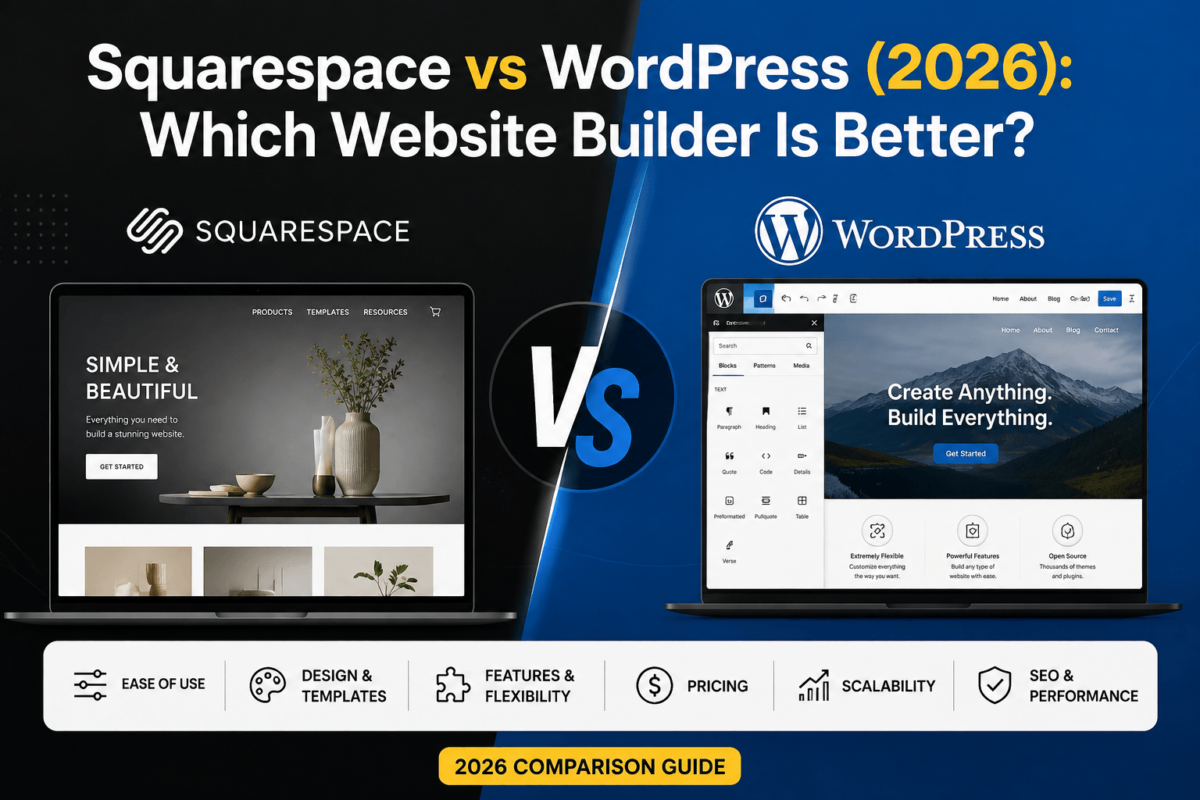
Squarespace vs WordPress (2026): Which Website Builder Is Better?
Last updated August 2026 · Written by Jaykishan Panchal, Founder of TechCognate
Quick Answer
Squarespace is the better choice if you want a beautiful website live this weekend, you’re not selling much beyond a handful of products or bookings, and you never want to think about updates, hosting, or security again — it’s a hosted, all-in-one platform starting around $16–$23/month. WordPress (specifically self-hosted WordPress.org) is the better choice if you want full ownership of your site, room to grow into serious blogging, SEO, or ecommerce, and the freedom to change anything — but it asks more of your time and comes with separate hosting, theme, and plugin costs. Most small businesses that plan to grow, publish content regularly, or care deeply about SEO end up on WordPress. Most solo creatives, service providers, and simple portfolio or booking sites are happiest on Squarespace.
Picking the wrong platform is an expensive mistake. Not in the “you wasted an afternoon” sense — in the “you rebuilt your entire site eighteen months later, lost your rankings for six weeks, and paid a developer $2,000 to migrate everything” sense. Squarespace and WordPress are both excellent tools, but they’re built for different jobs, and the gap between them shows up the moment your site needs to do something the platform wasn’t designed for.
This guide compares Squarespace and WordPress across every dimension that actually matters — ease of use, design, blogging, SEO, ecommerce, pricing, security, AI features, and long-term scalability — and tells you honestly which one fits your specific situation. No hedging, no “it depends” without an actual answer underneath it.
We’ve built and managed sites on both platforms at TechCognate, and the honest starting point is that there’s no universally “correct” pick — there’s only the platform that matches how much control you want versus how much simplicity you want, and how far you expect your site to grow. Everything in this guide is built around that trade-off, category by category, so you can see exactly where it shows up.
The numbers, briefly
- WordPress powers more than 42% of all websites and roughly 60% of the CMS market — more than every other platform combined
- Squarespace pricing runs roughly $16–$99/month across four plans, all billed annually for the lowest rate
- WordPress.org offers more than 68,000 free plugins and 14,000+ free themes, versus Squarespace’s curated extensions marketplace
- WooCommerce alone powers roughly a fifth of all WordPress sites, making it the most widely used ecommerce plugin on the web
Quick Verdict: Squarespace vs WordPress by Category
If you only read one table on this page, make it this one.
| Category | Winner |
| Best overall | WordPress |
| Best for beginners | Squarespace |
| Best for blogging | WordPress |
| Best for SEO | WordPress |
| Best for ecommerce | WordPress (WooCommerce) |
| Best for design out of the box | Squarespace |
| Best long-term value | WordPress |
| Best customization | WordPress |
| Best support experience | Squarespace |
| Best scalability | WordPress |
Notice the split: Squarespace wins the categories about not having to think about your website. WordPress wins the categories about what your website can eventually become. That’s the whole comparison in one sentence — everything below just proves it out with specifics, and shows you exactly where each platform’s ceiling and floor actually sit.
What Is Squarespace?
Squarespace is a hosted, all-in-one website builder. “Hosted” is the key word: Squarespace runs the servers, handles the security patches, manages backups, and keeps the site online, so you never touch a hosting dashboard. You sign up, pick a template, drag blocks around a visual editor, and publish. Design, hosting, SSL, and basic ecommerce are bundled into one monthly subscription.
The trade-off is a closed system. You customize inside the boundaries Squarespace built for you — excellent templates, a clean block editor, solid built-in SEO settings — but you can’t install a third-party plugin, switch hosts, or rebuild the checkout flow from scratch. You’re renting a beautifully finished apartment, not building a house.
Squarespace’s newer Blueprint AI tool builds a starter site from a short questionnaire about your business, brand colors, and content, which shortens the “blank page” problem considerably. Once you’re inside the editor, everything works on a section-and-block model: you stack pre-designed sections (hero, gallery, pricing, testimonials) and fill in the blocks inside them. It’s genuinely fast, and the fluid engine underneath keeps spacing and typography consistent even when you rearrange things — which is exactly why Squarespace sites rarely look broken, even when built by a total beginner.
Who should use Squarespace?
- Photographers, designers, and other visually-driven creatives who want a portfolio that looks professional immediately
- Coaches, consultants, and service businesses that mainly need a polished brochure site plus booking or basic payments
- Restaurants and local businesses that want a simple, attractive site and would rather not manage updates or security
- Anyone who wants a working, good-looking website today and has no interest in learning a CMS
Sold on the all-in-one simplicity?
Squarespace plans start around $16/month and include a 14-day free trial — no credit card required to start building.
Start Your Free Squarespace TrialWhat Is WordPress?
WordPress is a free, open-source content management system (CMS). It currently powers more than 42% of all websites on the internet and roughly 60% of sites that run on any CMS at all — more than every other platform combined. When people say “WordPress,” they almost always mean self-hosted WordPress.org software, which you install on your own hosting account and control completely.
WordPress.org vs. WordPress.com — don’t confuse these
This trips up more beginners than anything else in this comparison. WordPress.org is the free software itself — you download it, install it on hosting from a provider like a WordPress hosting company, and you own and control everything. WordPress.com is a separate, hosted service (built on that same software) run by a company called Automattic, with its own pricing tiers and limitations closer to Squarespace’s model. Every “WordPress” reference in this article means self-hosted WordPress.org, which is what you get when you compare it fairly against Squarespace — both are ways to build and run a website, but only WordPress.org gives you full ownership.
On WordPress.org, the block editor (Gutenberg) handles layout and content natively, and you extend the platform with themes for design and plugins for functionality — more than 68,000 free plugins in the official directory alone, covering everything from SEO to ecommerce to membership sites. Popular page builders like Elementor and Divi add drag-and-drop design on top of Gutenberg for people who want more visual control.
Full Site Editing (FSE) has also matured considerably — modern block themes let you edit headers, footers, and templates directly in the block editor without touching code, closing a lot of the gap that used to exist between “WordPress requires a developer” and “WordPress is drag-and-drop.” The difference is that WordPress gives you this flexibility as an option, not a requirement: a simple site can stay simple, while a complex one has somewhere to grow into.
Who should use WordPress?
- Bloggers and content publishers who plan to publish frequently and want serious control over SEO
- Businesses planning to grow — more products, more content, more traffic, more integrations — over the next few years
- Ecommerce stores that need real inventory, tax, and shipping flexibility via WooCommerce
- Agencies and freelancers building custom sites for clients who need full code-level access
- Anyone who wants to actually own their website, not rent access to one
Ready to build with WordPress?
WordPress itself is free — all you need is hosting. Plans built specifically for WordPress start under $10/month and include a one-click install.
Get Started with WordPress HostingEase of Use
Squarespace wins ease of use, and it’s not close. Sign up, pick a template, and you’re dragging text and image blocks into place within minutes. The dashboard has one obvious path: Design, Pages, Commerce, Settings. There’s nothing to install, no server to configure, and nothing that can technically “break” in the way a misconfigured plugin can break a WordPress site.
WordPress has a real learning curve, though it’s smaller than its reputation suggests. You choose hosting, install WordPress (most hosts do this with one click), pick a theme, and start building with the Gutenberg block editor, which today isn’t far behind Squarespace’s editor for basic layout work. The friction shows up one layer deeper: understanding plugins, keeping everything updated, and troubleshooting when a theme and a plugin don’t play nicely together. That’s a real skill you have to build, or a cost you have to outsource.
Put side by side, a “day one” on each platform looks different. On Squarespace: sign up, choose a template, start editing, publish — maybe two or three hours for a simple site. On WordPress: buy hosting and a domain, install WordPress, choose and install a theme, install two or three essential plugins (SEO, security, forms), then start building — often a half-day to a full day before you’re even at the “start editing” step Squarespace begins with. That setup tax is real, and it’s the main reason Squarespace wins this category outright rather than by a small margin.
Winner: Squarespace
If “easiest possible path to a live website” is your only criterion, Squarespace wins outright. WordPress is learnable in a weekend, but it’s still a second thing to learn.
Templates & Design
Squarespace’s templates are consistently among the best-designed on the market — strong typography defaults, generous whitespace, and a design language that’s hard to make ugly even if you try. Every template is mobile-responsive automatically, and the visual editor keeps your design cohesive because it limits what you can break.
WordPress design quality depends entirely on your theme choice. A well-built theme from a developer like Astra, GeneratePress, or Kadence can look every bit as polished as a Squarespace template, and the best WordPress themes are genuinely excellent in 2026. The ceiling is also dramatically higher: with page builders like Elementor or Divi, or a custom-coded theme, you can build layouts Squarespace simply can’t produce. The floor is lower too — a cheap theme paired with a heavy page builder is where “WordPress sites look dated” complaints usually come from.
Mobile responsiveness is automatic on both platforms today, so that’s no longer a real differentiator — every Squarespace template and every reasonably modern WordPress theme adapts to phone and tablet screens without extra work. Where WordPress pulls further ahead is white-label and multi-brand design: agencies building dozens of client sites can standardize on one theme framework and reuse components, something Squarespace’s per-site template model doesn’t really support.
Winner: Squarespace (out of the box) / WordPress (long-term ceiling)
Squarespace guarantees a good-looking result on day one. WordPress can go further, but the result depends on the theme and the person building it.
Blogging
WordPress was built as a blogging platform before it became a general CMS, and it still shows. Categories, tags, custom post types, multi-author workflows, editorial scheduling, revision history, and content organization at scale (hundreds or thousands of posts) are all native strengths. If your business model involves publishing content regularly — which, if SEO matters to you, it should — WordPress’s content tools are simply more mature.
Squarespace’s blogging is genuinely fine for a modest publishing cadence: categories and tags exist, scheduling works, and the editor is pleasant to write in. It starts to feel limiting once you’re publishing multiple times a week, managing multiple authors, or trying to build out deep content hubs with complex internal linking — the kind of structure serious content sites (this one included) rely on.
The gap shows up most clearly in the details that matter once you have hundreds of posts: nested categories and taxonomies for deep content hubs, native related-posts logic, granular author roles and editorial permissions, native RSS feeds, and a plugin ecosystem built specifically around content operations (editorial calendars, content scoring, internal linking suggestions). None of that is impossible on Squarespace — it’s just not what the platform was built around.
Winner: WordPress
Occasional blogging works fine on either. Serious, high-volume content publishing is a WordPress strength Squarespace doesn’t match.
SEO: Squarespace vs WordPress
Both platforms can rank on Google. Neither one has a magic ranking advantage — content quality, backlinks, and relevance still decide most of the outcome. The real difference is control: how much you can fine-tune the technical and on-page details that add up over hundreds of pages.
Squarespace covers the basics well: editable title tags and meta descriptions, automatic XML sitemaps, clean URL structures, and automatic image compression. What it doesn’t give you is fine-grained control — there’s no way to install a dedicated SEO plugin, build custom schema markup beyond what Squarespace generates automatically, or manage large-scale redirects and canonical rules with real precision.
WordPress’s SEO advantage comes almost entirely from its plugin ecosystem. Tools like Rank Math and Yoast SEO give you granular schema markup (FAQ, HowTo, Product, Review, and more), full redirect management, canonical tag control, breadcrumb configuration, and content-scoring tools — the kind of detail-level control that matters once you’re competing for real keywords, not just AEO and GEO visibility. For image optimization, caching, and Core Web Vitals, dedicated plugins do work Squarespace handles automatically but can’t be tuned further.
Core Web Vitals and page speed
Google’s Core Web Vitals — loading speed, interactivity, and visual stability — are a ranking factor on both platforms, and both can pass them. Squarespace’s scores are consistent because the platform controls image delivery and code output; you can’t break it, but you also can’t push it further. On WordPress, Core Web Vitals scores swing widely based on hosting quality, theme bloat, and how many scripts your plugins load — a lean setup on good hosting typically beats Squarespace, while an overloaded setup on cheap hosting usually loses. Our Core Web Vitals guide and technical SEO checklist cover exactly how to get WordPress into the “good” range.
Redirects and canonical URLs
Squarespace supports basic URL redirects through its built-in settings, which covers most small sites fine. It doesn’t give you bulk redirect management, regex-based rules, or granular canonical tag overrides — things that matter once a site has hundreds of URLs or goes through a restructuring. WordPress SEO plugins handle all of this natively, including automatic canonical tags, bulk redirect mapping, and 404 monitoring, which matters enormously the moment you’re managing a large site or migrating one.
What about AI search (GEO/AEO)?
Generative and answer engines like Google AI Overviews, ChatGPT search, and Perplexity favor clearly structured content with strong schema markup, direct answers near the top of a page, and clean semantic HTML. WordPress makes this easier to execute deliberately — you can add structured data built for AI search and structure content exactly the way you want. Squarespace’s automatic markup is decent but not something you can extend or customize the way an SEO plugin lets you.
Winner: WordPress
Squarespace handles SEO fundamentals well enough that most small sites won’t be held back. WordPress wins for anyone who wants to actively compete for competitive keywords or AI search visibility.
Choosing WordPress for the SEO control?
See which SEO plugin actually fits your site before you install one.
Compare the Best WordPress SEO PluginsEcommerce
Squarespace Commerce is genuinely good for straightforward stores: physical products, digital downloads, and subscriptions all work out of the box, with inventory tracking, built-in tax calculation, and Squarespace Payments (powered by Stripe) handling checkout without needing a separate payment gateway. For a store selling a few dozen products, it’s fast to set up and requires almost no maintenance.
WordPress’s ecommerce runs through WooCommerce, a free plugin that’s more powerful but also more hands-on. It supports complex product catalogs, multiple warehouses, advanced shipping rules, subscriptions, and dozens of payment gateways including Stripe and PayPal. Where it pulls ahead is flexibility: you can add extensions for wholesale pricing, bookings, memberships, or multi-vendor marketplaces — things Squarespace’s commerce tools simply can’t do. That flexibility comes with more moving parts to maintain.
On digital products and subscriptions, both platforms handle the basics — downloadable files, recurring billing, gated content — but WooCommerce’s extension library goes deeper into niche use cases like license-key delivery, drip-fed digital content, and usage-based billing. On tax and shipping, Squarespace calculates tax automatically for supported regions and offers real-time carrier rates on its higher tiers; WooCommerce needs a tax plugin (or a service like TaxJar) and a shipping plugin, but once configured supports far more complex rules, including multi-warehouse fulfillment and international customs paperwork that Squarespace doesn’t attempt.
Winner: Depends on scale — Squarespace for simple stores, WordPress for growth
Under 100 SKUs with simple shipping needs, Squarespace is faster to launch. Complex catalogs, wholesale, or multi-channel selling favor WooCommerce.
Plugins & Extensions
This is the single biggest structural difference between the two platforms. WordPress has an ecosystem of more than 68,000 free plugins plus a massive premium marketplace, covering SEO, security, forms, email marketing, membership sites, booking systems, and virtually anything else you can imagine. If a feature doesn’t exist yet, a developer can build it. Browse the best WordPress plugins across every category to see the range.
Squarespace has a curated extensions marketplace instead — a much smaller, vetted set of third-party integrations for things like accounting, email marketing, and reviews. It’s a deliberate trade-off: fewer options, but each one is guaranteed to work with the platform and won’t be abandoned by a solo developer or introduce a security hole.
To put the scale in perspective: a typical WordPress site might run an SEO plugin, a caching plugin, a form builder, a security plugin, and a backup tool — five separate specialists, each excellent at one job, working together. Squarespace bundles rough equivalents of all five into the core platform itself. Neither approach is wrong; one optimizes for depth and choice, the other for simplicity and guaranteed compatibility.
Winner: WordPress
No contest on raw capability. The cost is that you’re responsible for choosing plugins carefully and keeping them updated.
Performance
Squarespace sites load consistently well without any effort from you. Squarespace runs its own CDN, compresses images automatically, and controls the entire server environment, so there’s a reliable performance floor — and also a ceiling, since you can’t tune server-level settings yourself.
WordPress performance is a direct reflection of your hosting and configuration choices. A WordPress site on cheap shared hosting with a bloated theme and ten unoptimized plugins can be noticeably slower than Squarespace. The same WordPress site on quality managed hosting, a lightweight theme, and a good caching plugin can outperform it. The ceiling is higher, but so is the risk of getting it wrong — and Core Web Vitals now directly influence both traditional rankings and AI search visibility, so this isn’t a cosmetic concern.
In practice, most managed WordPress hosts now bundle server-level caching and a CDN by default, which removes a lot of the guesswork. Add an image optimization plugin and a lightweight theme, and a well-built WordPress site’s Time to First Byte and Largest Contentful Paint are very competitive with Squarespace — the gap you read about online is usually a symptom of cheap hosting, not WordPress itself.
Winner: Squarespace (consistency) / WordPress (ceiling, with effort)
If you want good performance without thinking about it, Squarespace delivers it automatically. WordPress can beat it, but only if hosting and plugins are chosen with care.
Security
Squarespace handles security entirely on your behalf: SSL is automatic and included, platform-level patches happen without you doing anything, and backups run on Squarespace’s schedule. There’s very little for you to manage or get wrong.
WordPress security is your responsibility, and it’s the platform’s most legitimate weak point: the vast majority of WordPress vulnerabilities originate in outdated or poorly coded plugins and themes, not WordPress core itself. The fix is straightforward but non-optional — keep core, themes, and plugins updated, use a security plugin like Wordfence or Sucuri, run automated backups with a tool like UpdraftPlus or BlogVault, and choose hosting that includes malware scanning. Managed WordPress hosts handle much of this automatically.
This isn’t a small-print concern — WordPress sites collectively face an enormous volume of automated attack traffic every day, precisely because the platform’s popularity makes it a large, predictable target. The practical takeaway isn’t “avoid WordPress,” it’s “treat security as a recurring task, not a one-time setup,” the same way you’d treat locking your front door: trivial once it’s a habit, costly the one time you skip it.
Winner: Squarespace
Squarespace requires zero security effort. WordPress can be equally secure, but only if you (or your host) actually do the work.
Pricing: What Squarespace and WordPress Actually Cost
Squarespace’s pricing is simple: one subscription, everything included. WordPress’s “free” software is genuinely free, but the total cost adds up across hosting, a domain, and whichever premium themes or plugins you choose. Neither is automatically cheaper — it depends entirely on what you build.
Squarespace pricing (2026)
| Plan | Price (billed annually) | Best for |
| Basic | ~$16/month | Portfolios, blogs, no selling |
| Core | ~$23/month | Small businesses, basic selling |
| Plus | ~$39/month | Growing stores, cart recovery, subscriptions |
| Advanced | ~$99/month | High-volume ecommerce |
Monthly billing costs roughly 40–50% more than annual on every tier. Prices and transaction fees change periodically — always confirm current numbers on Squarespace’s pricing page before you buy.
WordPress cost breakdown
WordPress itself is free. Here’s what actually shows up on the bill:
- Hosting: $3–$15/month for basic shared hosting, $20–$50+/month for managed WordPress hosting
- Domain: $10–$20/year
- Premium theme: $0 (free themes are genuinely usable) to $250 one-time
- Page builder / SEO plugin: $0–$250/year combined if you go premium
- Security & backups: $0 (free plugin tiers) to $200/year
- SSL & email: SSL is free with most hosts; business email runs $6–$12/month
Real budget scenarios
| Budget | Squarespace / year | WordPress / year |
| Low | ~$190–$280 (Basic) | ~$150–$300 (shared hosting, free theme & plugins) |
| Mid | ~$400–$700 (Core/Plus + add-ons) | ~$500–$900 (managed hosting, premium theme + SEO plugin) |
| High | ~$1,200+ (Advanced + scheduling/email) | ~$1,500–$3,000+ (premium stack + maintenance) |
One more line item people forget: your own time, or the cost of outsourcing it. Squarespace’s price tag is close to the true total cost, since there’s little else to pay for. WordPress’s sticker price looks lower at the low end, but if you’re not comfortable handling updates and troubleshooting yourself, a maintenance retainer from a freelancer or agency typically runs $30–$150/month on top of hosting — worth factoring in honestly before you assume WordPress is automatically cheaper.
Winner: WordPress (long-term value)
At the low end, they’re similarly priced. As you scale up features or traffic, WordPress’s a-la-carte model usually wins on cost per feature — you only pay for what you actually need.
Customer Support
Squarespace offers 24/7 email and live chat support directly from the company that built the platform, plus an active help center and community forum. When something breaks, there’s one company to call, and they can see exactly what’s happening on your account.
WordPress.org has no official support line — it’s open-source software with an enormous community instead: forums, documentation, Facebook groups, and a huge base of freelancers and agencies. Quality support does exist, but it’s fragmented across your host, your theme developer, and your plugin developers, and premium themes/plugins typically bundle a year of support before requiring renewal. Managed WordPress hosts like WP Engine and Cloudways close much of this gap with dedicated WordPress-specific support.
In practice, this means Squarespace support is best for “how do I do X” questions and platform bugs, while WordPress troubleshooting often means figuring out which of three vendors (host, theme, plugin) is actually responsible for the issue you’re seeing — a genuinely different support experience, not just a smaller or larger version of the same thing.
Winner: Squarespace
One company, one support channel, direct accountability. WordPress support is good but scattered across multiple vendors.
AI Features
Squarespace has built AI directly into the platform — an AI site generator that builds a starting layout from a description of your business, plus AI-assisted copywriting and image tools inside the editor. Because Squarespace controls the whole stack, these features are tightly integrated and require zero setup.
WordPress doesn’t ship AI features natively, but the plugin ecosystem more than compensates: AI writing assistants, AI-powered SEO content tools, and AI design tools all plug into WordPress, and you get to choose which AI tools you actually want rather than being locked into whatever the platform decided to build. If you’re leaning on AI for content production, dedicated AI writing tools integrate directly into the WordPress editor, and dedicated AI SEO plugins can generate meta descriptions, alt text, and internal link suggestions as you write.
The philosophical difference mirrors the rest of this comparison: Squarespace decides which AI tools you get and bakes them in; WordPress lets you pick from a competitive, fast-moving market of AI tools and swap one out for a better one whenever you want, without waiting on a platform update.
Winner: Tie, different approaches
Squarespace wins on built-in simplicity. WordPress wins on choice and depth via plugins.
Scalability
Squarespace scales comfortably up to a point — personal blogs, small business sites, and mid-size ecommerce stores run on it without issue. Past that point, you hit hard walls: no headless architecture, no custom backend logic, no way to move to a different hosting environment for more power, because Squarespace’s infrastructure isn’t something you can scale independently.
WordPress scales as far as your hosting budget allows. Small sites run fine on shared or basic web hosting; growing sites move to VPS hosting or managed WordPress platforms; large publishers and enterprise ecommerce stores run on cloud infrastructure capable of handling millions of monthly visitors. Membership sites, learning platforms, multi-vendor marketplaces, and enterprise projects are all realistic on WordPress; none of them are realistic on Squarespace.
Winner: WordPress
Squarespace scales for small-to-medium sites. WordPress has no real ceiling.
Which Platform Fits Your Situation?
| You are a… | Recommended platform |
| Blogger / content publisher | WordPress |
| Photographer / visual portfolio | Squarespace |
| Restaurant / local business | Squarespace |
| Small business (services) | Either — Squarespace if simple, WordPress if content-heavy |
| Freelancer / solo consultant | Squarespace |
| Agency building for clients | WordPress |
| Coach / online creator | WordPress (for content + course/membership tools) |
| SaaS company | WordPress |
| Ecommerce store (small) | Squarespace |
| Ecommerce store (complex/growing) | WordPress (WooCommerce) |
| Nonprofit | WordPress (donation & grant plugin ecosystem) |
| Portfolio (design/art/photography) | Squarespace |
| Membership site | WordPress |
| Online course creator | WordPress (LMS plugin ecosystem) |
A few of these are worth unpacking. A photographer is the clearest Squarespace use case that exists: the templates are built around large, unobstructed imagery, galleries look professional with zero configuration, and a photographer’s growth is almost never blocked by “I need a plugin for that” — it’s blocked by needing more storage or a booking calendar, both of which Squarespace covers.
A SaaS company, on the other hand, almost always ends up on WordPress even though it feels like an unlikely fit at first — the marketing site needs a blog for SEO-driven demand generation, landing pages for every campaign, and integrations with a CRM, none of which Squarespace handles at the depth a growth team needs. Most SaaS marketing sites you’ve visited that “don’t look like WordPress” are, in fact, WordPress with a custom-coded theme.
A growing ecommerce store is the case where the “it depends on scale” answer is most literal: a candle maker selling 15 products through Squarespace Commerce is genuinely well served. The same business two years later, selling 400 SKUs across wholesale and retail channels with complex shipping rules, has almost certainly outgrown Squarespace and needs WooCommerce’s depth — which is exactly why “where will you be in two years” belongs in this decision from day one.
Pros & Cons
Squarespace
| Pros | Cons |
| Fast to launch, no technical setup | No plugin ecosystem — limited by design |
| Beautiful templates by default | You don’t own the platform — you’re locked in |
| Hosting, security, and backups all included | Migrating away later is difficult and often loses design fidelity |
| Real 24/7 support from the company | Limited for complex ecommerce or membership sites |
| Predictable, all-in-one monthly cost | Fine-grained SEO and schema control isn’t possible |
WordPress
| Pros | Cons |
| Full ownership and control of your site | Real learning curve, especially early on |
| Nearly unlimited plugins, themes, and integrations | You’re responsible for updates, security, and backups |
| Best-in-class SEO and content control | Costs are spread across multiple vendors |
| Scales from a hobby blog to enterprise traffic | Design quality depends on your theme choice |
| No vendor lock-in — move hosts anytime | Support is fragmented across host/theme/plugin vendors |
Full Side-by-Side Comparison
| Factor | Squarespace | WordPress |
| Hosting | Included | Separate purchase |
| Ownership | Rented / platform-locked | Fully owned |
| Customization | Limited to platform tools | Unlimited via code/plugins |
| Themes/templates | ~35–40 curated templates | 14,000+ free themes, unlimited premium |
| Plugins | Small curated extensions marketplace | 68,000+ free plugins |
| SEO control | Good basics, limited depth | Deep, plugin-driven control |
| Performance | Consistent, capped ceiling | Variable, higher ceiling |
| Blogging tools | Good for light publishing | Built for high-volume publishing |
| Security | Fully managed by Squarespace | Your responsibility |
| Pricing model | Flat monthly subscription | A-la-carte (hosting + extras) |
| Support | 24/7 direct support | Community + fragmented vendor support |
| Scalability | Small to mid-size sites | Blog to enterprise |
| AI features | Built-in site generator & copy tools | Plugin-based, your choice of tool |
| Backups | Automatic, platform-managed | Plugin or host-dependent |
| Ecommerce | Simple, built-in, less flexible | WooCommerce — complex, highly flexible |
| Learning curve | Minimal | Moderate |
| Maintenance | None required | Regular updates required |
| Migration | Difficult, limited export options | Straightforward, standard export tools |
| Monetization options | Products, subscriptions, services | Ads, affiliate, ecommerce, memberships, courses |
| Analytics | Built-in dashboard | Google Analytics + plugin dashboards |
| Accessibility tools | Built into templates | Depends on theme; dedicated plugins available |
| Developer friendliness | Limited custom code injection | Full code access, REST API, hooks |
| Integrations | Curated third-party marketplace | Virtually unlimited via plugins/Zapier |
| Email marketing | Squarespace Email Campaigns add-on | Any provider (Mailchimp, etc.) via plugin |
| Payment processing | Squarespace Payments (Stripe-based) | Stripe, PayPal, dozens more |
| Site speed control | Automatic, not adjustable | Fully adjustable via hosting/caching |
| Multilingual support | Limited, template-dependent | Robust via WPML, Polylang, etc. |
| Free trial | 14 days | N/A (software is free) |
| Community & resources | Smaller, official-only | Massive global community |
Migrating Between Squarespace and WordPress
Squarespace → WordPress
This is the more common migration, usually triggered by hitting Squarespace’s ceiling on SEO, ecommerce complexity, or design flexibility. Squarespace allows exporting blog posts and pages in a limited format, but design, custom layouts, and most Commerce data don’t transfer automatically — expect to rebuild the design in a WordPress theme rather than import it wholesale. A realistic sequence looks like this:
- Export your Squarespace content (Settings > Advanced > Import/Export) and download all media assets separately, since the export doesn’t always capture every image.
- Set up WordPress hosting and choose a theme that matches (or improves on) your current design.
- Import your content via WordPress’s built-in importer, then manually rebuild pages that relied on Squarespace-specific design blocks.
- Recreate your product catalog manually if you ran Squarespace Commerce — there’s no automated product-data transfer into WooCommerce.
- Map every old URL to its new WordPress equivalent and set up 301 redirects before switching your domain over.
WordPress → Squarespace
Less common, usually chosen by people tired of maintaining WordPress who are willing to trade flexibility for simplicity. WordPress’s standard export tools make content portable, but any custom functionality built through plugins — membership logic, custom ecommerce rules, advanced SEO setups — won’t have a Squarespace equivalent and will need to be dropped or reworked within Squarespace’s constraints. Expect to manually recreate anything that depended on a specific plugin, since Squarespace has no plugin system to receive it.
The part people underestimate: SEO during migration
Every migration risks a temporary ranking dip if it’s handled carelessly. Before you switch, map every existing URL to its new equivalent and set up 301 redirects so link equity and rankings carry over; verify your XML sitemap updates and resubmit it in Google Search Console; and keep your old site live (or redirects active) until Google has fully re-crawled the new one. Skipping redirects is the single most common and most costly migration mistake.
Common Mistakes to Avoid
- Choosing based only on the monthly price. The cheapest plan today can become the most expensive decision if you outgrow it and have to migrate.
- Ignoring where you’ll be in two years. Build for where your business is going, not just where it is today.
- Underestimating SEO needs. If organic search is core to your growth plan, that alone should weigh heavily toward WordPress.
- Picking cheap WordPress hosting. Bargain shared hosting is where most “WordPress is slow” complaints actually come from — the software isn’t the bottleneck, the hosting is.
- Installing too many WordPress plugins. Every plugin is a potential conflict, security risk, and speed cost. Install only what you’ll actually use.
- Skipping backups. Squarespace handles this for you; on WordPress, a working backup plugin isn’t optional.
Going with WordPress? Start with the right hosting.
Most WordPress performance and security complaints trace back to cheap hosting. See which providers are actually worth it.
See the Best WordPress Hosting for 2026Frequently Asked Questions
Which is better for SEO website builder purposes overall?
If “SEO website builder” describes what you’re searching for, WordPress is the safer long-term bet. It covers the same fundamentals Squarespace does, then adds the plugin-driven depth (schema, redirects, content scoring) that competitive SEO campaigns eventually need.
Is Squarespace better than WordPress?
Neither is universally “better” — Squarespace is better for simplicity and design out of the box; WordPress is better for flexibility, SEO depth, and long-term growth. The right one depends on your priorities.
Is WordPress still worth learning in 2026?
Yes. WordPress still powers over 42% of all websites and remains the most in-demand CMS skill for freelancers, agencies, and businesses that need real control over their site.
Can a Squarespace website rank on Google?
Yes. Squarespace sites rank regularly, including for competitive local and niche terms. Its built-in SEO tools cover the fundamentals well; it just can’t match WordPress’s depth of control for large-scale or highly competitive SEO campaigns.
Which is cheaper, Squarespace or WordPress?
At the entry level, they cost about the same — roughly $150–$300/year either way. WordPress usually becomes the better value as you add features, since you only pay for what you use instead of upgrading an entire plan tier.
Which is easier to use, Squarespace or WordPress?
Squarespace, clearly. There’s nothing to install or configure, and the entire experience happens in one dashboard designed for non-technical users.
Can I switch from Squarespace to WordPress later?
Yes, and it’s a common move. Content exports reasonably well; design and Commerce data mostly need to be rebuilt. Plan for a real project, not a quick import.
Which platform is faster, Squarespace or WordPress?
Squarespace is consistently fast by default. WordPress can match or beat it on good hosting with a lightweight theme and proper caching, but can also be slower on cheap hosting with too many plugins.
Which is more secure, Squarespace or WordPress?
Squarespace, because security is entirely managed for you. WordPress can be equally secure, but only with consistent updates, a security plugin, and good hosting — it requires ongoing attention Squarespace doesn’t.
Which platform is best for blogging?
WordPress, especially past a light publishing schedule. Its content organization, multi-author tools, and SEO plugin ecosystem are purpose-built for serious blogging.
Which platform is best for ecommerce?
Squarespace for a small, simple store; WordPress with WooCommerce for anything with complex inventory, shipping, wholesale, or multi-channel selling needs.
Does Squarespace support plugins?
Not in the WordPress sense. Squarespace offers a curated extensions marketplace for third-party integrations, but you can’t install arbitrary plugins the way you can on WordPress.
Do I actually own my website on Squarespace and WordPress?
On WordPress, yes — the software, files, and database are yours on hosting you control. On Squarespace, you own your content, but the site itself exists on Squarespace’s platform; if you stop paying, it goes offline and can’t simply be moved elsewhere as-is.
Which platform lasts longer / is more future-proof?
WordPress. As open-source software you control, it isn’t dependent on one company’s roadmap or pricing decisions, and it’s been the dominant CMS for two decades.
Can complete beginners use WordPress?
Yes, though expect a real weekend of learning rather than an afternoon. Most hosts offer one-click WordPress installs, and the Gutenberg block editor is genuinely approachable today.
What are the hidden costs of each platform?
Squarespace: transaction fees on lower tiers, add-ons like Email Campaigns and Scheduling, domain renewal after year one. WordPress: hosting renewal (often higher than the intro rate), premium theme/plugin renewals, and your own time or a developer’s if something breaks.
Do I need to know how to code for either platform?
No, not for either one at a basic level. Squarespace needs zero code ever. WordPress needs zero code for a standard site, but coding knowledge unlocks deeper customization if you want it.
Which is better for AI search visibility (GEO/AEO)?
WordPress, because you can implement detailed schema markup and structure content precisely for how AI answer engines parse and cite pages. Squarespace’s automatic markup is solid but not something you can extend.
Can I sell online courses or run a membership site on both?
Squarespace offers basic Member Areas for gated content. WordPress has a much deeper ecosystem of dedicated LMS and membership plugins for drip content, quizzes, certificates, and tiered access.
Which has better customer support, Squarespace or WordPress?
Squarespace, because support comes directly from the company that built the entire platform. WordPress support quality is high but split across your host, theme, and plugin vendors.
Is Squarespace or WordPress better for a small local business?
Squarespace if you want a simple, attractive site with zero maintenance. WordPress if local SEO and getting found on Google matter as much as how the site looks — local search rewards the deeper on-page control WordPress allows.
How long does it take to build a site on each platform?
A simple Squarespace site can be live in a day or two. A comparable WordPress site usually takes a few days to a couple of weeks once you factor in hosting setup, theme configuration, and plugin selection.
What happens if I stop paying?
On Squarespace, your site goes offline when your subscription lapses and can’t be accessed until you resubscribe. On WordPress, only your hosting stops — the site files and database can be moved to a new host at any time since you own them.
Which platform has better uptime and reliability?
Squarespace’s uptime is consistently strong since it runs on infrastructure the company controls end-to-end. WordPress uptime depends entirely on your host — quality managed hosting matches Squarespace easily; budget shared hosting often doesn’t.
Can I use my own custom domain with Squarespace and WordPress?
Yes, on both. Squarespace includes a free custom domain for the first year on annual plans and lets you connect a domain bought elsewhere. WordPress works with any domain from any registrar — you simply point it at your hosting.
Is Squarespace or WordPress better for a portfolio website?
Squarespace, in most cases. Its templates are specifically strong for image-heavy, visually led portfolios, and a portfolio rarely needs the plugin depth WordPress offers.
Do Squarespace and WordPress both support blog comments?
Squarespace includes a native commenting system on blog posts. WordPress has native comments too, plus the option to swap in third-party systems like Disqus, or moderate comments at a level of detail Squarespace doesn’t offer.
Which platform is better for a multilingual website?
WordPress, clearly. Plugins like WPML and Polylang provide mature translation management, language switchers, and localized SEO. Squarespace’s multilingual support is more limited and depends heavily on which template you’re using.
Can I hire a developer or designer to help with either platform?
Yes for both, but the WordPress talent pool is much larger and more specialized, since it’s the dominant CMS globally. Squarespace has a smaller network of certified designers through its official Marketplace, which tends to charge a premium for that vetting.
Does switching from Squarespace to WordPress hurt my Google rankings?
Not if it’s done correctly. Rankings dip when URLs change without redirects, when content gets thinner in the rebuild, or when the new site is slower. Done carefully — with 301 redirects mapped for every URL — most sites recover fully within a few weeks and often end up ranking better once WordPress’s deeper SEO tools are in use.
Is WordPress or Squarespace better for a restaurant website?
Squarespace, for most restaurants. A menu, hours, location, and reservation link don’t need WordPress’s depth, and Squarespace’s design quality and zero maintenance suit a business that wants to focus on running the restaurant, not the website.
Can I start on Squarespace and move to WordPress later without much loss?
You can, and plenty of businesses do exactly this — start simple, migrate once real growth demands it. Just go in expecting a genuine rebuild project rather than a one-click transfer, and budget time (or a developer’s help) accordingly.
Which platform is better if I want to eventually sell my website or business?
WordPress. Buyers of content sites, ecommerce stores, and SaaS businesses overwhelmingly expect a self-hosted, fully-owned platform they can move to their own hosting and modify freely — a Squarespace site is a harder sell precisely because ownership is more limited.
Final Verdict
Choose Squarespace if: you want your site live fast, design matters more than deep customization, you’re not planning aggressive content or ecommerce growth, and you’d rather pay a bit more for zero maintenance.
Choose WordPress if: SEO and organic growth matter to your business, you’re planning to publish content regularly, you need ecommerce or membership features beyond the basics, or you simply want to own your website outright instead of renting space on someone else’s platform.
Avoid Squarespace if you already know you’ll need complex ecommerce, a membership site, or heavy content publishing — you’ll likely outgrow it and face a migration. Avoid WordPress if you have zero interest in ever touching a settings panel, updating a plugin, or troubleshooting anything technical, even occasionally.
Our overall pick for most growing businesses is WordPress — the combination of SEO control, ecosystem, and long-term flexibility outweighs the extra setup effort for anyone serious about growth. But if you just need a polished website up this week and you’re never going to sell more than a handful of products, Squarespace is the right call, and there’s no shame in choosing simple.
If you’re still torn, use this test: picture your website eighteen months from now. If you’re picturing more content, more products, more integrations, and more traffic, start on WordPress — you’ll save yourself a migration. If you’re picturing basically the same site, just with a few more pages, Squarespace will serve you well and never ask more of you than it does today. Either way, the worst outcome isn’t picking the “wrong” platform — it’s spending another month comparing them instead of building something.
|
Going with Squarespace Plans from ~$16/month, 14-day free trial Try Squarespace Free |
Going with WordPress Free software, hosting from under $10/month Get WordPress Hosting |
Affiliate disclosure: TechCognate may earn a commission if you sign up through some of the links on this page, at no additional cost to you. This doesn’t influence our recommendations — we compare platforms and tools based on real features, pricing, and testing.