Ecommerce Software
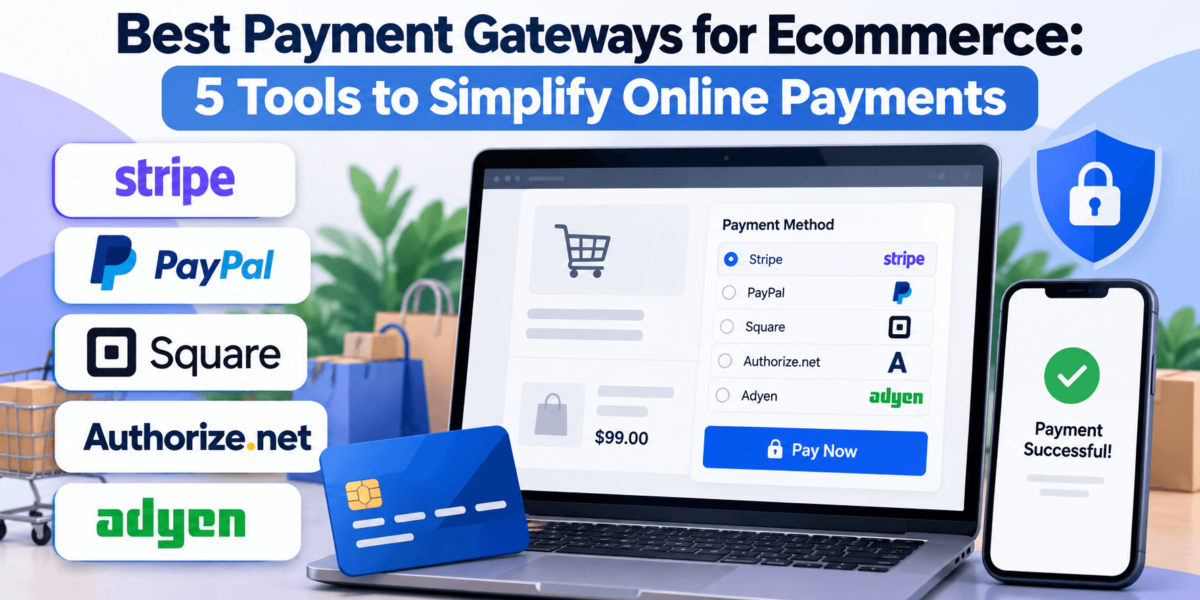
Best Payment Gateways for Ecommerce: 5 Tools to Simplify Online Payments
We compared Stripe, PayPal, Square, Authorize.net, and Adyen on fees, payment methods, integrations, recurring billing, and international support, so you can match the right gateway to the way your store actually sells.
Last reviewed: October 2026About 22 min read
Quick Answer: Which Payment Gateway Is Best?
Stripe is the best payment gateway for most online-first ecommerce stores. It charges a flat 2.9% + 30¢ on US online card payments, has no monthly fee, and offers the deepest developer and subscription tools of the five. The right pick still depends on how you sell:
Stripe
Best for: Online-first ecommerce businesses
Flexible APIs, prebuilt checkout, and built-in subscription billing for stores that sell mostly online.
PayPal
Best for: Customer familiarity and trust
Adds PayPal, Venmo, and Pay Later buttons that many shoppers already use and recognize at checkout.
Square
Best for: Small businesses and omnichannel selling
Connects your online store, in-person POS, and inventory in one free-to-start system.
Authorize.net
Best for: Established merchants seeking flexible processing
A long-running, Visa-owned gateway you can pair with your own merchant account.
Adyen
Best for: Larger and international ecommerce businesses
Enterprise payment infrastructure with interchange++ pricing and broad local payment method coverage.
Payment Gateway Comparison Table
Here’s how the five platforms compare on the factors that matter most to ecommerce merchants. Pricing reflects published US rates for online card payments.
| Payment Gateway | Best For | Pricing (US online cards) | Ecommerce Integrations | Recurring Payments | International Payments | Overall |
|---|---|---|---|---|---|---|
| Stripe | Online-first stores, SaaS, developers | 2.9% + 30¢; no monthly fee | WooCommerce, BigCommerce, Wix, Squarespace, custom builds | Yes, Stripe Billing (0.7% of billing volume) | 135+ currencies; +1.5% international cards, +1% conversion | Best all-rounder for online sellers |
| PayPal | Shopper trust; PayPal, Venmo, Pay Later | 3.49% + 49¢ (PayPal Checkout); 2.99% + 49¢ (standard cards) | Shopify, WooCommerce, BigCommerce, Wix, Squarespace | Yes, subscriptions | +1.5% international fee, plus currency conversion | Best checkout add-on |
| Square | Small businesses selling online and in person | 3.3% + 30¢ (Free plan); 2.9% + 30¢ (paid plans) | Square Online, WooCommerce, BigCommerce, Wix | Yes, subscriptions and recurring invoices | Limited; built mainly for domestic selling | Best for small omnichannel sellers |
| Authorize.net | Established US and Canadian merchants | $25/mo + 2.9% + 30¢ (All-in-One) or $25/mo + 10¢ (Gateway Only) | WooCommerce, BigCommerce, Adobe Commerce, many carts | Yes, Automated Recurring Billing | Mainly US and Canada focused | Best for merchant-account flexibility |
| Adyen | Large, global, high-volume brands | $0.13 + Interchange++ + 0.60% (Visa/Mastercard); custom quotes | Adobe Commerce, Salesforce Commerce Cloud, enterprise platforms | Yes, tokenized recurring payments | Strong local payment method coverage | Best for enterprise and global |
⚠️ Watch Out
Processing fees vary by payment method, card type, location, currency, plan, and merchant agreement. The rates above are published US headline rates as of October 2026. Always confirm current pricing on each provider’s official site before you sign up.
Why Your Payment Gateway Choice Matters
Choosing a payment gateway isn’t just about finding the lowest processing fee. A cheaper option can still cost you more if it adds friction at checkout or doesn’t support the payment methods your customers prefer.
Your gateway sits at the most sensitive moment in the buying journey. The shopper has picked a product, entered their details, and is one tap away from paying. If the payment form loads slowly, rejects a valid card, or doesn’t offer the wallet they use every day, that sale can disappear.
Here’s what your gateway choice directly affects:
- Conversion rates: Faster checkout, saved payment details, and one-tap wallets reduce abandoned carts.
- Fees: The difference between 2.9% + 30¢ and 3.49% + 49¢ adds up quickly at scale.
- Payment methods: Cards, Apple Pay, Google Pay, PayPal, Venmo, buy now, pay later, and bank payments all appeal to different buyers.
- Fraud prevention: Built-in screening tools catch suspicious orders before they turn into chargebacks.
- Recurring payments: Subscription and membership stores need reliable automated billing.
- International sales: Multi-currency support and local payment methods decide whether overseas shoppers complete their purchase.
- Integrations: A native plugin for your store platform saves hours of setup and maintenance.
If you’re still deciding where to build your store, our Shopify vs BigCommerce comparison and our roundup of the best AI website builders can help you pick a platform first, since your platform often narrows which gateways you can use.
What Is a Payment Gateway?
A payment gateway is the technology that securely captures a customer’s payment details at checkout and sends them for authorization. It’s the digital equivalent of the card terminal at a store counter: it encrypts the card data, passes it along the payment network, and returns an approval or decline in seconds.
How a Typical Ecommerce Payment Works
- The shopper enters card details or taps a digital wallet at your checkout.
- The payment gateway encrypts that data and sends it to the payment processor.
- The processor routes the transaction through the card network (Visa, Mastercard, American Express, or Discover) to the customer’s issuing bank.
- The issuing bank checks the account and approves or declines the charge.
- The response travels back through the processor and gateway to your checkout, usually in a few seconds.
- Approved funds settle into your merchant account, then pay out to your business bank account.
Payment Gateway vs Payment Processor in One Sentence
The gateway collects and transmits payment data; the processor moves the transaction through the card networks and banks. We cover this in more detail further down.
Why Most Merchants Use Integrated Payment Platforms
Stripe, PayPal, Square, and Adyen bundle the gateway, processing, and merchant account into one service. You sign up once, get one dashboard, and pay one blended fee. Authorize.net is the exception in this group: it can work as a standalone gateway connected to a merchant account you already have, or as an all-in-one package.
For most small and mid-size stores, an integrated platform is simpler. Larger merchants sometimes prefer separate pieces so they can negotiate processing rates independently.
How We Evaluated These Payment Gateways
We built this comparison from each company’s official pricing pages, product documentation, and developer resources, then cross-checked details against independent industry coverage. We didn’t run live test transactions through every platform, so we’ve stuck to what each provider publishes and clearly flagged where pricing varies or requires a quote.
Each platform was assessed on the same criteria:
- Pricing and transaction fees, including monthly fees and add-on costs
- Supported payment methods, wallets, and buy now, pay later options
- Ecommerce platform integrations and ease of setup
- Checkout experience and mobile performance
- Recurring billing and subscription tools
- International payments, currencies, and local payment methods
- Fraud prevention and security features
- Developer tools, reporting, and scalability
- Customer support and overall merchant fit
The 5 Best Payment Gateways for Ecommerce, Reviewed
Each review follows the same structure so you can compare platforms side by side: who it’s for, what it does, what it costs, where it falls short, and who should look elsewhere.
Which Payment Gateway Is Best for Your Ecommerce Business?
Match your business model to the platform built for it:
Best for ecommerce startups
Stripe
No monthly fee, hosted checkout, and payment links get you live quickly. Choose Square instead if you’ll also sell in person.
Best for online-first businesses
Stripe
Flat 2.9% + 30¢ online pricing and full checkout control make it the strongest online default.
Best for small businesses
Square
A free plan, simple setup, and one dashboard for online and in-store sales.
Best for omnichannel businesses
Square or Adyen
Square unifies channels for small sellers; Adyen does the same at enterprise scale.
Best for international ecommerce
Adyen or Stripe
Adyen for large global brands; Stripe for growing stores selling in 135+ currencies.
Best for subscriptions
Stripe
Stripe Billing handles trials, proration, usage billing, and failed-payment recovery.
Best for developers
Stripe
Clear documentation, SDKs, and flexible APIs for custom checkout flows.
Best for larger ecommerce companies
Adyen
Interchange++ pricing and unified enterprise infrastructure across regions.
Best for customer trust
PayPal
Familiar PayPal, Venmo, and Pay Later buttons reassure first-time buyers.
Best for established merchants
Authorize.net
Pair a proven gateway with your own merchant account and negotiated rates.
💡 Quick Tip
You don’t have to pick just one. Many stores run a primary card processor such as Stripe or Square and add PayPal as a second option, giving shoppers both card and wallet choices at checkout.
Payment Gateway vs Payment Processor: What’s the Difference?
A payment gateway captures and encrypts payment data at checkout, while a payment processor moves that transaction through the card networks and banks to get it approved and settled. The gateway is the front door; the processor is the delivery system behind it.
Picture a customer buying a $40 candle from your online store. The gateway is the secure payment form that collects their card number and passes it on safely. The processor carries that request to Visa and the customer’s bank, receives the approval, and later moves the money toward your account.
| Component | What It Does | Example in This Guide |
|---|---|---|
| Payment gateway | Captures, encrypts, and transmits payment data from checkout | Authorize.net (Gateway Only plan) |
| Payment processor | Routes transactions through card networks and banks for approval and settlement | Your bank or merchant services provider |
| Merchant account | Holds approved funds before payout to your business bank account | Included with All-in-One plans |
| All-in-one platform | Bundles gateway, processing, and merchant account | Stripe, PayPal, Square, Adyen |
What to Look for in an Ecommerce Payment Gateway
Transaction Fees
Look past the headline percentage. The fixed per-transaction fee matters just as much, especially on low-priced products. Also factor in monthly fees, international surcharges, currency conversion, chargeback fees, and paid add-ons like subscription billing or tax tools.
Payment Methods
Your gateway should support how your customers actually want to pay:
- Credit and debit cards: Visa, Mastercard, American Express, and Discover are the baseline.
- Digital wallets: Apple Pay, Google Pay, and PayPal speed up mobile checkout.
- Buy now, pay later: Options like Afterpay, Klarna, Affirm, or PayPal Pay Later can help with higher-priced items.
- Bank payments: ACH works well for B2B orders and large invoices.
- Local payment methods: Essential if you sell into markets where cards aren’t the default.
Checkout Experience
Every extra field, redirect, or slow-loading script gives shoppers a reason to leave. Prioritize gateways with mobile-optimized forms, saved payment details, and one-tap wallets.
Security
Choose a PCI-compliant provider that offers tokenization, fraud screening, and support for 3D Secure authentication. Hosted or embedded payment fields also reduce your own PCI compliance workload. WooCommerce stores should also harden the site itself with one of the best WordPress security plugins.
Ecommerce Integrations
Native integrations save setup time and reduce errors. Check that your gateway has an official, actively maintained plugin for your platform. Shopify merchants should also review their options alongside the tools in our best Shopify apps for ecommerce roundup, and WooCommerce stores can find payment add-ons in our list of the best WooCommerce plugins for ecommerce. Still choosing a platform? See Shopify vs WooCommerce.
Recurring Payments
SaaS products, subscription boxes, memberships, and replenishment brands need automated billing, card updaters, and smart retry logic for failed payments. Stripe Billing and Authorize.net’s Automated Recurring Billing are the most purpose-built options here.
International Payments
If you sell abroad, check supported currencies, cross-border fees, conversion costs, and local payment methods. Showing prices in a shopper’s own currency usually builds more confidence than charging in USD.
Reporting and Analytics
Clear transaction reporting helps you reconcile payouts, spot decline patterns, track refunds and disputes, and calculate your true effective processing rate. For deeper store-wide reporting, pair your gateway data with one of the best ecommerce analytics software tools.
Scalability
Think about where your store will be in two or three years. Switching gateways later means migrating saved cards and subscriptions, which takes planning. Pick a platform that can handle higher volume, new channels, and new markets.
Payment Gateway Fees Explained
Ecommerce payment processing fees usually come from several layers. Here’s what each one means:
- Percentage-based processing fee: A share of each sale, such as 2.9%.
- Per-transaction fee: A fixed amount added to every payment, such as 30¢ or 49¢.
- International transaction fee: An extra percentage for cards issued outside your country.
- Currency conversion fee: Charged when the payment currency differs from your payout currency.
- Chargeback fee: A fee per disputed transaction, often in the $15 to $20 range, whether or not you win.
- Monthly fee: A recurring account or plan charge, such as Authorize.net’s $25 gateway fee.
- Gateway fee: A per-transaction charge on gateway-only plans, separate from processing costs.
- Custom enterprise pricing: Negotiated rates, often interchange-plus, for high-volume merchants.
How the Fixed Fee Changes Your Real Cost
The fixed fee has a much bigger effect on small orders. This illustrative calculation applies published US headline rates to a domestic card payment. Your actual cost depends on card type, plan, and any add-ons.
| Published rate | Fee on a $15 order | Fee on a $60 order | Fee on a $200 order |
|---|---|---|---|
| 2.9% + 30¢ (Stripe; Square paid plans) | $0.74 (4.9%) | $2.04 (3.4%) | $6.10 (3.1%) |
| 3.3% + 30¢ (Square Free, online) | $0.80 (5.3%) | $2.28 (3.8%) | $6.90 (3.5%) |
| 3.49% + 49¢ (PayPal Checkout) | $1.01 (6.8%) | $2.58 (4.3%) | $7.47 (3.7%) |
💡 Quick Tip
Don’t choose a payment gateway based only on the advertised transaction fee. Checkout experience, supported payment methods, international fees, and chargebacks can have a much bigger impact on your actual costs.
Flat-Rate vs Interchange-Plus Pricing
Flat-rate pricing (Stripe, Square, PayPal) charges the same rate for most cards, which makes budgeting easy. Interchange-plus pricing (Adyen, and many merchant accounts paired with Authorize.net) passes through the actual card network costs plus a markup. It’s harder to predict but often cheaper at high volume, especially with lots of debit card transactions.
How Payment Gateways Affect Ecommerce Conversion Rates
Your payment gateway is part of your conversion funnel, not just your back office. These are the checkout factors it influences most:
- Checkout friction: Redirects, long forms, and surprise fees at the last step drive abandonment. Embedded or hosted checkouts that keep fields minimal perform better.
- Mobile payments: Most shoppers browse on phones. Mobile-optimized forms and wallet buttons spare them from typing 16-digit card numbers on a small screen.
- Guest checkout: Forcing account creation before payment loses buyers. Make sure your gateway and platform support guest checkout.
- Digital wallets: Apple Pay, Google Pay, and PayPal let returning shoppers pay with stored details in a tap or two.
- Payment method availability: If a shopper’s preferred method isn’t offered, some will leave rather than switch.
- Payment failures: False declines turn away real customers. Smart retries and good fraud tuning recover more sales.
- Trust signals: Recognizable payment logos and secure checkout cues reassure first-time buyers.
- Checkout speed: Heavy payment scripts slow your page. Test load time after adding any gateway.
- Saved payment information: Tokenized cards and wallet logins make repeat purchases much faster.
Trust extends beyond checkout. Visible product reviews and a strong reputation reassure shoppers before they ever reach the payment page; tools from our best customer review collection software and best online reputation management software guides can help. For the rest of the funnel, see our list of the best CRO tools and best landing page builders.
Security and Fraud Prevention
Every gateway in this guide offers solid security fundamentals. The differences are in how much control you get over fraud rules and how disputes are handled. Here’s what to evaluate:
- PCI compliance: Any business that accepts cards must follow the Payment Card Industry Data Security Standard, maintained by the PCI Security Standards Council. Hosted payment fields from your gateway keep raw card data off your servers and simplify compliance.
- Tokenization: Replaces card numbers with secure tokens, so stored payment details can’t be reused if intercepted.
- Fraud detection: Stripe Radar, Authorize.net’s Advanced Fraud Detection Suite, Adyen’s risk management tools, and PayPal and Square’s built-in screening all score transactions for risk.
- Authentication: 3D Secure adds a verification step for risky transactions and can shift fraud liability away from you.
- Chargebacks: Look for clear dispute dashboards, evidence submission tools, and alerts so you can respond before deadlines.
- Suspicious transaction monitoring: Custom rules (blocking certain countries, flagging mismatched addresses, limiting velocity) help you tune protection for your store.
⚠️ Watch Out
Overly aggressive fraud filters can block legitimate customers. Review declined orders regularly and adjust your rules so you aren’t trading fraud losses for lost sales.
Common Payment Gateway Mistakes to Avoid
- Choosing based only on transaction fees. A lower rate doesn’t help if conversion drops. Compare total cost against checkout performance.
- Ignoring payment methods customers prefer. Check your analytics and customer feedback before deciding which wallets and BNPL options to offer.
- Forgetting international fees. Cross-border and conversion fees can add 1.5% to 2.5% or more per sale. Model them before expanding abroad.
- Overlooking chargeback costs. Dispute fees and lost merchandise add up. Compare dispute tools and fees, not just processing rates.
- Choosing a platform that doesn’t scale. Migrating saved cards and subscriptions later is painful. Plan for your two-to-three-year volume.
- Ignoring checkout UX. Test your checkout on a phone as a first-time customer and use heatmap software to see where shoppers hesitate. Remove unnecessary steps and fields.
- Not testing payment failures. Use sandbox modes to test declines, expired cards, and failed renewals so customers get clear messages and recovery options.
- Using too many unnecessary payment options. A wall of logos creates clutter. Offer the methods your audience actually uses.
Want benchmarks to measure your checkout against? Our roundup of ecommerce statistics covers cart abandonment and mobile shopping trends.
Frequently Asked Questions
What is the best payment gateway for ecommerce?
Stripe is the best payment gateway for most online-first ecommerce stores because of its flat 2.9% + 30¢ US online pricing, strong developer tools, and built-in subscription billing. Square is better for small businesses that also sell in person, and Adyen is better for large global brands.
What payment gateway has the lowest fees?
No single gateway is cheapest for every store. For small and mid-size US online stores, Stripe’s 2.9% + 30¢ with no monthly fee is among the lowest published flat rates. High-volume merchants can often pay less through interchange-plus pricing with Adyen or a merchant account paired with Authorize.net.
Is Stripe or PayPal better for ecommerce?
Stripe is usually better as a primary card processor because its rates are lower (2.9% + 30¢ vs 3.49% + 49¢ for PayPal Checkout) and it offers more customization. PayPal is better for shopper trust and wallet payments. Many stores use both.
Is Square good for ecommerce?
Yes, especially for small businesses that sell online and in person. Square syncs inventory and sales across channels. Its Free plan charges 3.3% + 30¢ for online payments, so online-only stores may pay less with Stripe or a paid Square plan.
What is the difference between a payment gateway and a payment processor?
A payment gateway captures and encrypts payment data at checkout. A payment processor routes the transaction through card networks and banks for approval and settlement. Platforms like Stripe, PayPal, Square, and Adyen bundle both.
Can I use multiple payment gateways on my ecommerce store?
Yes. Most platforms, including WooCommerce, Shopify, and BigCommerce, let you run more than one. A common setup is a card processor like Stripe or Shopify Payments plus PayPal as a second option.
What payment gateway is best for international ecommerce?
Adyen is best for large brands selling across many countries because of its local payment method coverage. Stripe is the best choice for growing stores, with support for 135+ currencies, though it adds fees for international cards and currency conversion.
What payment gateway is best for subscriptions?
Stripe is the strongest choice for subscriptions thanks to Stripe Billing, which handles trials, proration, usage-based billing, and failed-payment recovery for 0.7% of billing volume. Authorize.net’s Automated Recurring Billing is a solid alternative for established merchants.
How much does an ecommerce payment gateway cost?
Most US gateways charge around 2.9% to 3.5% plus 30¢ to 49¢ per online card transaction. Some add monthly fees, like Authorize.net’s $25, while enterprise providers like Adyen use interchange++ pricing with custom quotes.
How do I choose a payment gateway for my online store?
Start with your store platform’s supported gateways, then compare total fees, payment methods your customers prefer, recurring billing needs, international support, and checkout experience. Choose the option that fits how you sell today and where you plan to grow.
The Bottom Line
There’s no universal best payment gateway, but there is a clear best fit for most situations. If you sell mainly online, start with Stripe. If your customers love PayPal, add it as a second option. If you sell in person too, Square keeps everything connected. If you have an established merchant account, Authorize.net gives you flexibility. And if you’re a large global brand, Adyen is built for your scale.
| If You Are… | Choose | Why |
|---|---|---|
| An online-first store or SaaS brand | Stripe | Flat pricing, deep tools, strong subscriptions |
| Focused on shopper trust and wallets | PayPal | Familiar PayPal, Venmo, and Pay Later checkout |
| A small business selling online and in person | Square | Free plan and unified POS, online store, and inventory |
| An established merchant with your own merchant account | Authorize.net | Gateway-only option with recurring billing and fraud tools |
| A large, international brand | Adyen | Interchange++ pricing and global payment coverage |
Ready to Choose Your Payment Gateway?
Compare the options above and choose the platform that best fits your store’s payment methods, checkout experience, transaction volume, and growth plans.
Explore Stripe →See PayPal →See Square →Explore Authorize.net →Learn More About Adyen →
Pricing and features verified against official sources in October 2026 and subject to change. This article is for informational purposes and isn’t financial or legal advice.