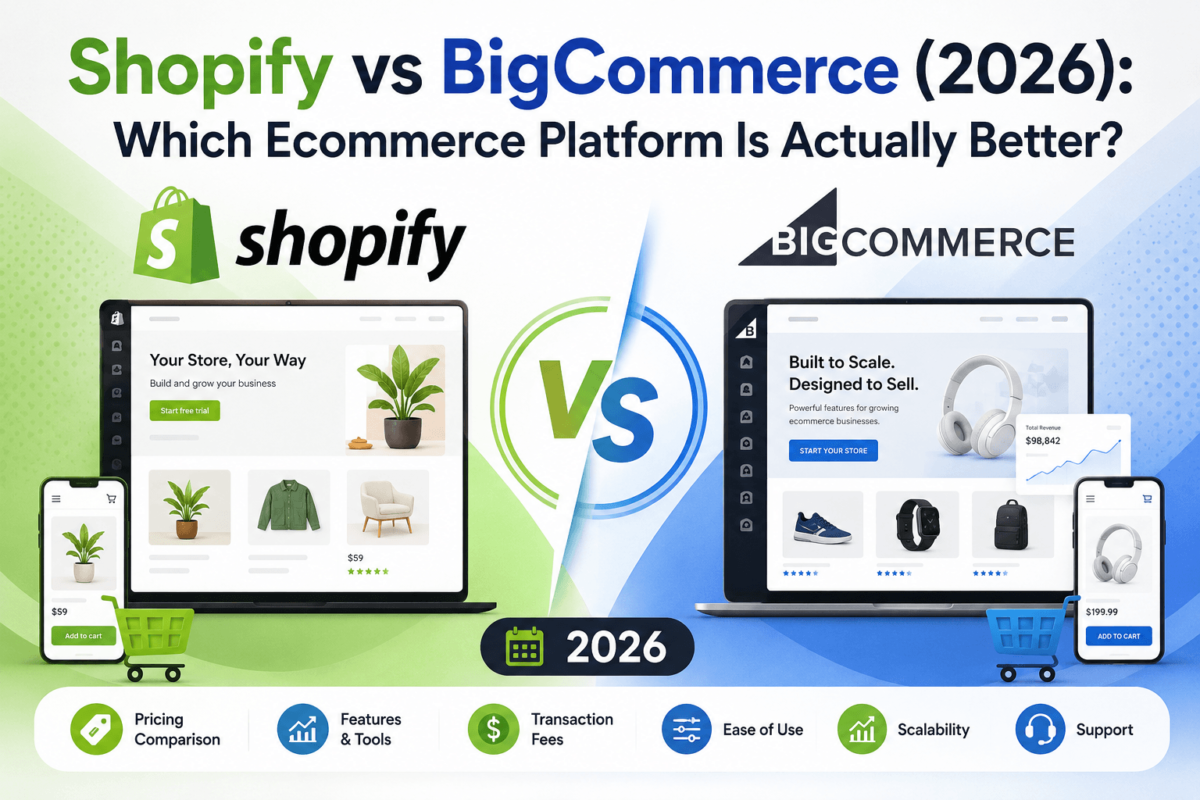
Shopify vs BigCommerce (2026): Which Ecommerce Platform Is Actually Better?
 | Jaykishan PanchalFounder & SEO Strategist, TechCognate · Updated August 2026 |
Quick Answer
For most direct-to-consumer brands, Shopify wins on ease of use, checkout conversion, design, and app selection. BigCommerce wins on native SEO control, built-in features that reduce app spend, and out-of-the-box B2B tools. If you’re a solo founder or small store, pick Shopify. If you run a wholesale, B2B, or large-catalog business and don’t want to pay per transaction, BigCommerce usually works out cheaper and more flexible.
Here’s the thing about “Shopify vs BigCommerce” articles: most of them were written before BigCommerce quietly renamed every one of its plans and rewrote its fee structure in June 2026. If you’re reading pricing numbers that say “Standard” or “Enterprise,” you’re looking at outdated information. We rebuilt this comparison from scratch using the current plan names — Core, Growth, Scale, and Performance — and tested both platforms’ 2026 feature sets side by side.
This guide covers pricing, real transaction-fee math, AI tools, SEO, B2B, apps, and the scenarios where each platform genuinely wins. No TOC, no fluff — just the comparison, starting now.
Shopify vs BigCommerce: Quick Comparison Table
Before we go deep into each category, here’s the 20-factor snapshot. Each row names a winner based on what most merchants actually need — your specific situation might tip the other way, and we’ll flag those cases as we go.
| Factor | Shopify | BigCommerce | Winner |
|---|---|---|---|
| Ease of use | Simpler, faster setup | More settings up front | Shopify |
| Entry pricing | $39/mo (Basic) | $39/mo (Core) | Tie |
| Transaction fees | Waived only with Shopify Payments | Waived with 21+ embedded gateways | BigCommerce |
| Templates | Larger, more polished library | Smaller but feature-rich | Shopify |
| SEO controls | Fixed /products/ & /collections/ paths | Full URL structure control | BigCommerce |
| Built-in marketing | Good, app-dependent for more | More native tools out of the box | BigCommerce |
| AI tools | Shopify Magic + Sidekick, deeply embedded | Lighter, partner-driven AI | Shopify |
| Checkout | Shop Pay, highest-converting | Customizable out of the box | Shopify |
| Payment options | Shopify Payments + 100+ gateways | 21+ embedded gateways, no lock-in | Tie |
| Apps | 8,000+ apps, huge ecosystem | 1,500+ apps, more enterprise-grade | Shopify |
| Integrations | Broadest third-party support | Strong ERP/CRM-grade partners | Shopify |
| Scalability | Scales via Plus, no GMV caps | Plan tiers gated by GMV thresholds | Shopify |
| B2B tools | Strong, but Plus-only | Native B2B at lower price points | BigCommerce |
| Enterprise | Shopify Plus, huge brand ecosystem | Performance, strong for B2B/wholesale | Tie |
| Support | 24/7 chat on every plan | Phone gated below Growth | Shopify |
| Performance | Fast global CDN, strong defaults | Competitive, implementation-dependent | Shopify (slight) |
| Security | PCI DSS Level 1, SSL included | PCI DSS Level 1, SSL included | Tie |
| Blogging | Basic but functional | Basic but functional | Tie |
| International selling | Markets feature, multi-currency | Multi-storefront, multi-currency | Tie |
| POS (in-person) | Native Shopify POS, industry-leading | Third-party POS partners only | Shopify |
| Hosting | Fully managed, included | Fully managed, included | Tie |
What Is Shopify?
Shopify launched in 2006 out of Ottawa, Canada, after its founders tried (and failed) to find good software for selling snowboards online. Today it’s the platform other platforms get measured against — millions of active stores across 175+ countries, and it powers a large share of the top direct-to-consumer brands in the US.
Shopify is a fully hosted, closed-source SaaS platform. You don’t manage servers, patch software, or worry about PCI compliance yourself — Shopify handles all of that. What you get in exchange is a walled garden: deep customization happens through apps and Shopify’s Liquid templating language, not through direct access to the underlying codebase.
|
Strengths
|
Weaknesses
|
Best for: solo founders, DTC brands, dropshippers, print-on-demand sellers, subscription businesses, and anyone who wants to launch fast and iterate with apps rather than code.
What Is BigCommerce?
BigCommerce launched in 2009 out of Austin, Texas, and has always positioned itself differently from Shopify: it calls its model “Open SaaS.” That means you still get fully hosted, managed infrastructure, but with more native functionality baked in and more freedom to plug in your own front end, ERP, or headless build without hitting a wall.
BigCommerce’s pitch has always been “fewer apps, more built-in.” Features that cost you a monthly app subscription on Shopify — like advanced product filtering, multi-currency, or wholesale pricing tiers — often ship natively inside BigCommerce’s core plans. The tradeoff is a steeper learning curve and a smaller pool of designers and developers who know the platform well.
|
Strengths
|
Weaknesses
|
Best for: B2B and wholesale sellers, mid-market merchants with large catalogs, businesses that want to avoid per-transaction fees, and teams building headless storefronts.
Ease of Use: Setup, Dashboard, and Daily Workflow
If you’re just getting started and have never run an online store before, this category probably matters more than any other on this page. A platform with more features doesn’t help you if you can’t find them.
Store setup and onboarding
Shopify’s setup wizard walks you through picking a theme, adding your first product, and connecting a domain in a way that feels closer to filling out a form than building a website. You can have a basic store live in an afternoon. BigCommerce’s setup covers more ground upfront — shipping zones, tax settings, and payment providers are surfaced earlier — which is more thorough but also more overwhelming on day one.
Dashboard and navigation
Shopify’s admin is organized around a left-hand sidebar that rarely changes, and most merchants report finding what they need within a session or two. BigCommerce’s admin is powerful but denser — more menus, more nested settings, more of everything visible at once. Agencies that build on both platforms consistently describe BigCommerce’s learning curve as steeper, especially for merchants without technical staff.
Product, inventory, and order management
Both platforms handle the basics well: bulk product uploads via CSV, variant management, low-stock alerts, and order fulfillment tracking. BigCommerce edges ahead for large or complex catalogs — it supports more product options per item natively and has stronger built-in filtering, which matters if you sell furniture, apparel with dozens of variants, or anything with complex specs. Shopify compensates with a bigger app selection if you need something specific, like matrix-style variant tables.
Coupons, discounts, shipping, and tax
Discount codes, tiered shipping rates, and automated tax calculation are native on both platforms at every plan level. Shopify’s discount engine is slightly more flexible for stacking and combining promotions. BigCommerce’s tax and shipping rule builder is a bit more granular for merchants selling into multiple states or countries with different tax obligations.
Domain connection and the learning curve, overall
Connecting an existing domain (through your registrar or hosting provider) or buying a new one is a guided, few-click process on both platforms. Where they really diverge is the overall learning curve: Shopify is built so a non-technical founder can run the whole store solo. BigCommerce assumes you’ll eventually lean on a developer or agency, especially once you start customizing themes or building custom B2B pricing rules.
Design & Themes
Imagine this: you’ve got the products, you’ve got the brand, and now you need a storefront that doesn’t look like a template. Both platforms can get you there, but the paths look different.
Shopify’s theme store is bigger and, frankly, more polished. Free themes like Dawn are genuinely usable out of the box, and premium themes (roughly $140–$450 one-time) tend to be built by agencies that specialize in ecommerce conversion design. The drag-and-drop theme editor lets you rearrange sections without touching code, and if you do want to go deeper, Shopify’s Liquid templating language has a huge community and documentation base — see our breakdown of the best Shopify themes for specific picks by store type.
BigCommerce’s theme library is smaller, but its themes tend to ship with more built-in functionality — one-page checkout layouts, mega menus, and product filtering are standard even on lower-cost themes. The Stencil framework that powers BigCommerce theming is capable, but has a smaller developer community than Liquid, so custom theme work usually costs more and takes longer to source.
Both platforms offer mobile-responsive themes by default and drag-and-drop page builders for landing pages. Neither requires you to touch CSS unless you want pixel-level control. Checkout branding is where they split: Shopify lets you customize checkout colors and logos on every plan, but deep checkout redesign (custom fields, entirely new layouts, post-purchase upsells built into checkout) requires Shopify Plus. BigCommerce’s checkout is more customizable by default, even on its entry-level Core plan.
Ecommerce Features Compared
Strip away the marketing pages and both platforms cover the fundamentals: unlimited products, product variants, digital products, gift cards, customer accounts, and abandoned cart recovery are standard on both. Here’s where they actually differ.
| Feature | Shopify | BigCommerce |
|---|---|---|
| Unlimited products | Yes, all plans | Yes, all plans |
| Product variants | Up to 100 per product | Up to 600 per product |
| Subscriptions | Native Shopify Subscriptions app | Third-party apps required |
| Digital products | Native, plus popular apps | Native support built in |
| Gift cards | Native on all plans | Native on all plans |
| Customer groups / wholesale pricing | Plus only (B2B) | Native on Growth and up |
| Product filtering / faceted search | Requires an app on most themes | Native, built into most themes |
| Abandoned cart recovery | Native, all plans | Native from Growth up |
| Marketplace integrations (Amazon, eBay) | Via apps, well supported | Native multichannel manager |
The subscriptions gap is worth pausing on. If your business model depends on recurring billing — a coffee-of-the-month box, a supplement refill program — Shopify’s native subscriptions support (plus its deep bench of subscription apps) is meaningfully ahead. On the flip side, if your catalog has products with dozens of options (think furniture with fabric, finish, and size combinations), BigCommerce’s 600-variant ceiling versus Shopify’s 100 is a real constraint to plan around before you build your catalog, not after.
AI Features: Shopify Magic & Sidekick vs BigCommerce AI
This is the category that’s changed the most in the last 18 months, and it’s not close. Shopify has invested heavily in AI, and it shows.
Shopify Magic and Sidekick
Shopify Magic is the content layer: it writes product descriptions from a few bullet points, generates marketing email copy, removes backgrounds from product photos, and suggests responses in customer support inboxes. It’s built into the workflows you’re already using, so there’s no separate tool to open.
Sidekick is the conversational layer — an AI assistant that lives inside the Shopify admin and can answer questions about your store’s performance, build discount codes from a plain-English request, and, as of the most recent updates, construct Shopify Flow automations and surface proactive business insights without being asked. For non-technical store owners, Sidekick effectively replaces a lot of menu-hunting.
Shopify has also opened its AI ecosystem to developers through an AI Toolkit and Model Context Protocol (MCP) support, which is part of a broader push toward “agentic commerce” — letting AI shopping assistants browse and buy from Shopify stores directly. Its new $0/month Agentic plan even lets a business sell through AI assistants like ChatGPT, Gemini, and Copilot without a full storefront, paying only per completed sale.
BigCommerce’s AI capabilities
BigCommerce’s native AI is real but noticeably lighter. BigCommerce Insights layers predictive analytics onto customer behavior and revenue forecasting, and rule-based product recommendation widgets are built into the catalog. Rather than build a deep merchant-facing AI suite of its own, BigCommerce has leaned on its Agentive Partners Program — certified integrations with AI platforms and enterprise-grade app partners like Searchspring, Constructor, and Dotdigital — to fill the gap.
In practice, that means BigCommerce merchants can absolutely get AI-powered search, personalization, and content tools — they just come from the app marketplace rather than the platform itself.
SEO Comparison: URLs, Schema, Speed & AI Search Visibility
If organic search is part of your growth plan, this section deserves your full attention — it’s also the one place BigCommerce has a durable structural edge, and it comes down to one thing: URLs.
URL structure
Shopify forces every product into a /products/ path and every collection into /collections/ — you can’t remove or restructure those folders without a workaround (and even then, it’s limited). BigCommerce gives you full control over URL paths, which matters if you’re running a content-led SEO strategy where you want category pages living at clean, keyword-rich paths rather than nested folders.
Metadata, schema, and technical SEO
Both platforms let you edit title tags, meta descriptions, and alt text on every product, collection, and page. Both auto-generate XML sitemaps and support canonical tags and 301 redirects natively. BigCommerce ships with slightly better default schema markup out of the box, while Shopify’s ecosystem of SEO apps (see our roundup of the best Shopify SEO apps) can close most gaps if you’re willing to install one.
Speed and Core Web Vitals
Benchmark tests are close and implementation-dependent, but Shopify tends to edge ahead on raw page speed thanks to its global CDN and image optimization defaults. BigCommerce isn’t far behind, and a well-built BigCommerce theme can absolutely hit “Good” Core Web Vitals scores. Neither platform is a speed problem if your theme and apps are lean — most performance issues on either platform come from bloated app stacks, not the platform itself.
AI search and generative engine visibility
Both platforms are indexable by AI crawlers and both support structured data that AI Overviews and answer engines can parse. Shopify’s push into agentic commerce (letting AI assistants transact directly against product data) gives it a slight edge for merchants who want to be discoverable inside ChatGPT or Gemini shopping experiences specifically. If entity SEO and AI visibility are a priority beyond the platform layer, our ecommerce SEO guide and product page SEO guide cover the on-page work that applies regardless of platform.
Blogging & Content Marketing
Neither platform was built primarily as a content management system, and it shows. Shopify’s blog editor is functional — categories, tags, scheduling, and basic media embedding all work — but it’s noticeably lighter than a dedicated CMS like WordPress. Internal linking has to be done manually within post content, since there’s no automated related-posts or content-cluster tooling built in. BigCommerce’s blogging tools are comparable: basic, reliable, and not a reason to choose one platform over the other.
If content marketing is a core growth channel for your brand rather than an afterthought, plenty of merchants on both platforms run a separate WordPress blog on a subdomain or connect their storefront to a headless CMS. That’s a workaround worth knowing about upfront rather than discovering six months in.
Marketing Features
So which one actually helps you sell more? Both platforms cover the essentials natively: discount codes, bundles, and social selling integrations with Instagram, TikTok, Pinterest, and Facebook Shop are supported on both. Google Shopping and Amazon channel integrations exist on both, though Shopify’s are generally easier to set up without developer help.
Where they diverge is depth. Shopify leans on its app ecosystem for advanced email marketing (see our comparisons of the best email marketing software and marketing automation platforms for options that integrate cleanly with either store), affiliate programs (our affiliate marketing software guide covers the top picks), and CRM syncing (see our CRM for email marketing roundup). BigCommerce bundles more of this natively at the Growth tier and above — abandoned cart recovery, persistent carts, and stored card details are included rather than requiring a separate subscription.
Neither platform includes live chat by default; most merchants add it through an app on either platform (our live chat software comparison can help you pick one), and the same goes for dedicated conversion rate optimization tooling — see our CRO tools guide if squeezing more revenue from existing traffic is the priority.
Payment Processing & Transaction Fees Explained
Here’s the thing about transaction fees: they look tiny on a pricing page and then quietly become one of your biggest line items once you scale. This is the section most comparison articles gloss over, so let’s actually do the math.
How Shopify’s fees work
If you use Shopify Payments (Shopify’s built-in processor, powered by Stripe), you pay only the card processing rate — no separate platform fee. Rates drop as you move up plans: 2.9% + 30¢ on Basic, 2.7% + 30¢ on Grow, and 2.5% + 30¢ on Advanced for online transactions. If you use a different gateway instead of Shopify Payments, Shopify adds its own fee on top of whatever your gateway charges: 2% on Basic, 1% on Grow, 0.6% on Advanced, and 0.2% on Plus.
How BigCommerce’s fees work
BigCommerce doesn’t charge a platform fee at all — as long as you process through one of its 21+ “Embedded Payment Providers” (BigCommerce Payments, Stripe, PayPal, Adyen, Klarna, Affirm, and others). That’s been BigCommerce’s headline advantage for years. But as of June 2026, BigCommerce introduced an Open Payment Provider Fee for anyone using a gateway outside that approved list: 2% on Core, 1% on Growth, and 0.6% on Scale. Notably, this fee also applies to offline and manual payment methods, including B2B purchase orders — so if your business runs on POs through a non-embedded processor, budget for it.
Real-world cost examples
Let’s run the numbers at three revenue levels, assuming you use each platform’s own recommended/embedded processor (so no extra platform fee on either side) and a $50 average order value. These are estimates based on published 2026 rates — your actual card mix will move the number slightly.
| Monthly revenue | Shopify Basic (Payments) | BigCommerce Core (embedded) |
|---|---|---|
| $10,000/mo | ~$350 processing + $39 plan = ~$389 | ~$350 processing + $39 plan = ~$389 |
| $50,000/mo | ~$1,650 processing + $105 plan (Grow) = ~$1,755 | ~$1,750 processing + plan cost on Scale — ~$399/mo, since $600K annualized GMV exceeds Growth’s cap = ~$2,149 |
| $100,000/mo | ~$3,100 processing + $399 plan (Advanced) = ~$3,499 | ~$3,500 processing + $399 plan + ~$600 Scale overage (0.9% above $33,333/mo) = ~$4,499 |
The pattern that jumps out: when both platforms process through their own recommended gateway, per-order card fees land in the same ballpark — the gap comes from BigCommerce’s GMV-based plan structure, which can force you onto a pricier tier (or into overage charges) purely because of revenue, independent of features you actually use. Shopify never forces a plan upgrade based on revenue; you upgrade when you want lower rates or more features, on your own timeline.
Where BigCommerce pulls ahead is if you need a payment processor that isn’t on either platform’s approved list, or if you route a meaningful share of volume through offline/PO payments at scale — Shopify’s third-party gateway surcharge (2% on Basic) and BigCommerce’s Open Payment Provider Fee (also 2% on Core) are functionally similar in that scenario, so the “BigCommerce has zero fees” pitch from a few years ago no longer holds universally. Run your own numbers with our payment gateway comparison before committing to a processor.
Shopify Pricing (2026): Every Plan Explained
Shopify’s lineup runs five tiers deep. Annual billing saves roughly 25% on Basic, Grow, and Advanced — a discount worth taking once you know you’re staying put.
| Plan | Monthly | Annual (per mo) | Best for |
|---|---|---|---|
| Starter | $5 | $5 | Selling via social/checkout links only, no full store |
| Basic | $39 | ~$29 | New solo store owners, no staff accounts |
| Grow | $105 | ~$79 | Growing teams, 5 staff, lower card rate |
| Advanced | $399 | ~$299 | Scaling brands, custom reports, 15 staff |
| Plus | $2,300+ | Custom contract | Enterprise, custom checkout, B2B, dedicated support |
A few things the pricing page doesn’t spell out clearly: Basic gives the store owner login only — zero staff accounts — so if you have even one employee who needs admin access, you’re looking at Grow. Shopify also launched a $0/month Agentic plan in 2026 for merchants who want to sell exclusively through AI shopping assistants and the Shop app without a traditional storefront; you pay per completed sale rather than a subscription. Beyond the plan fee, budget for themes ($0–$450 one-time), apps (ranges wildly, often $50–$300/month combined for a lean stack), and Shopify POS Pro if you sell in person ($89/month per location; POS Lite is free with any plan).
BigCommerce Pricing (2026): Every Plan Explained
If you’ve read a BigCommerce pricing guide from before June 2026, forget the plan names. BigCommerce renamed everything, dropped the GMV thresholds that trigger auto-upgrades, and added the Open Payment Provider Fee described above. Here’s the current structure.
| Plan (formerly) | Monthly | Annual (per mo) | Annual GMV cap |
|---|---|---|---|
| Core (Standard) | $39 | ~$29 | $30,000 |
| Growth (Plus) | $105 | ~$79 | $100,000 |
| Scale (Pro) | $399 | ~$299 | $33,333/mo, then 0.9% overage |
| Performance (Enterprise) | From $1,499 | Custom contract | No cap |
Old plan names shown for reference — BigCommerce renamed all four tiers on June 1, 2026.
Every BigCommerce plan includes unlimited products, unlimited staff accounts, and unlimited bandwidth — a genuine advantage over Shopify’s staff-account limits on lower tiers. The catch is the GMV cap: cross your trailing-12-month threshold and BigCommerce automatically upgrades you to the next plan, whether or not you need its extra features. A store doing $45,000 a year that used to sit comfortably on the old Standard plan now gets bumped to Growth under the new $30,000 Core cap. Plan this into your growth math, not just your feature checklist.
Ready to see which platform fits your numbers?
Both platforms offer free trials — the fastest way to know for sure is to build a test store and add your real product catalog.
| Try Shopify Free | Try BigCommerce Free |
Apps & Integrations
Shopify’s app marketplace is enormous — well over 8,000 apps covering everything from one-click upsells to full ERP integrations. That size cuts both ways: you’ll almost certainly find an app for whatever you need, but quality varies wildly, and a lean tech stack can quietly balloon into $200–$500/month in app subscriptions if you’re not disciplined about auditing what you actually use.
BigCommerce’s marketplace is smaller, at roughly 1,500 apps, but it skews toward enterprise-grade tools — Searchspring and Constructor for search/merchandising, Dotdigital for lifecycle marketing, and deep ERP integrations for NetSuite and SAP. Because more functionality ships natively, BigCommerce merchants often need fewer apps to hit the same feature set, which partly offsets the smaller catalog.
For inventory-heavy operations, dedicated inventory management software integrates cleanly with both platforms via API, and both support standard accounting integrations (QuickBooks, Xero) and shipping tools (ShipStation, Shippo) without much friction. API rate limits are worth checking if you’re syncing large catalogs in real time: BigCommerce caps at 20,000 calls/hour on Core and Growth, rising to 60,000/hour on Scale, while Shopify’s GraphQL-based rate limiting scales more dynamically with plan tier.
Match the platform to your business size
Solo founder or small catalog? Start with Shopify Basic. Wholesale, large catalog, or avoiding transaction fees? BigCommerce Core is worth a free trial before you commit.
Performance, Hosting & Security
Both platforms are fully hosted SaaS products — you’re not choosing a hosting provider, managing a CDN, or worrying about server patches on either one. That’s a meaningful contrast to a self-hosted option like WooCommerce, where choosing the right hosting provider is its own project.
Shopify’s infrastructure is built to absorb massive traffic spikes — it’s designed for flash sales and viral product drops without merchants needing to think about scaling. BigCommerce handles traffic spikes well too, though a few large-scale stress tests have shown Shopify’s CDN edge caching responding marginally faster under sudden load. For most merchants, this difference won’t be noticeable; it starts to matter at high-volume flash-sale scale.
On security, the two are essentially tied: both are PCI DSS Level 1 compliant, both include free SSL certificates on every plan, both offer two-factor authentication and granular staff permissions, and both run automated backups you don’t have to think about. Fraud protection tools (order risk analysis, chargeback protection) are built into both platforms’ native payment processors.
B2B Features Compared
This is where BigCommerce has quietly built a real moat. Wholesale pricing tiers, company accounts, custom catalogs, and purchase-order payment terms are native features on BigCommerce’s Growth plan and up — at $105/month. On Shopify, the equivalent B2B toolkit (company profiles, custom price lists, net payment terms, self-serve wholesale ordering) is locked behind Shopify Plus, which starts around $2,300/month.
That gap matters enormously if you’re a small-to-mid-size business selling to both retail and wholesale customers. A $105/month BigCommerce Growth store can run a legitimate B2B storefront with quote requests and sales-rep-assisted ordering; the same functionality on Shopify requires a 20x jump in subscription cost. If B2B is a meaningful share of your revenue and you’re not yet at enterprise scale, this single factor can make BigCommerce the financially obvious choice.
Shopify Plus vs BigCommerce Performance (Enterprise)
At the top end, both platforms shift from self-serve subscriptions to negotiated contracts with dedicated support teams.
Shopify Plus (from $2,300/month) is built for global consumer brands that need custom checkout experiences, multiple linked storefronts under one account, and access to Shopify Functions for deep backend customization. It has by far the larger enterprise brand ecosystem, and its Hydrogen (React-based) and Oxygen (hosting) framework gives development teams a modern headless commerce path without leaving Shopify’s infrastructure.
BigCommerce Performance (from $1,499/month, custom quotes above that) is the stronger pick for B2B-heavy and wholesale-driven enterprises, and it removes the Open Payment Provider Fee that applies to lower tiers. BigCommerce’s API-first “Open SaaS” architecture also makes it a popular choice for headless builds that need to plug into existing ERP or PIM systems without fighting the platform’s opinions about how a storefront should work.
Neither is objectively “the enterprise winner.” Global DTC brands tend to land on Shopify Plus; B2B distributors, manufacturers, and complex-catalog wholesalers tend to land on BigCommerce Performance.
API & Developer Experience
Both platforms offer REST and GraphQL APIs, webhook support, and headless commerce paths. Shopify’s Hydrogen framework (paired with Oxygen hosting) is the more actively developed headless option, with strong documentation and a large freelance/agency talent pool familiar with Liquid and the Shopify API. BigCommerce’s “Open SaaS” positioning means its API was designed from the start to support headless and composable builds without needing a special framework — many enterprise BigCommerce implementations run entirely headless, with the admin used purely for backend catalog and order management.
Custom checkout is the clearest developer-experience divider: Shopify restricts checkout customization to Shopify Plus (via Shopify Functions and checkout extensibility), while BigCommerce allows meaningful checkout customization even on lower-tier plans. If your dev team wants to build a fully custom checkout without paying for an enterprise contract first, that’s a real point in BigCommerce’s favor.
POS (Point of Sale) Comparison
If you sell in person — a retail storefront, pop-ups, craft fairs — this category isn’t close. Shopify built its own POS system in-house: POS Lite is free on every plan and covers basic in-person selling, while POS Pro ($89/month per location) adds staff management, advanced inventory sync, and omnichannel features like buy-online-pickup-in-store. Inventory syncs automatically between your online store and physical registers because they’re the same system.
BigCommerce doesn’t have a native point-of-sale product. Merchants who need in-person selling connect a third-party POS (Square, Lightspeed, Clover) through the app marketplace, which works fine but means managing inventory sync between two separate systems rather than one unified one. If omnichannel retail is core to your business, this is one of the more clear-cut reasons to lean Shopify.
International Selling
Both platforms support multi-currency pricing, localized checkout experiences, and duty/tax calculation for cross-border shipping. Shopify’s Markets feature centralizes international expansion under one admin — you manage currencies, domains, and languages for every region from a single dashboard, and it’s genuinely one of the smoother implementations in ecommerce software. BigCommerce supports international selling through multi-storefront setups, which offer more granular control per region (separate catalogs, pricing, and branding per market) at the cost of more setup work.
For a brand expanding into two or three new countries, Shopify Markets is faster to configure. For a business that needs genuinely distinct storefronts per region — different catalogs, different B2B terms, different branding — BigCommerce’s multi-storefront architecture offers more control.
Migration Guide: Switching Platforms
If you’re migrating from another platform, the good news is both Shopify and BigCommerce have mature import tooling and a large ecosystem of migration specialists.
- WooCommerce → Shopify or BigCommerce: The most common migration path. Both platforms offer CSV-based product and customer import tools, and dedicated migration apps can move orders and reviews too. Expect to rebuild your theme from scratch rather than porting it — WordPress themes don’t translate.
- Magento → Shopify or BigCommerce: Common among merchants tired of managing Magento’s self-hosted infrastructure. Complex custom Magento extensions rarely have a 1:1 equivalent, so budget time to rebuild custom logic rather than expecting a clean lift-and-shift.
- OpenCart or PrestaShop → either platform: Smaller catalogs migrate cleanly via CSV; larger ones benefit from a dedicated migration service to preserve SEO redirects and order history.
- Custom-built platform → either platform: The most labor-intensive path. Plan for a developer to map your existing data model to Shopify’s or BigCommerce’s schema before touching the import tools.
Whichever direction you’re moving, set up 301 redirects from your old URLs before you go live — this matters more on Shopify, since its forced /products/ and /collections/ paths guarantee your URL structure will change, which can cost you rankings if redirects aren’t mapped correctly.
Pros & Cons Summary
|
Shopify Pros
Cons
|
BigCommerce Pros
Cons
|
Common Mistakes to Avoid When Choosing
We’ve watched enough merchants pick the wrong platform (and pay for it later) that a few patterns keep showing up. Here’s what to check before you commit to either one.
- Choosing based on today’s catalog, not next year’s. A 20-product store doesn’t stress-test variant limits or GMV thresholds. Model your catalog and revenue 18–24 months out before picking.
- Ignoring the payment gateway you actually want to use. If your preferred processor isn’t on BigCommerce’s embedded list, or you skip Shopify Payments, the “no fees” pitch on either platform disappears fast — check the approved gateway list first.
- Underestimating app costs on Shopify. A lean five-app stack can easily run $150–$400/month. Add that to your subscription cost before comparing total price against BigCommerce’s more feature-rich base plans.
- Not planning redirects before migrating or launching. Shopify’s fixed URL structure and any platform switch both change your URLs. Skipping a redirect map costs you organic rankings you may not recover for months.
- Assuming B2B tools are “add it later.” If wholesale is even a maybe for your roadmap, price it in now — the cost gap between BigCommerce Growth and Shopify Plus for B2B functionality is enormous, and switching platforms later is expensive.
Real Use Cases: Which Platform Fits Your Business?
| Business type | Recommended |
|---|---|
| Complete beginner, first store | Shopify Basic |
| Small business, general retail | Either — Shopify for speed, BigCommerce for value |
| Fashion & apparel | Shopify (theme quality, app ecosystem) |
| Jewelry (high variant count) | BigCommerce (600 variants vs 100) |
| Furniture (complex configurations) | BigCommerce (variant limits, filtering) |
| Food & beverage | Shopify (subscription tooling) |
| Digital products | Either — both support natively |
| Subscription businesses | Shopify (native Subscriptions) |
| Dropshipping | Shopify (largest supplier app ecosystem) |
| Print on demand | Shopify (Printify/Printful integrations) |
| Agencies (managing many clients) | Shopify (talent pool, faster builds) |
| B2B / wholesale | BigCommerce (native at lower cost) |
| Enterprise / global brand | Shopify Plus (brand ecosystem) |
| International expansion | Shopify (Markets is faster to set up) |
| High-volume, avoiding transaction fees | BigCommerce (embedded gateway list) |
Who Should Choose Shopify?
Choose Shopify if you’re launching your first store and want to be self-sufficient, if checkout conversion and design polish matter more than raw feature count, if you sell in person as well as online, or if AI-assisted content creation would genuinely save you time every week. It’s also the safer default for dropshipping, print-on-demand, and subscription businesses, where its app ecosystem and native tooling are simply deeper.
Who Should Choose BigCommerce?
Choose BigCommerce if B2B or wholesale is a real part of your business and you’re not ready for Shopify Plus pricing, if you want full control over your URL structure for SEO, if your catalog has products with a high number of variants, or if avoiding per-transaction platform fees at scale matters to your margins. It’s also the stronger pick for teams planning a headless build who want API-first flexibility without a steep enterprise price tag.
Final Verdict: Category Winners
So which one actually wins? It depends on what you’re optimizing for. Here’s how we’d call it, category by category.
| Category | Winner |
|---|---|
| Best for beginners | Shopify |
| Best SEO flexibility | BigCommerce |
| Best B2B tools | BigCommerce |
| Best enterprise ecosystem | Shopify Plus |
| Best AI tools | Shopify |
| Best value at scale (no fees) | BigCommerce |
| Best support access | Shopify |
| Best customization/theming | Shopify |
| Best built-in marketing | BigCommerce |
| Overall winner | Shopify (for most merchants) |
Our overall call: Shopify is the better default for most merchants reading this, because most ecommerce businesses are DTC-first, need to launch fast, and benefit more from checkout conversion and app selection than from SEO URL flexibility. But “overall winner” is the wrong frame if you already know you’re B2B-heavy, transaction-fee-sensitive, or running a large, complex catalog — in those specific cases, BigCommerce is the financially and structurally smarter choice, full stop.
Still deciding? Start a free trial on both.
Building a real test store with your own products is the only way to know for certain which admin, checkout, and theme experience actually fits how you work.
| Start Shopify Trial | Start BigCommerce Trial |
Frequently Asked Questions
Is Shopify better than BigCommerce?
Shopify is better for most merchants because it’s faster to set up, converts better at checkout, and has a far larger app and theme ecosystem. BigCommerce is better specifically for B2B, wholesale, large catalogs, and merchants who want to avoid per-transaction platform fees at scale. Neither is universally “better” — it depends on your business model.
Which platform has lower fees?
Base subscription pricing is nearly identical at every tier. BigCommerce avoids platform transaction fees if you use one of its 21+ embedded payment providers, while Shopify avoids them only with Shopify Payments. Both now charge a fee (roughly 2% on entry plans) if you use an outside gateway, so the historical “BigCommerce has zero fees” advantage is narrower than it used to be.
Is BigCommerce good for SEO?
Yes, and in some ways it’s stronger than Shopify. BigCommerce gives you full control over URL structure and slightly better default schema markup, while Shopify forces every product and collection into fixed URL folders. Both index well and support the SEO fundamentals; BigCommerce simply gives more structural freedom for advanced SEO strategies.
Does Shopify charge transaction fees?
Not if you use Shopify Payments — you pay only standard card processing rates. If you use a different payment gateway, Shopify adds an extra fee on top: 2% on Basic, 1% on Grow, 0.6% on Advanced, and 0.2% on Plus, in addition to whatever your chosen gateway charges.
Which platform is easier to use?
Shopify. Its admin is organized around a simpler, more consistent navigation structure, and most first-time store owners can launch without outside help. BigCommerce is powerful but exposes more settings up front, which creates a steeper learning curve, particularly for non-technical merchants managing the store solo.
Which is better for beginners?
Shopify. The onboarding flow, theme selection, and admin interface are all built with first-time store owners in mind, and the sheer size of its app ecosystem means there’s usually a plug-and-play solution for whatever you’re trying to add, without needing developer help.
Which platform is faster?
Independent benchmarks generally show Shopify with a slight edge in raw page speed and Core Web Vitals, largely due to its CDN and image optimization defaults. BigCommerce is competitive and can hit “Good” scores with a well-built theme. In practice, your app stack and theme quality affect speed more than the platform choice itself.
Is Shopify worth it?
For most online sellers, yes. The combination of ease of use, checkout conversion, and app selection typically outweighs the subscription and transaction costs, especially once you factor in the time saved not fighting the platform. It’s a stronger value proposition the smaller and more DTC-focused your business is.
Can I migrate later if I choose wrong?
Yes, both platforms support migration in either direction, and a healthy ecosystem of migration specialists and apps exists for both. That said, migrating is genuinely disruptive — expect theme rebuilds, redirect mapping, and a temporary SEO dip — so it’s worth choosing carefully upfront rather than planning to switch quickly.
Which platform is better for dropshipping?
Shopify, by a wide margin. Its app ecosystem includes the largest selection of dropshipping and supplier-integration apps (AliExpress, Spocket, CJdropshipping, and similar), and most dropshipping-focused tutorials, themes, and communities are built around Shopify specifically, which makes troubleshooting far easier.
Which has better themes?
Shopify’s theme library is larger and generally more polished, with a bigger pool of agencies building premium options specifically for conversion. BigCommerce’s smaller library ships with more built-in functionality per theme (filtering, mega menus, one-page checkout), so the “better” answer depends on whether you value selection or out-of-the-box features more.
Which platform scales better?
Shopify scales without revenue-based plan restrictions — you upgrade when you want new features, not because you crossed a sales threshold. BigCommerce ties plan tiers to annual GMV caps, which can force an upgrade purely because your revenue grew, independent of whether you need the higher tier’s features.
Which is best for B2B?
BigCommerce, and it’s not close at the price points most B2B sellers actually operate at. Native wholesale pricing, company accounts, and purchase-order terms are available from the $105/month Growth plan. Shopify offers comparable B2B tools, but only on Shopify Plus, which starts around $2,300/month.
Which is better for enterprise?
Shopify Plus has the larger enterprise brand ecosystem and more headless-development mindshare through Hydrogen. BigCommerce Performance is stronger for B2B-heavy and wholesale-driven enterprises and removes transaction fees entirely at that tier. The right choice depends on whether your enterprise business is primarily DTC or B2B.
Does BigCommerce include more built-in features?
Generally, yes. Product filtering, abandoned cart recovery (from Growth up), multi-currency, and wholesale pricing tiers ship natively on BigCommerce, where Shopify often requires a paid app for equivalent functionality. This can lower your total app spend, though it comes with less flexibility to swap in a different tool if you dislike the native one.
Which platform is better for AI?
Shopify, clearly. Shopify Magic and Sidekick are deeply embedded into everyday admin workflows across every plan tier, covering content generation, customer support, and conversational store management. BigCommerce’s AI is lighter and leans on certified third-party partners rather than a comparable built-in suite.
What did BigCommerce’s June 2026 pricing change actually do?
BigCommerce renamed Standard, Plus, Pro, and Enterprise to Core, Growth, Scale, and Performance; lowered the annual GMV thresholds that trigger automatic plan upgrades (Core’s cap dropped from $50,000 to $30,000, for example); and introduced a new Open Payment Provider Fee on orders processed through non-embedded gateways.
Does BigCommerce charge transaction fees now?
Not if you use one of its embedded payment providers (BigCommerce Payments, Stripe, PayPal, Adyen, and others on the approved list). If you use a gateway outside that list, BigCommerce now charges an Open Payment Provider Fee: 2% on Core, 1% on Growth, and 0.6% on Scale, including on offline and PO-based orders.
Is Shopify or BigCommerce cheaper for a small store?
Entry-level pricing is essentially identical: $39/month for Shopify Basic and BigCommerce Core, with roughly the same annual discount. At true small-store volume, total cost usually comes out close either way — the real cost differences only start to show up once you scale past six figures in annual revenue.
Which platform is better for print-on-demand?
Shopify. Print-on-demand giants like Printify and Printful integrate most seamlessly with Shopify, and the majority of print-on-demand tutorials, communities, and supporting apps are built around it. BigCommerce can support print-on-demand through the same integrations, but with a smaller pool of resources built specifically for that model.
Can I sell in person with BigCommerce?
Yes, but not natively. BigCommerce doesn’t have its own point-of-sale system, so in-person selling requires connecting a third-party POS like Square, Lightspeed, or Clover through the app marketplace. Inventory sync between your online store and physical registers depends on that integration working well, rather than being unified out of the box.
Does Shopify support wholesale and B2B selling?
Yes, but only on Shopify Plus. Company profiles, custom price lists, negotiated payment terms, and self-serve wholesale ordering are all part of Shopify’s B2B toolkit — it’s a strong offering, it just isn’t available on Basic, Grow, or Advanced plans the way BigCommerce’s equivalent tools are.
Which platform has a better free trial?
Both offer free trials long enough to build a real test store and evaluate the admin experience with your own products. Trial lengths and promotional pricing (like Shopify’s occasional $1/month intro offers) change periodically, so check each platform’s current signup page for the exact terms before starting.
Is BigCommerce harder to learn than Shopify?
Most merchants and agencies who’ve used both describe BigCommerce’s learning curve as steeper, mainly because more settings and configuration options are surfaced earlier in the admin. It’s not a dramatically harder platform, but Shopify is more deliberately simplified for non-technical, first-time store owners.
Which platform has more apps?
Shopify, by a wide margin — its marketplace has well over 8,000 apps compared to BigCommerce’s roughly 1,500. BigCommerce’s smaller catalog leans more toward enterprise-grade tools, so while there’s less to choose from, the average app quality for serious operational needs tends to be higher.
Do I need a developer to run a BigCommerce store?
Not necessarily for a basic store — the setup wizard and theme editor are usable without code. You’ll likely want developer help for custom theme work, complex B2B pricing rules, or headless builds, since BigCommerce’s Stencil framework has a smaller talent pool than Shopify’s Liquid.
Which platform is better for subscription box businesses?
Shopify. Its native Subscriptions functionality and deep bench of subscription-management apps make recurring billing, skip/pause/cancel flows, and subscriber retention noticeably easier to implement. BigCommerce can support subscriptions through third-party apps, but doesn’t offer the same native depth.
Can I use PayPal on both platforms?
Yes. PayPal is a supported payment option on both Shopify and BigCommerce, and on BigCommerce, PayPal Braintree and PayPal Complete Payments are both on the embedded provider list, so you avoid the platform fee. On Shopify, using PayPal alongside or instead of Shopify Payments may trigger the third-party gateway surcharge depending on your setup.
Which platform offers better customer support?
Shopify offers 24/7 live chat support on every plan tier, including the entry-level Basic plan. BigCommerce provides chat and email support broadly, but phone support is gated to Growth and above, with Core-tier merchants needing to add it separately (a change introduced alongside the June 2026 pricing update).
Is Shopify Plus worth the price jump?
If you need full checkout customization, multiple linked storefronts, or B2B functionality and you’re already doing significant revenue, yes — the jump from Advanced to Plus unlocks features that simply don’t exist on lower tiers. If you’re not yet hitting those constraints, staying on Advanced or evaluating BigCommerce’s B2B tools first can save a lot of money.
What is BigCommerce’s Open Payment Provider Fee?
It’s a fee BigCommerce introduced in June 2026 that applies whenever an order — including offline or purchase-order transactions — is processed through a payment gateway that isn’t on BigCommerce’s approved Embedded Payment Providers list. It’s 2% of order value on Core, 1% on Growth, and 0.6% on Scale.
Which platform is better for headless commerce?
BigCommerce’s “Open SaaS” architecture was built with headless in mind from the start, making it a common choice for teams that want full API-first flexibility without an enterprise price tag. Shopify’s Hydrogen and Oxygen framework is a strong, actively developed alternative with a larger developer community, though it’s most fully realized on Plus.
Does Shopify limit product variants?
Yes — Shopify caps products at 100 variants each. BigCommerce allows up to 600 variants per product. If you sell items with many combined options (size, color, material, finish), this is worth checking against your actual catalog before committing to either platform.
Which platform has better blogging tools?
Neither platform stands out here — both offer basic, functional blog editors with categories, tags, and scheduling, but nothing close to a dedicated CMS like WordPress. If content marketing is central to your strategy, many merchants on both platforms run a separate WordPress blog alongside their store.
Can I run a multi-currency store on both platforms?
Yes. Shopify Markets centralizes multi-currency, multi-language, and regional domain management under one dashboard. BigCommerce supports multi-currency too, often through a multi-storefront setup that offers more granular per-region control at the cost of additional configuration.
Which platform is better for international selling?
Shopify Markets is faster to configure for merchants expanding into a handful of new countries. BigCommerce’s multi-storefront approach gives more granular control if you need genuinely distinct catalogs, pricing, and branding per region, which matters more for larger multi-market operations than for a first international push.
Is BigCommerce good for large catalogs?
Yes, it’s one of BigCommerce’s strongest use cases. Higher variant limits, native product filtering, and stronger built-in catalog management reduce the need for extra apps as your product count grows, which is a meaningful advantage for merchants managing thousands of SKUs.
Which platform should agencies choose for client work?
Most agencies default to Shopify for speed of delivery and the size of the available talent pool and pre-built theme/app ecosystem. Agencies that specialize in B2B, wholesale, or headless builds often keep BigCommerce in their toolkit specifically for those project types, where it has a structural advantage.
Does either platform have a free plan?
Not a traditional free storefront plan. Shopify’s $0/month Agentic plan lets you sell exclusively through AI shopping assistants and the Shop app without a full storefront, paying only per completed sale. Both platforms offer free trials for their standard plans, but a real online store requires a paid subscription on either.
How much does app spend typically add to Shopify’s cost?
A lean stack (reviews, upsells, SEO, email sync) usually lands between $50 and $300 a month depending on your traffic and feature needs. A more feature-heavy store running subscriptions, loyalty, and advanced personalization apps can push past $500 a month, so factor this into any head-to-head cost comparison with BigCommerce.
Does BigCommerce’s GMV cap force an upgrade even if I don’t need new features?
Yes. BigCommerce plans are tied to your trailing 12-month sales volume, not just the features you use. Cross the annual GMV threshold for your current plan and BigCommerce automatically moves you to the next tier, whether or not you actually need what that tier adds.
Which platform is better for a Shopify vs Wix or Shopify vs WooCommerce style comparison?
This guide focuses specifically on Shopify vs BigCommerce, both of which are fully hosted, enterprise-capable platforms. WooCommerce is self-hosted and requires managing your own WordPress environment; Wix leans more toward simple sites with ecommerce added on. If your business needs are more basic, those comparisons deserve their own research.
Can I try both platforms before deciding?
Yes, and we’d recommend it. Free trials on both let you import a small batch of real products, test the checkout flow as a customer, and get a feel for the admin before committing. Thirty minutes spent testing both beats hours of reading comparison articles, including this one.
Which platform wins overall in 2026?
Shopify wins for the average direct-to-consumer merchant thanks to ease of use, checkout conversion, and its AI and app ecosystem. BigCommerce wins decisively for B2B, wholesale, large-catalog, and transaction-fee-sensitive businesses. Match the platform to your specific business model rather than picking based on general reputation alone.
Conclusion
If you’ve read this far, you already know there’s no universal winner here — just a better fit for your specific business. Shopify remains the safer default if you want to launch fast, sell in person, lean on AI tooling, and tap into the largest app ecosystem in ecommerce. BigCommerce earns its place at the table for B2B sellers, large catalogs, and merchants who’ve done the transaction-fee math and don’t like what Shopify’s numbers show at their volume.
The smartest move is the one most people skip: build a real test store on your top candidate, load in your actual products, and walk through checkout as if you were a customer. Everything else in this guide is a shortcut to help you pick the right platform to test first — not a substitute for seeing it run with your own catalog.
Once your store’s live, our ecommerce statistics roundup and website builder comparisons are good next stops if you’re still weighing your broader tech stack.
Pick your platform and launch your store today
Every day you spend deciding is a day your store isn’t live. Start a free trial, add your products, and see how it actually feels to run.
| Launch on Shopify | Launch on BigCommerce |
Disclosure: TechCognate may earn a commission from links on this page at no extra cost to you. This helps support our independent testing and research. We only recommend platforms and tools we believe genuinely help our readers make better decisions. Pricing, plan names, and fee structures are accurate as of August 2026 and subject to change — always confirm current figures on each platform’s official pricing page before purchasing.